
SAP PP Assign Company Code to Company
Before you go ahead and make the assignment, you should ensure that both the company and company code must already be defined.
The "assignment" of a company code to a company means you are linking the lower-level unit (company code) to its parent unit (company). This ensures that the company code “belongs” to the correct company for reporting, accounting, consolidation and organisational flow. To do the same, it is required to first configure Company and Company code. Then all the company codes should be assigned to a company.
Why is this important? Because if you don’t assign properly, financial statements could be incorrect, consolidation may fail, and you may get mismatches between company codes and their parent units.
Here’s a step-by-step to assign a company code to a company –
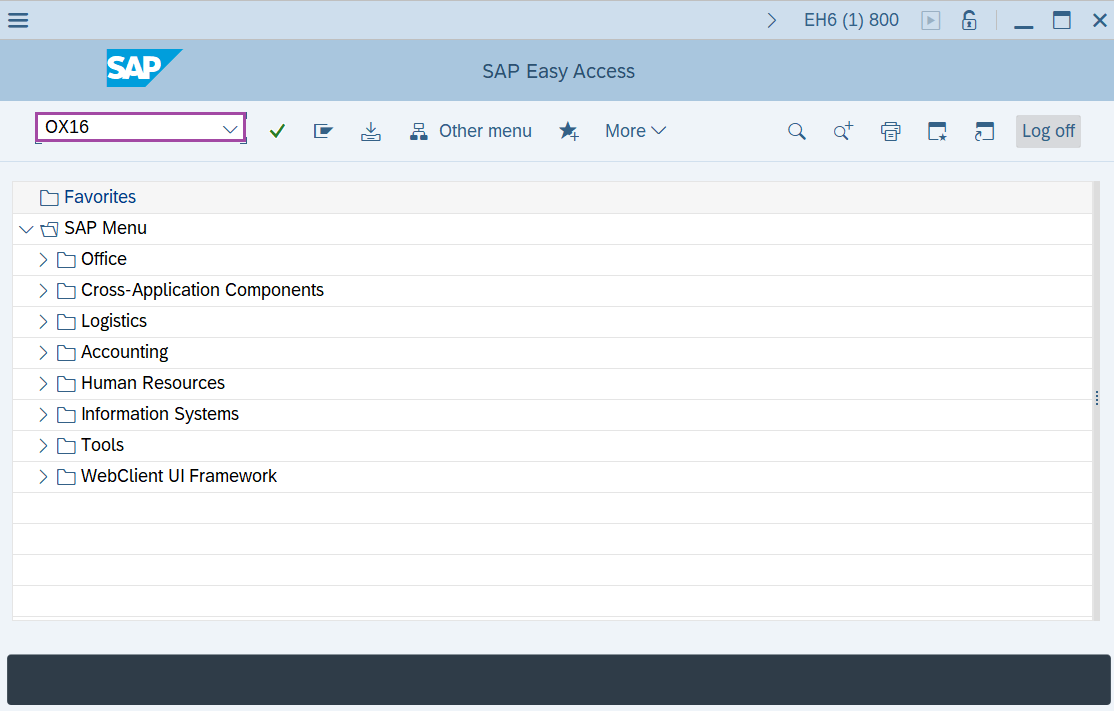
Step-1: - Enter the transaction code OX16 in SAP command field and press Enter to continue.
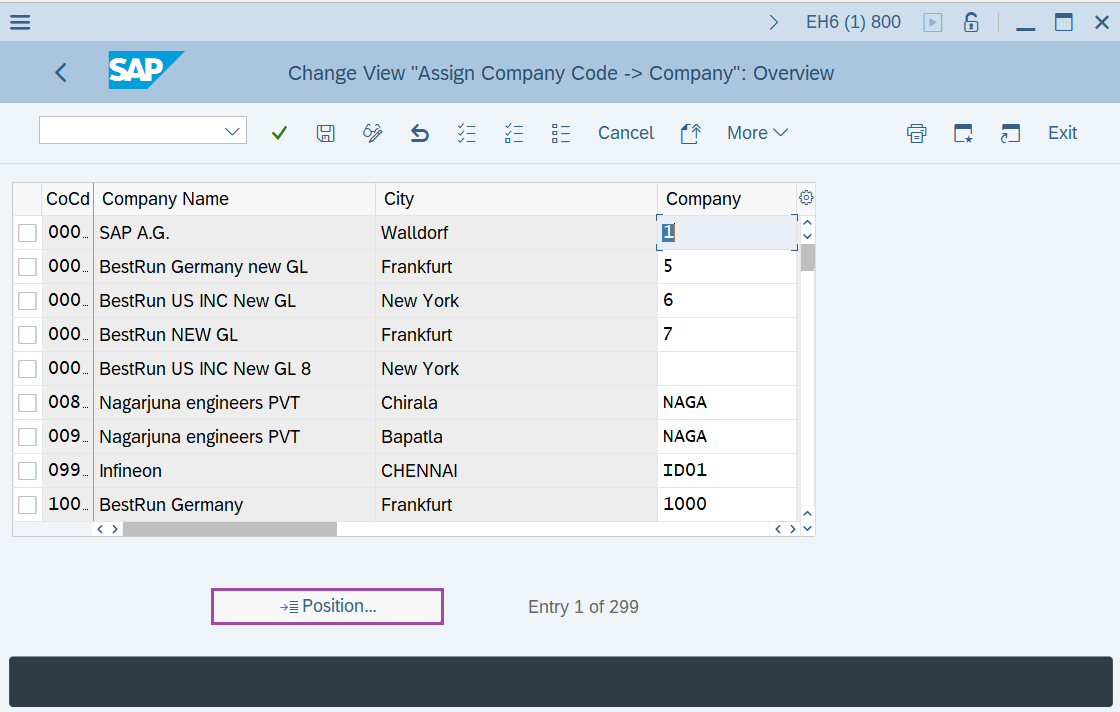
Step-2: - Change View “Assign Company Code -> Company”: Overview window appears. Click on Position.
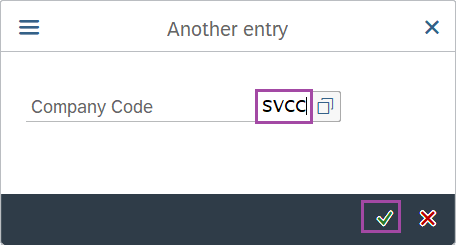
Step-3: - A prompt box appears as Another entry, enter the company code and press Enter to continue.
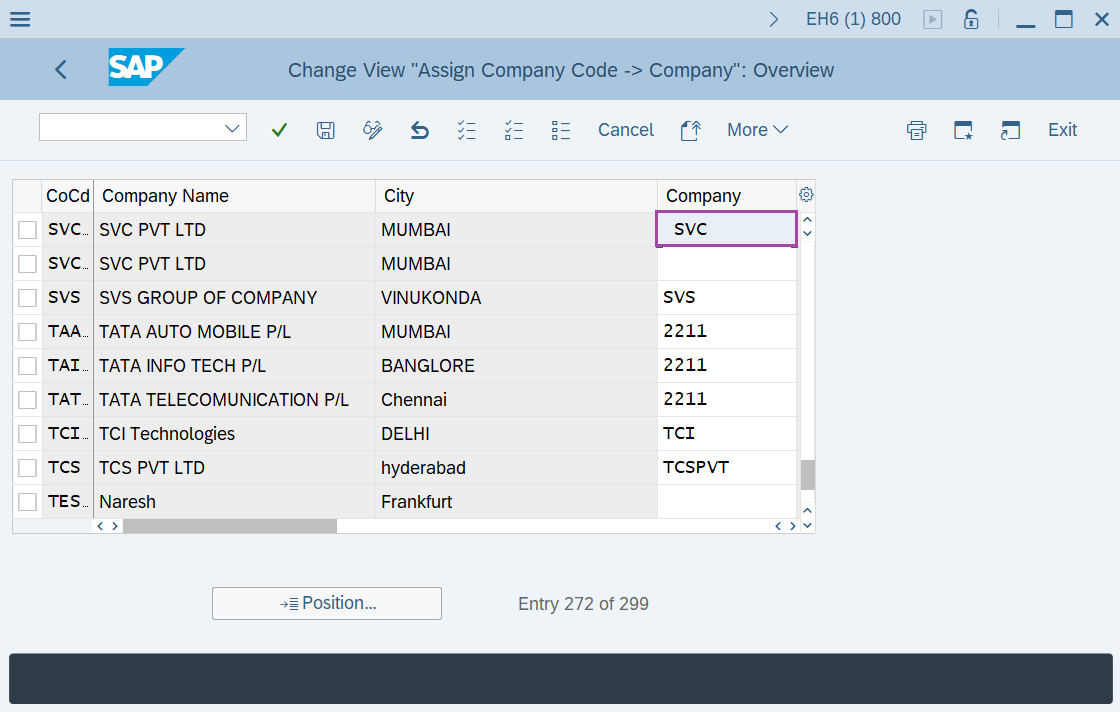
Step-4: - Enter the company ID in Company field and click on Save to save the data.
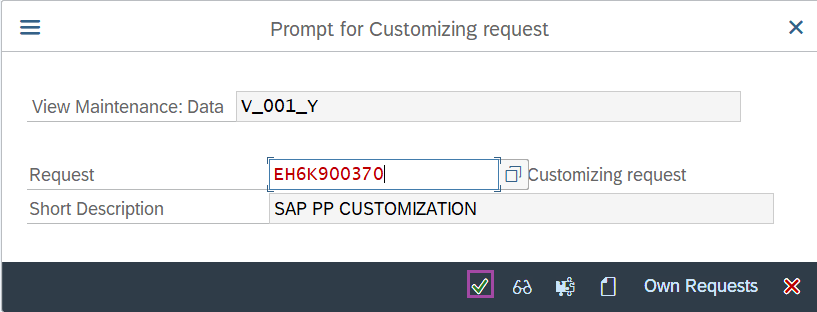
Step-5: - Select the “customizing request” and click on right mark to continue.
Step-6: - Status bar displays the below message once the default values saved successfully.
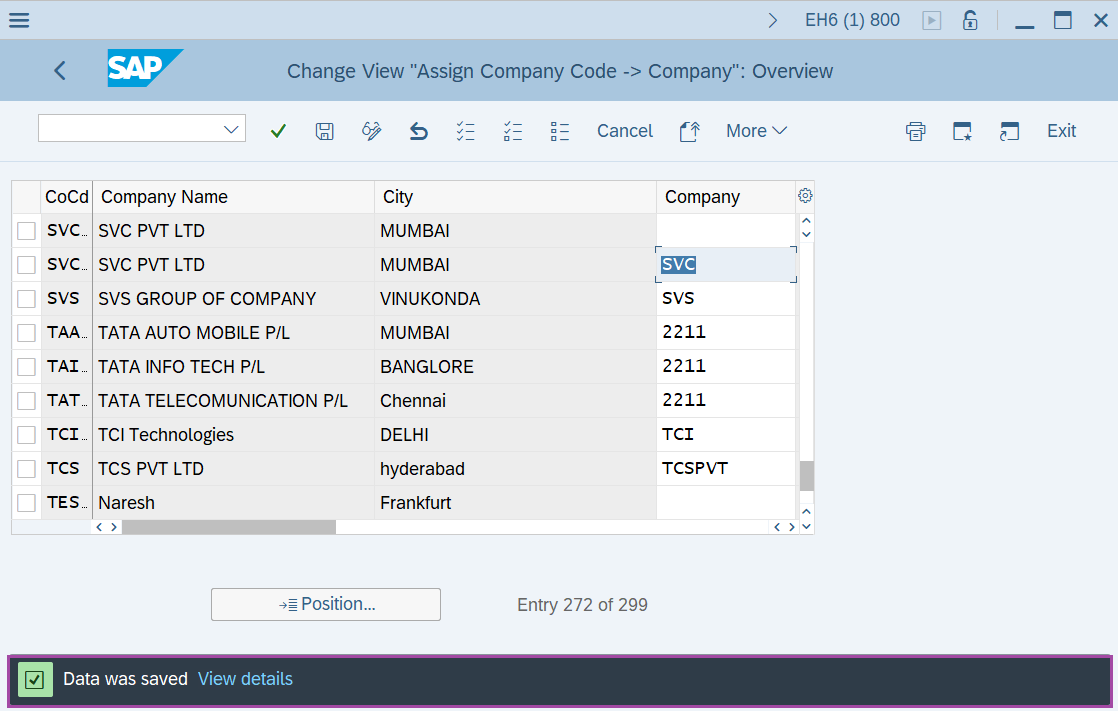
Thus the company code is assigned to Company.
Technical details –
- Transaction code: OX16
- Menu path: SPRO → IMG Reference → Enterprise Structure → Assignment → Financial Accounting → Assign Company Code To Company.