
SAP PP Create Bill of Material (BOM)
Creating a BOM means defining the complete list of components required to manufacture a finished product or a semi-finished product. It tells SAP exactly what materials go into the product and how much of each material is needed.
A BOM acts like the “recipe” for production — it helps SAP understand what to procure, what to plan, and what to issue during the manufacturing process. Without a BOM, SAP cannot plan material requirements or create accurate production orders.
Prerequisites -
- The header material (finished or semi-finished product) must already be created in the system using MM01.
- All raw materials or child components that you want to include in the BOM should also be created in the Material Master.
Here’s a step-by-step to Create Bill of Material (BOM) –
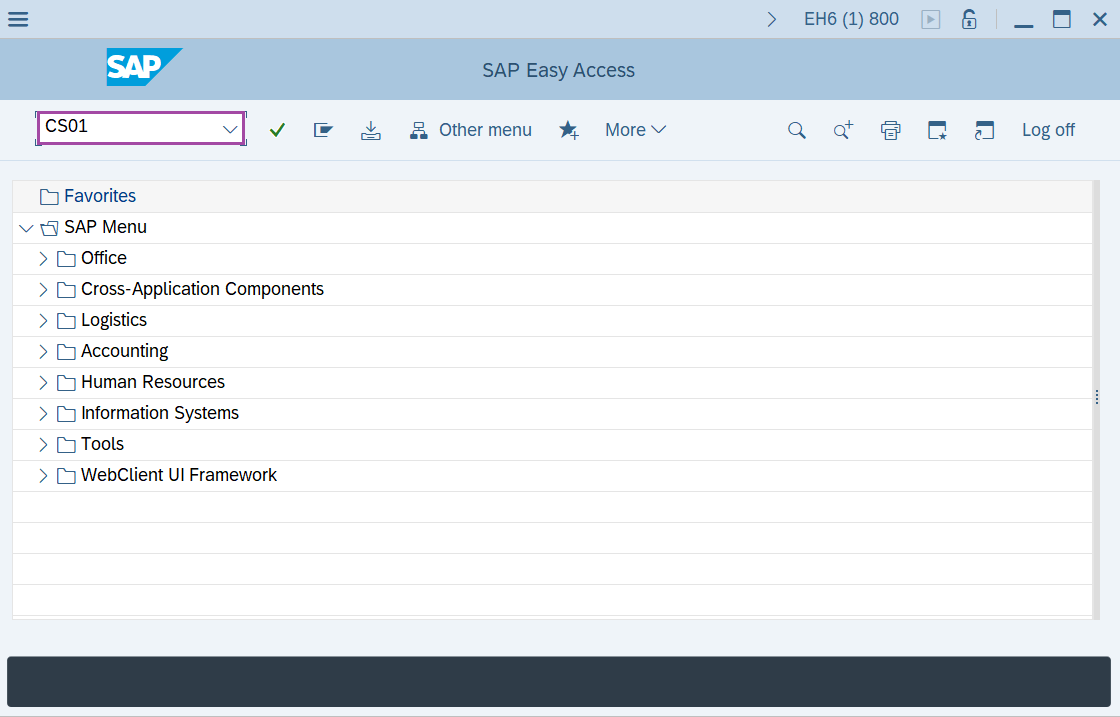
Step-1: - Enter the transaction code CS01 in SAP command field and press Enter to continue.
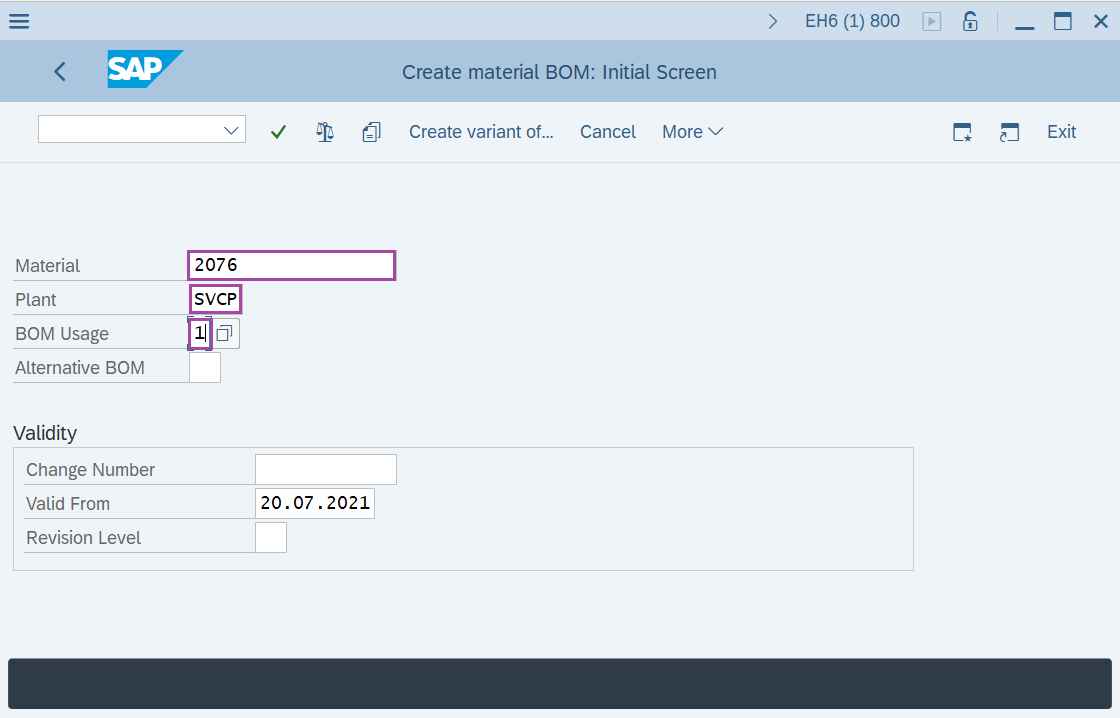
Step-2: - Now Create material BOM: Initial Screen window appears. Enter the data for Material number, plant code and BOM usage.
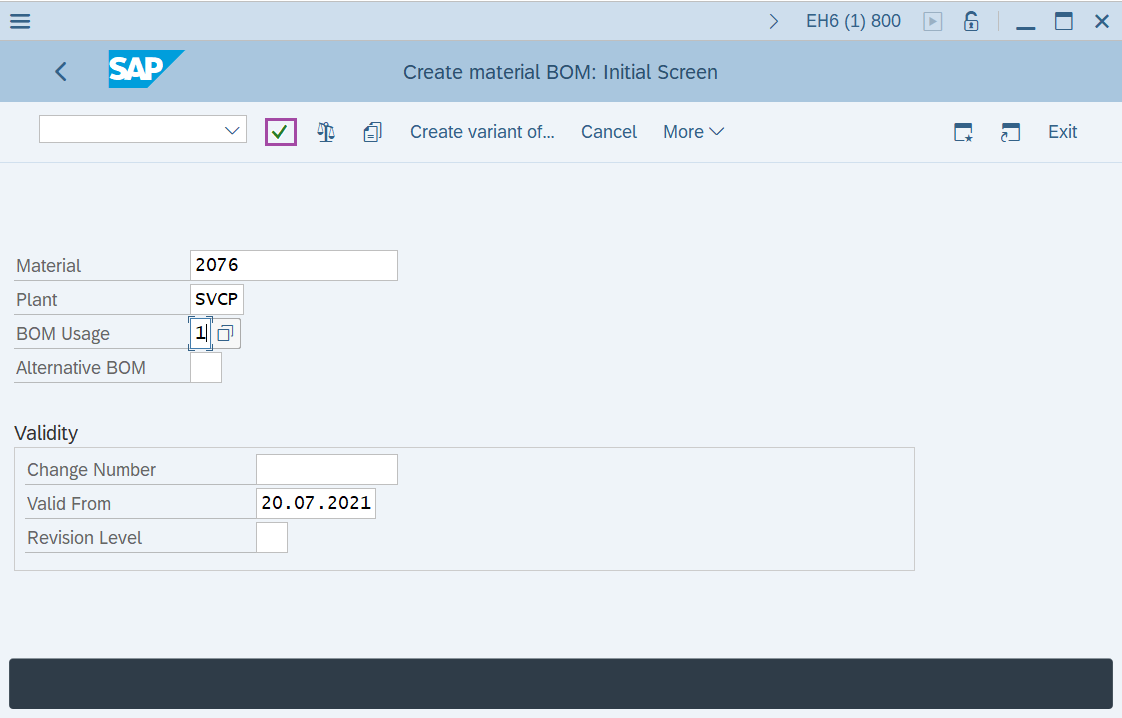
Step-3: - After entering the details, click on Enter to continue.
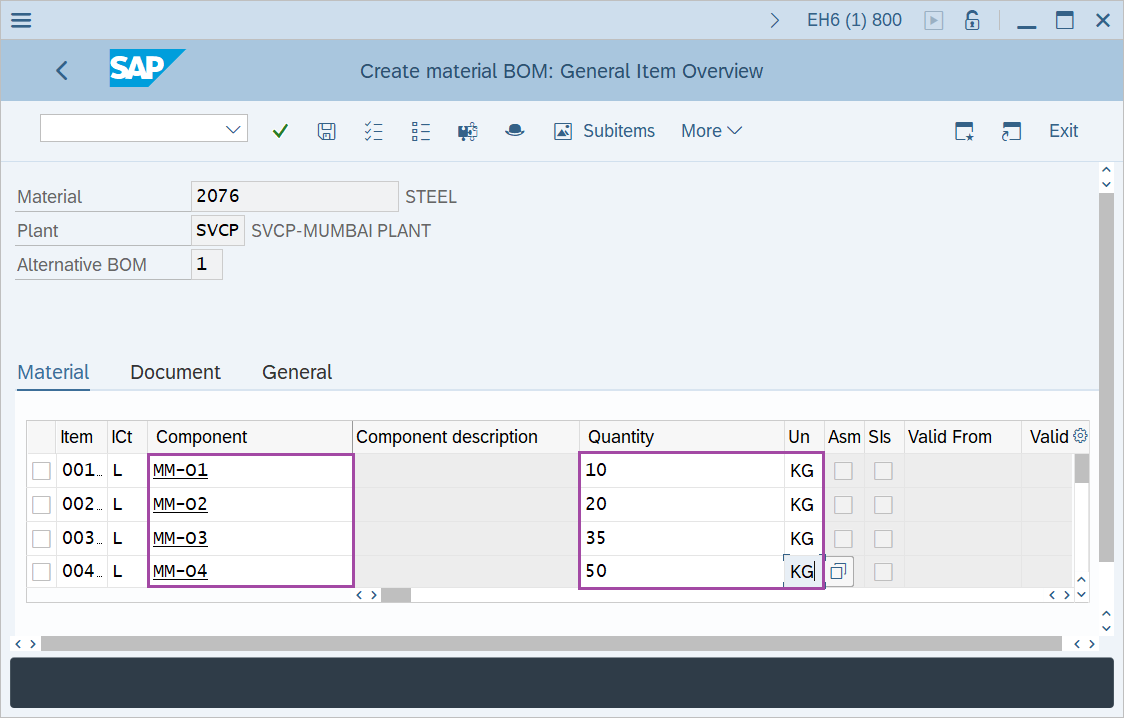
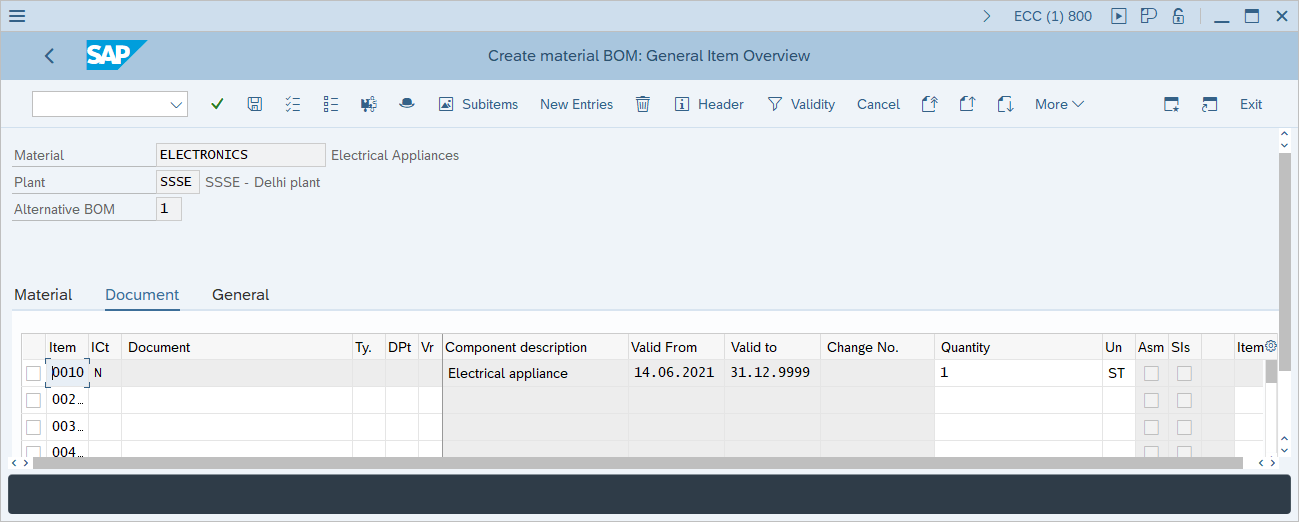
Step-4: - A window appears as Create Material BOM: General Item Overview, in case a BOM already exist for a material then the system automatically gives a message to user as a second alternative bills of material is being created.
- Now enter item category.
- Enter material in component field.
- Then update quantity and unit.
Now press Enter to continue.
Step-5: - A window appears as Create Material BOM: Item: Status/long text. Enter the details required.
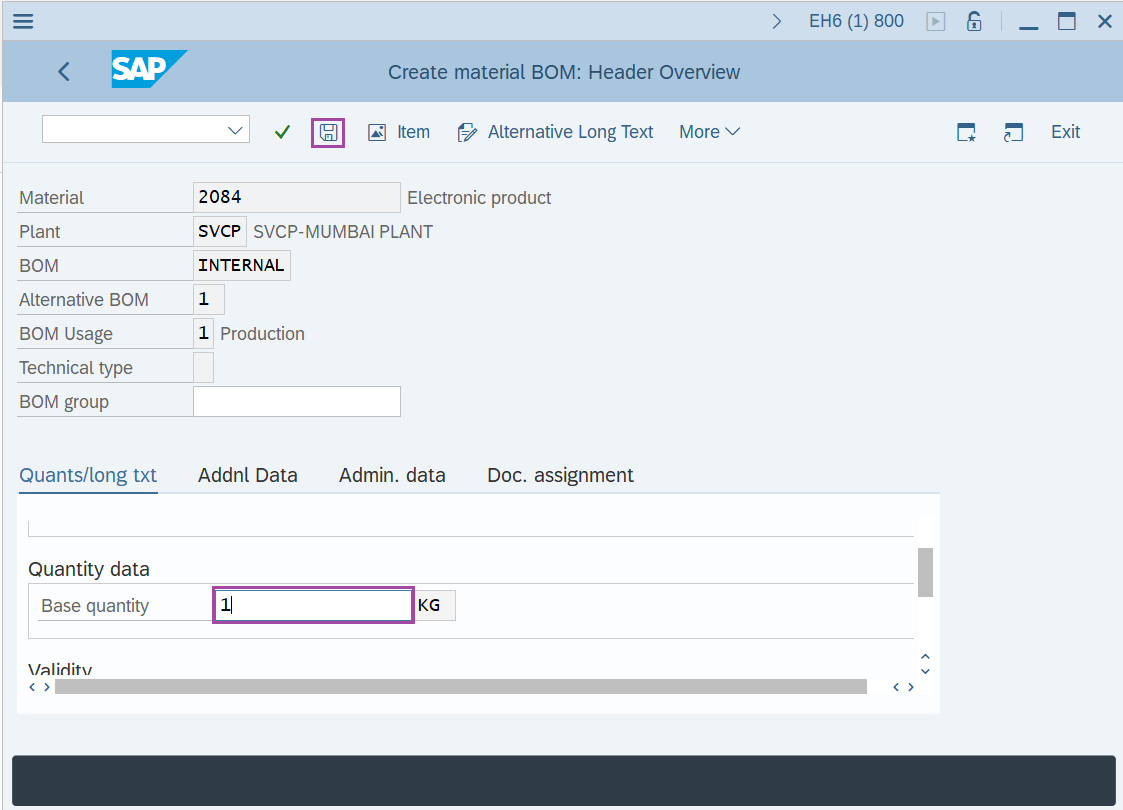
Step-6: - After entering the details in fields, click on Enter to continue.
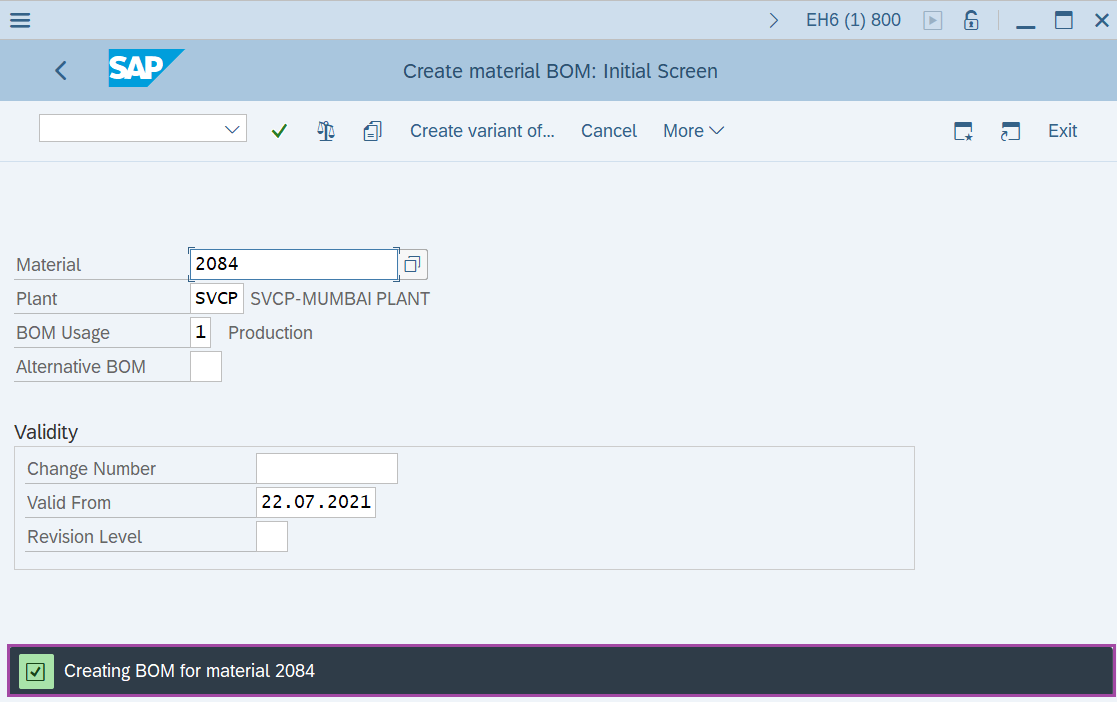
Step-7: - Create Material BOM: Item: purchasing Data window appears, enter all the purchasing data details.
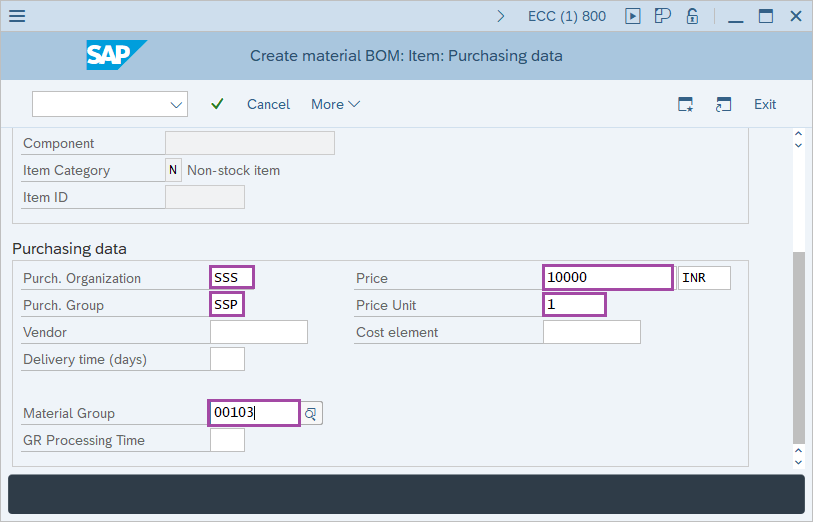
Step-8: - After entering the details in fields, click on Enter to save the details.
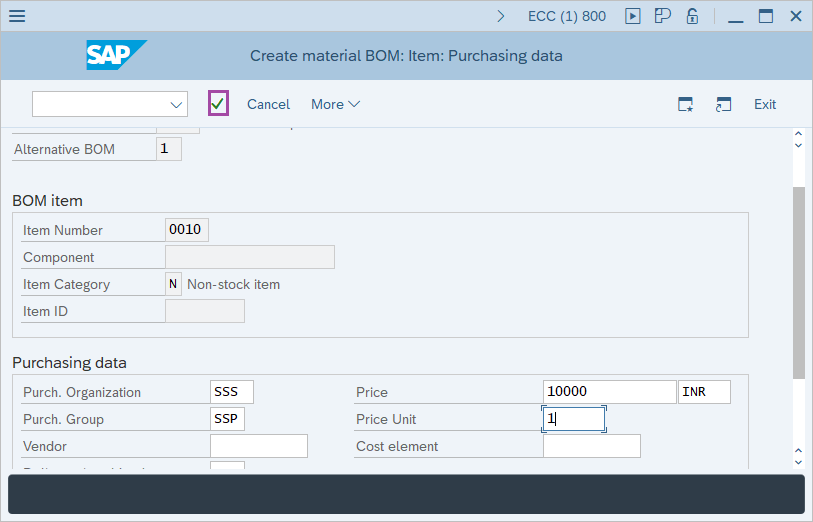
Step-9: - Finally a window appears as Create Material BOM: General Item Overview, resulting a BOM created.
Technical details –
- Transaction code: CS01
- Menu path: SAP Menu → Logistics → Production → Master Data → Bills of Material → Bill of Material → Material BOM → Create.