
SAP PP How to TECO Production Order
TECO = Technically Complete
In SAP PP, setting a production order to TECO means the order is finished from a technical and production point of view, even if some activities are still open in the system.
When TECO is set:
- No further confirmations can be posted
- No goods issue (GI) or goods receipt (GR) can be done
- Remaining reservations are deleted or closed
- Capacity requirements are removed
- Order is considered completed for planning purposes
TECO is typically applied when:
- Production is completed
- Only cost settlement remains
- Minor differences exist between planned and actual quantities
- You want to prevent any further postings
Prerequisites -
- Production must be completed physically.
- Goods Issue must be completed.
- Goods Receipt should be posted.
- Order should be checked for Open Items.
Here’s a step-by-step to TECO Production Order –
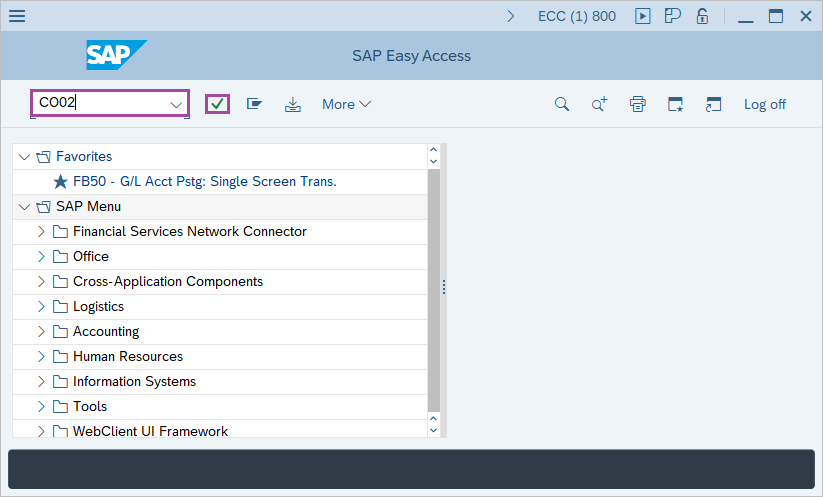
Step-1: - Enter the transaction code CO02 in SAP command field and press Enter to continue.
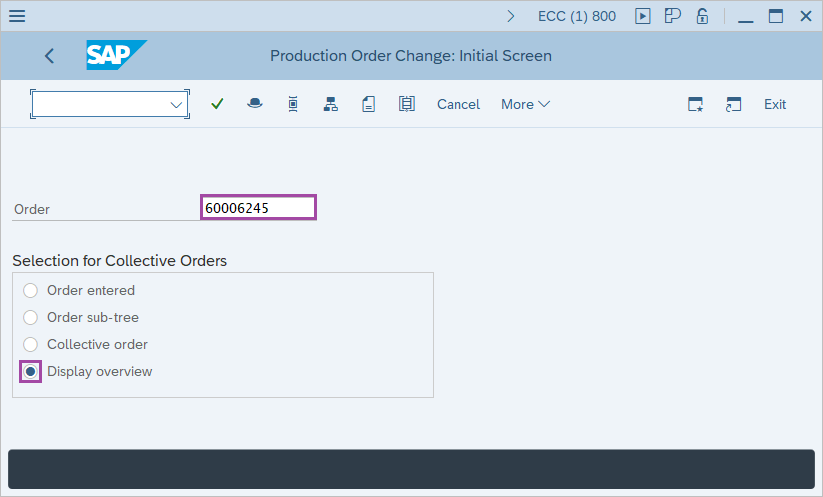
Step-2: - Production Order Change: Initial Screen window appears. Enter the Production number and select the Display overview. It is selected by default.
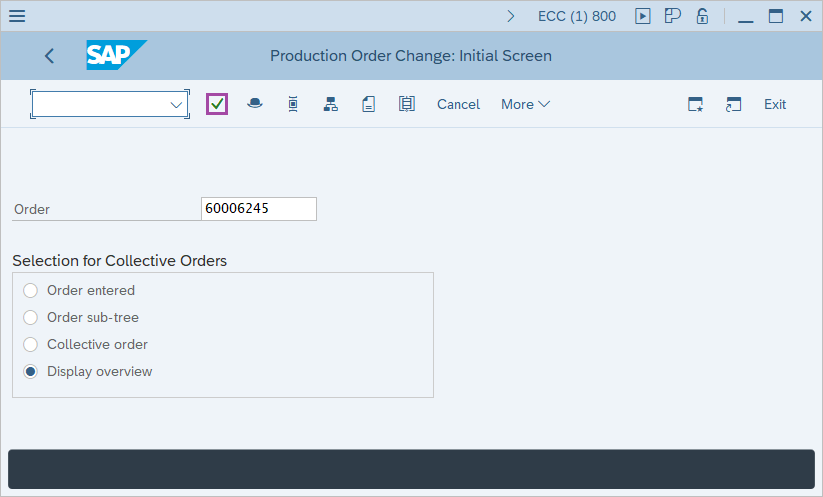
Step-3: - After entering the details, press Enter button.
Step-4: - Production Order Change: Header window appears.
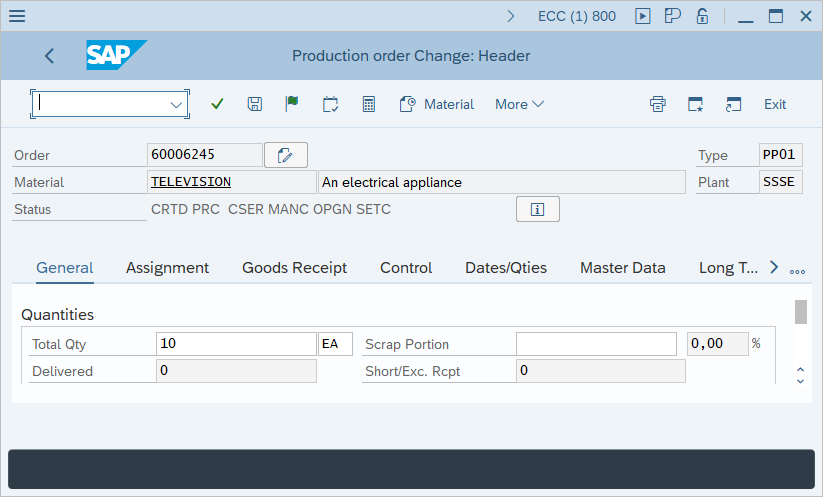
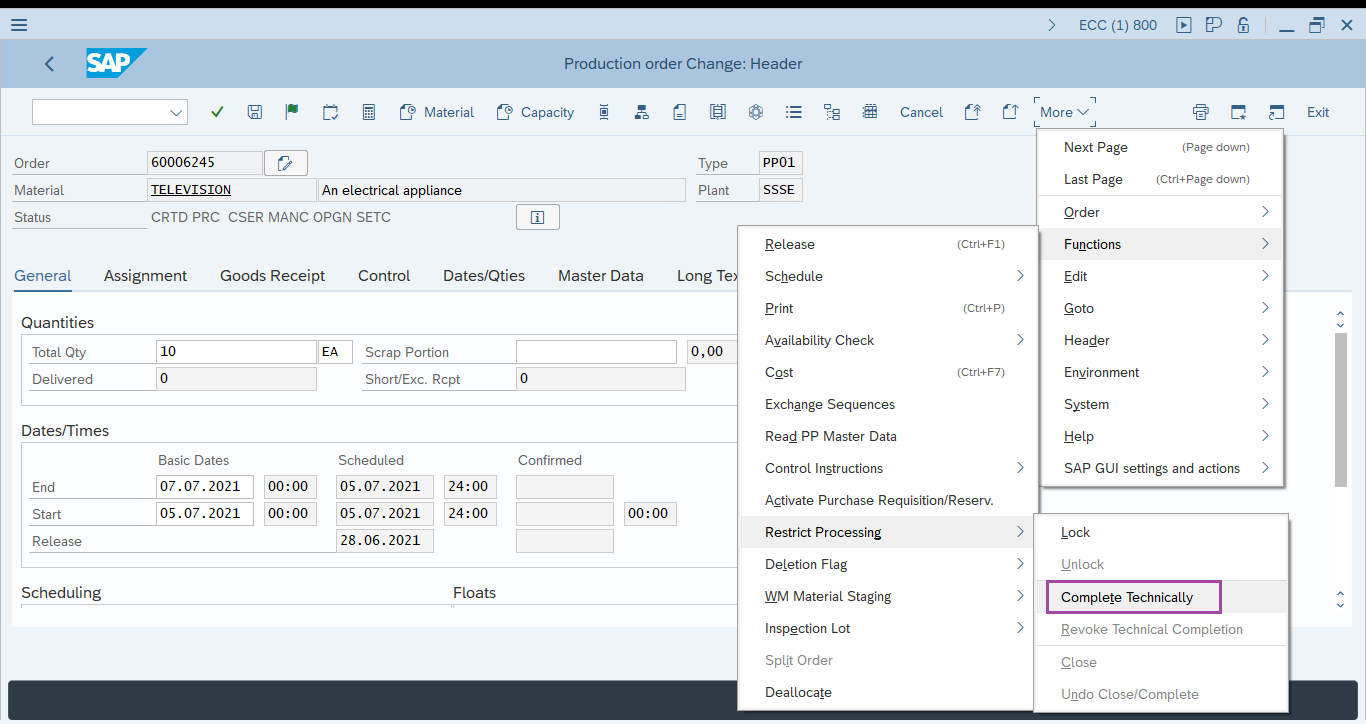
Step-5: - In this window from the menu click on Function -> Restrict processing -> complete technically.
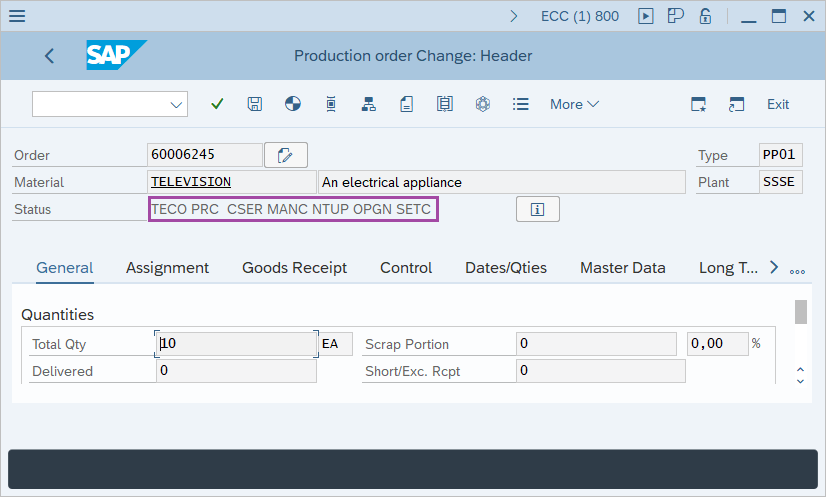
Step-6: - The system will display message in status- TECO.
Technical details –
- Transaction code: CO02
- Menu path: SAP menu → Logistics → Production → Shop floor control → Order → Change.