
SAP PP Create Routing
Creating a routing means setting up these instructions in SAP for a material, so that when you produce that material — via planned orders or production orders — SAP knows exactly how to execute production: what machines to use, how long each step should take, etc.
Routing is a fundamental master-data object in PP — it acts like a “recipe” or “work plan” for production. Without routing, SAP doesn’t know how to manufacture the material even if BOM and material master exist.
Prerequisites -
- The material master exists for the material you want to produce (finished or semi-finished).
- You should know the plant and valid-from date (key date).
- Your BOM (Bill of Material) exists (or will exist) for that material.
Here’s a step-by-step to Create Routing –
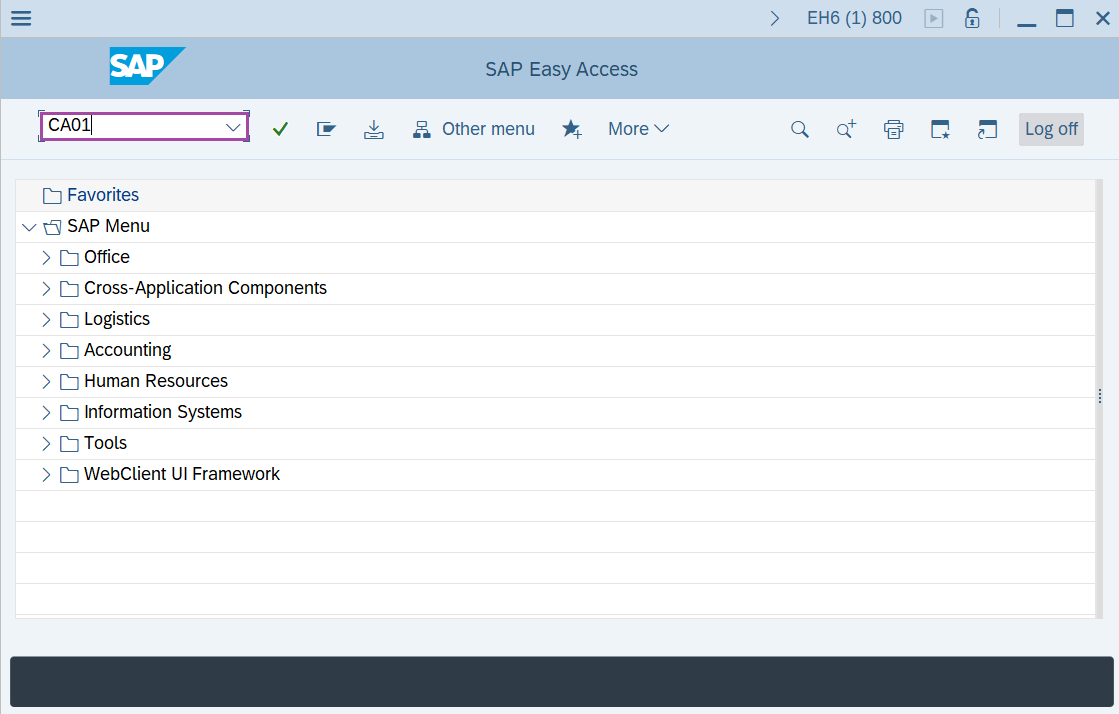
Step-1: - Enter the transaction code CA01 in SAP command field and press Enter to continue.
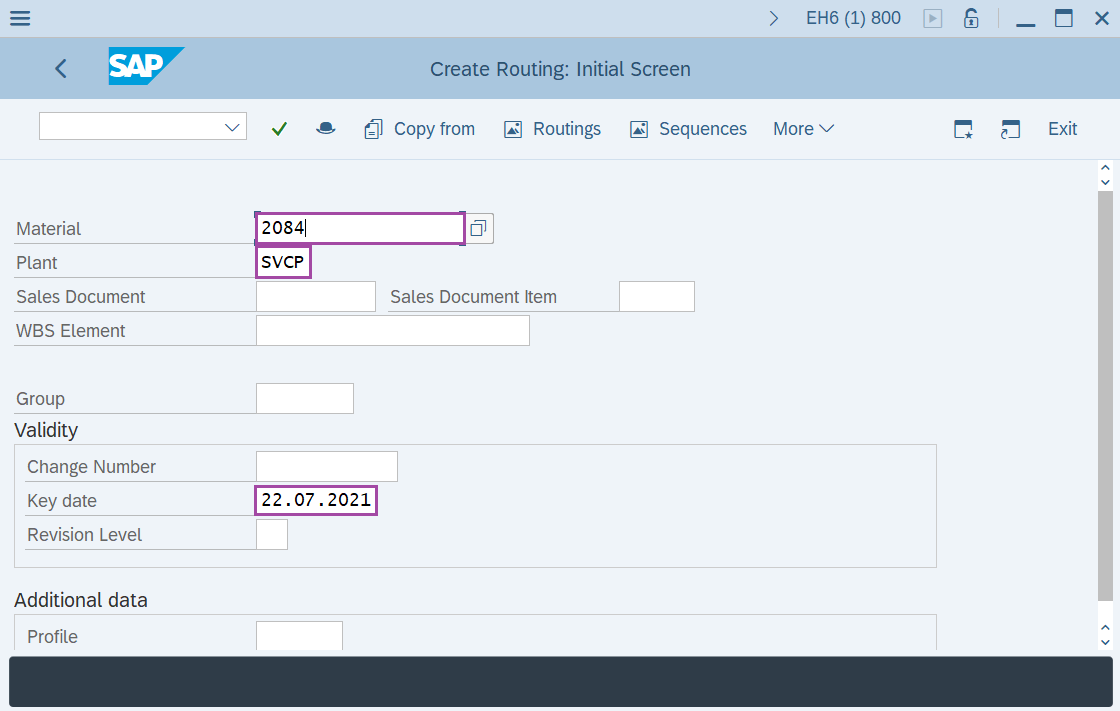
Step-2: - Create Routing: Initial Screen window appears. Enter the details in the fields Material, Plant and Validity Key date.
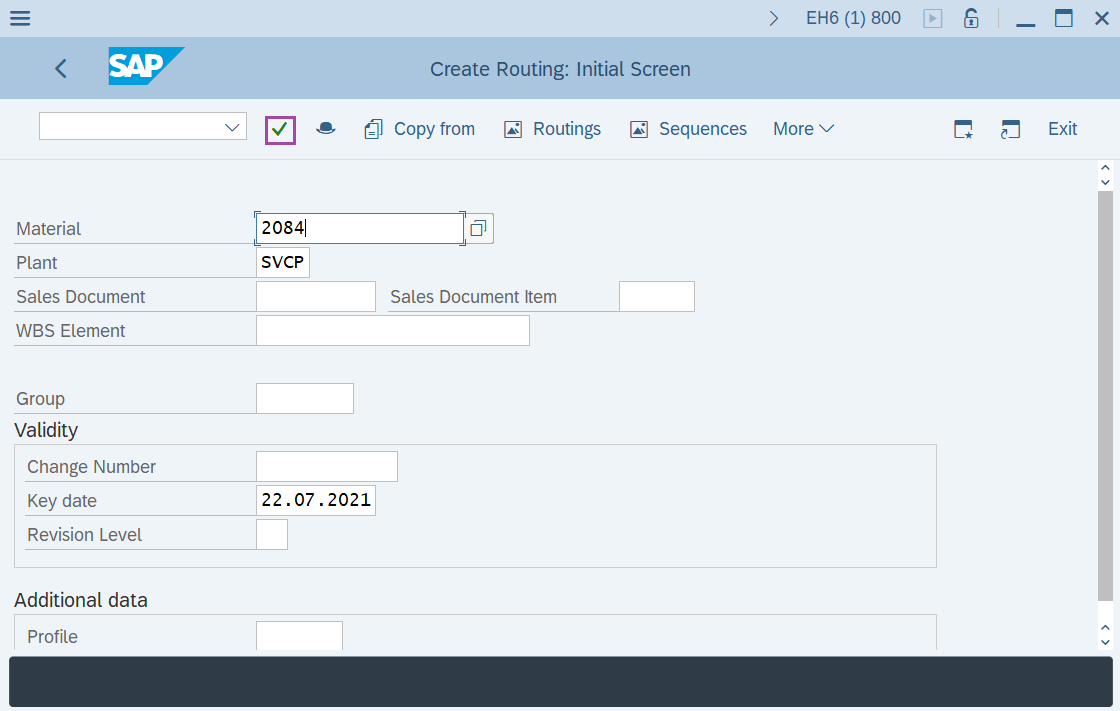
Step-3: - After entering the details, click on Enter button to continue.
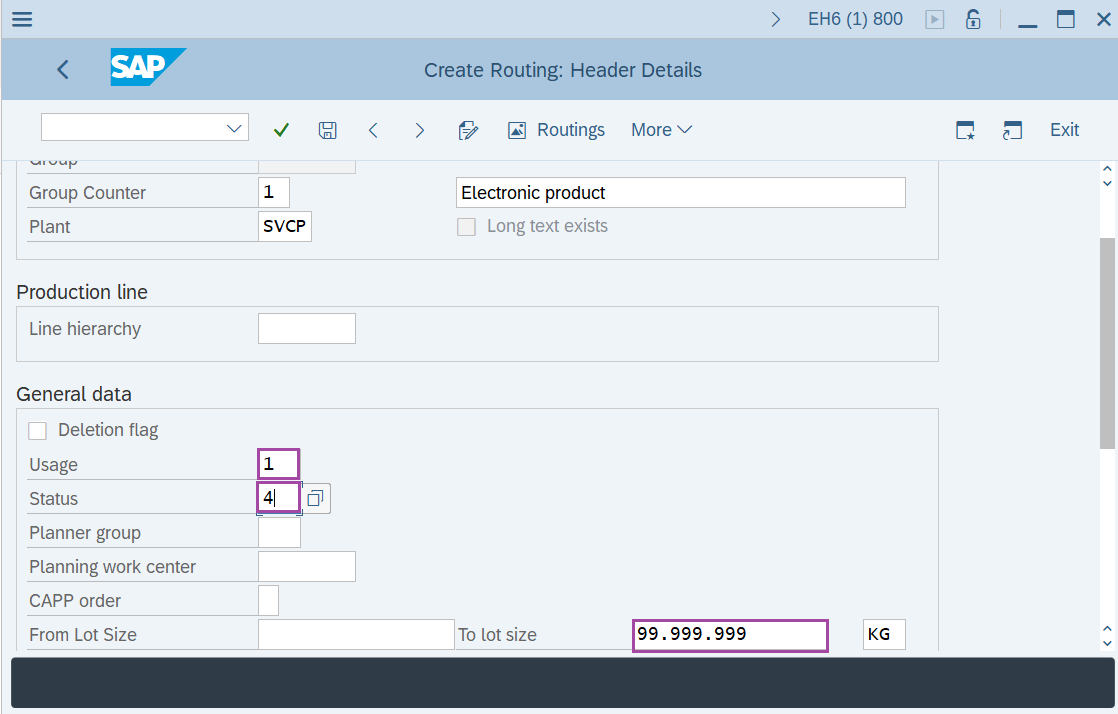
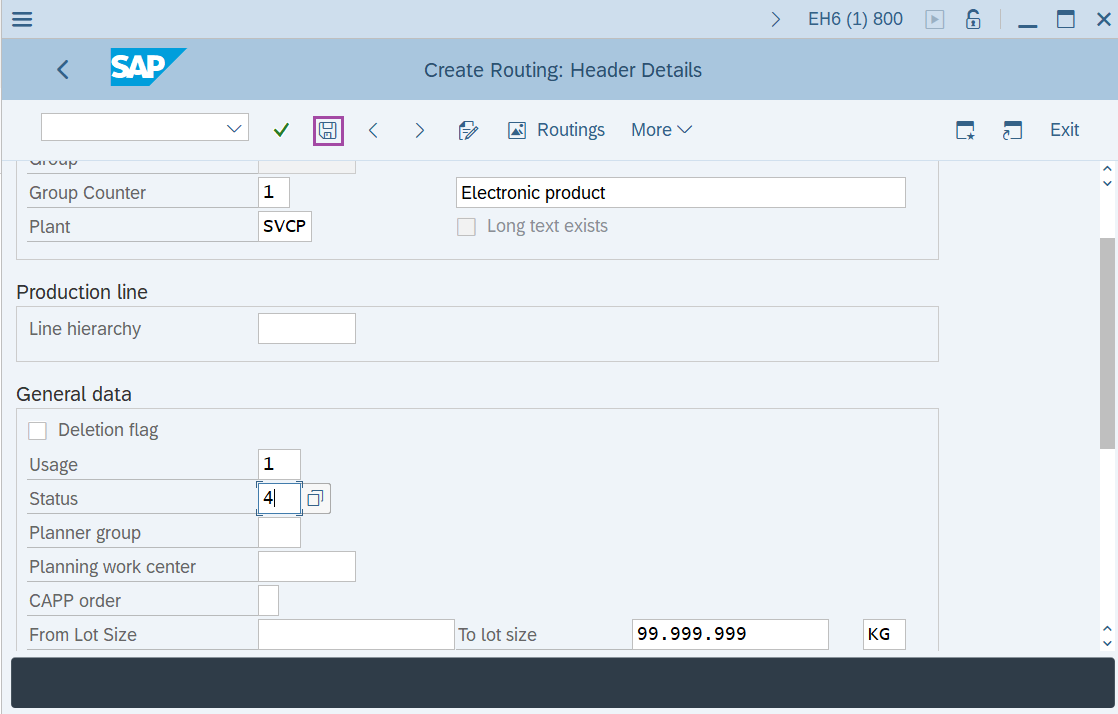
Step-4: - Create Routing: Header details window appears. Enter the required data in fields Usage, Status, From Lot size and To Lot size.
- Usage – Here 1 is enter that is for production routing and used in production order.
- Status – Here 4 is entered that shows the released status and specifies that it is valid in requirement planning of material and costing.
- Enter Lot Size 999999, which means that it is valid for order quantity between 0 and 999999.
Step-5: - After the details are entered, click on Save button to save the details.
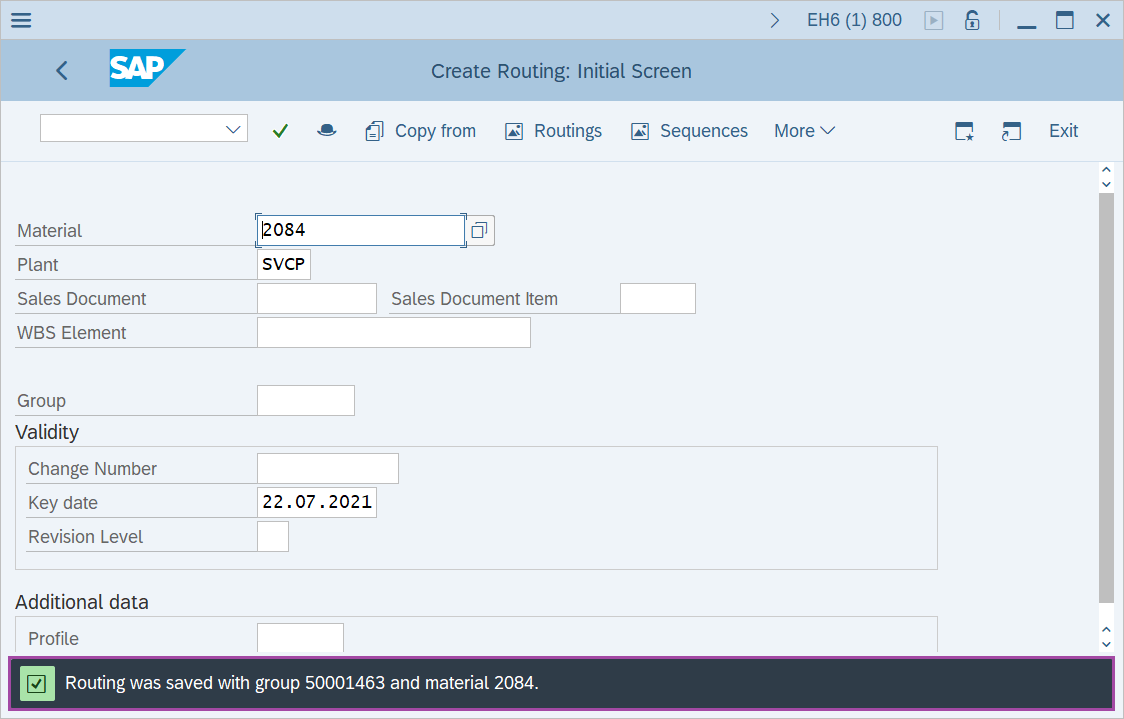
Step-6: - Status bar displays the below message once the routing created successfully.
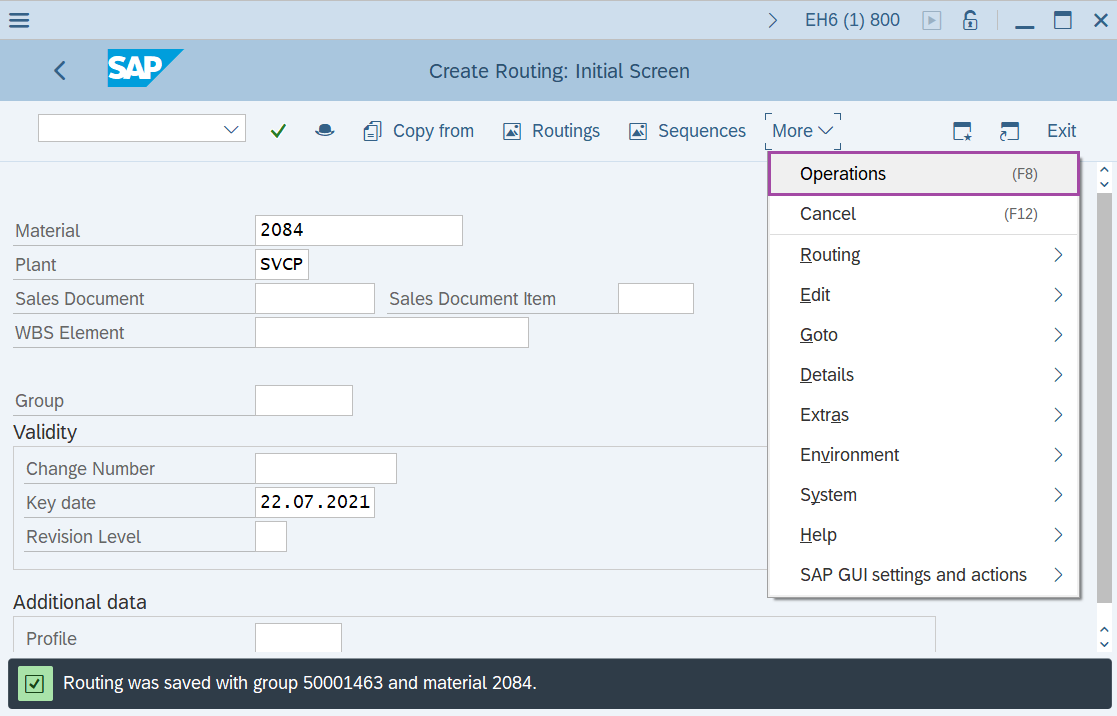
Step-7: - In Create Routing: Initial Screen window, select the Operations tab.
Step-8: - Create Routing: Operation Overview window appears with the list of operations.
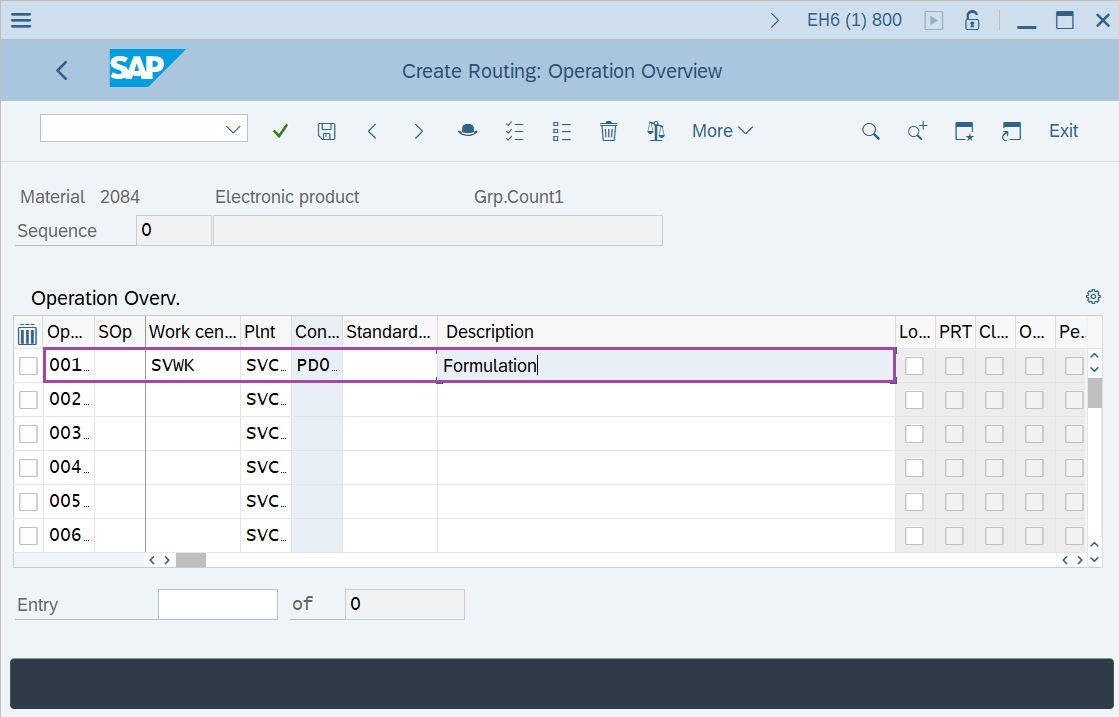
Step-9: - To maintain the operation data, it is required to –
- Enter work center code.
- Select Input Control Key to set the operation to be scheduled, costed, etc
- Enter base quantity and time.
- Enter the machine time for base quantity. Here time should be in minutes.
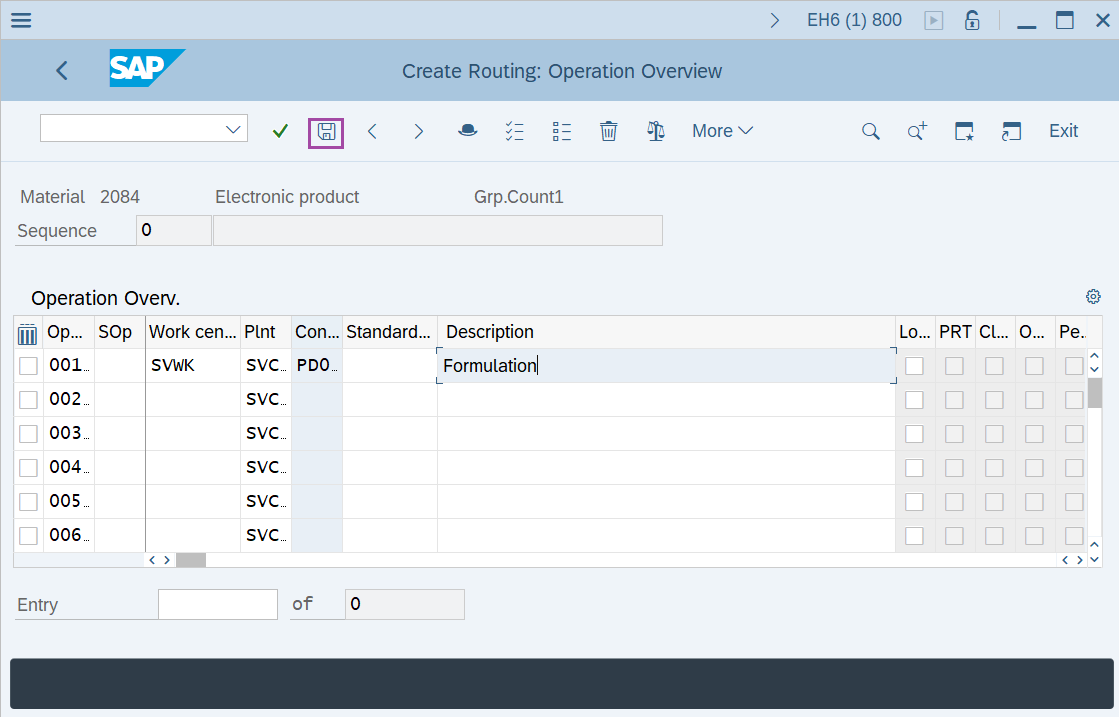
Step-10: - Once all the details entered, click on Save button to save the details.
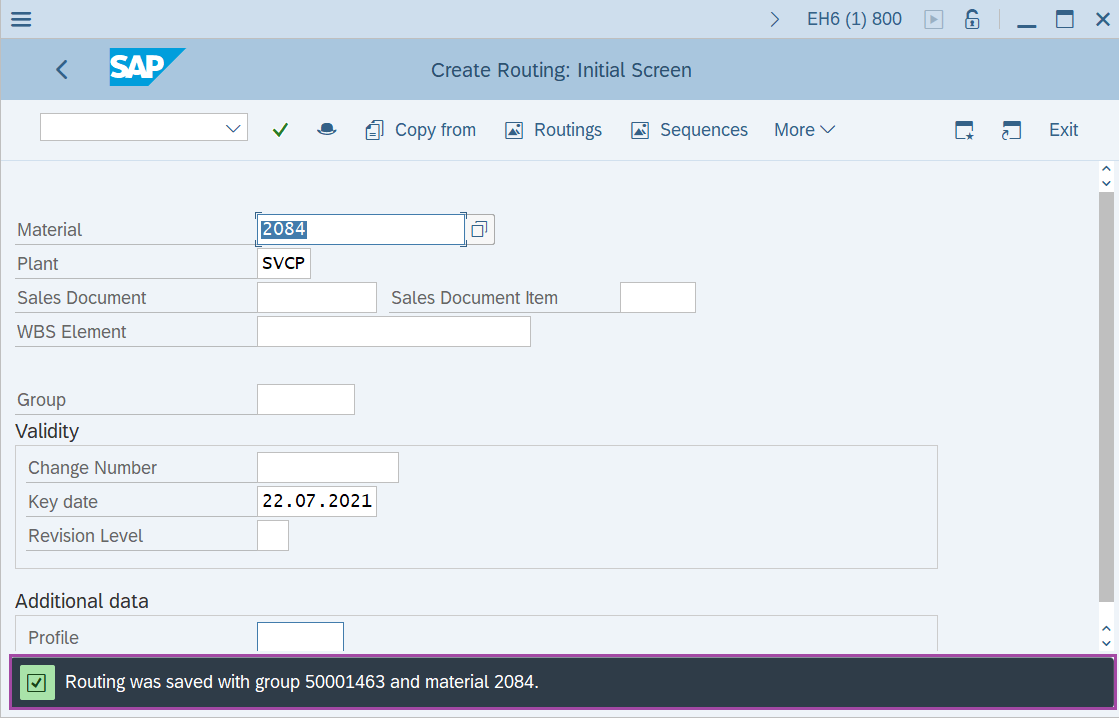
Step-11: - Status bar displays the below message once the default values saved successfully.

Technical details –
- Transaction code: CA01
- Menu path: SAP menu → Logistics → Production → Master Data → Routings → Routings → Standard Routings → Create.