
SAP PP Display Material Master
“Display Material Master” means viewing all the stored information about a material without making any changes. The Material Master contains everything related to that material — such as basic data, procurement type, MRP settings, production data, accounting values, and storage information.
Displaying the Material Master helps users check how a material is defined in the system, how it behaves in planning, and how it is handled throughout purchasing, inventory, and production.
Prerequisites -
- To display a material, it must be created earlier using MM01.
- Should know the material number.
Here’s a step-by-step to Display Material Master –
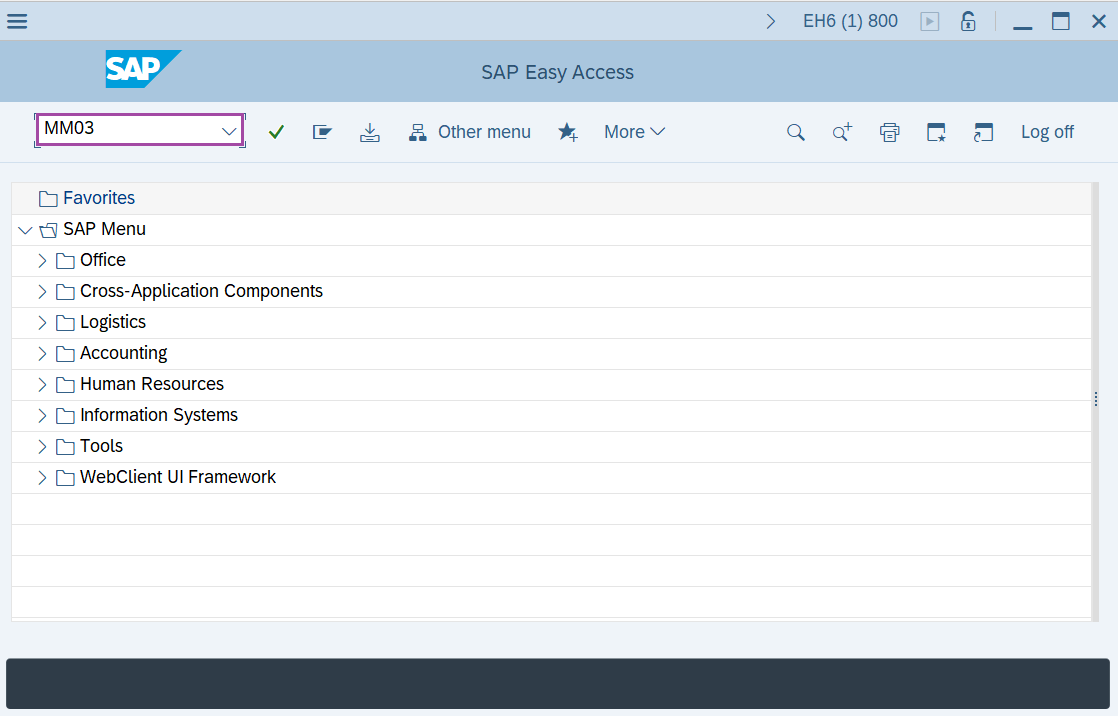
Step-1: - Enter the transaction code MM03 in SAP command field and press Enter to continue.
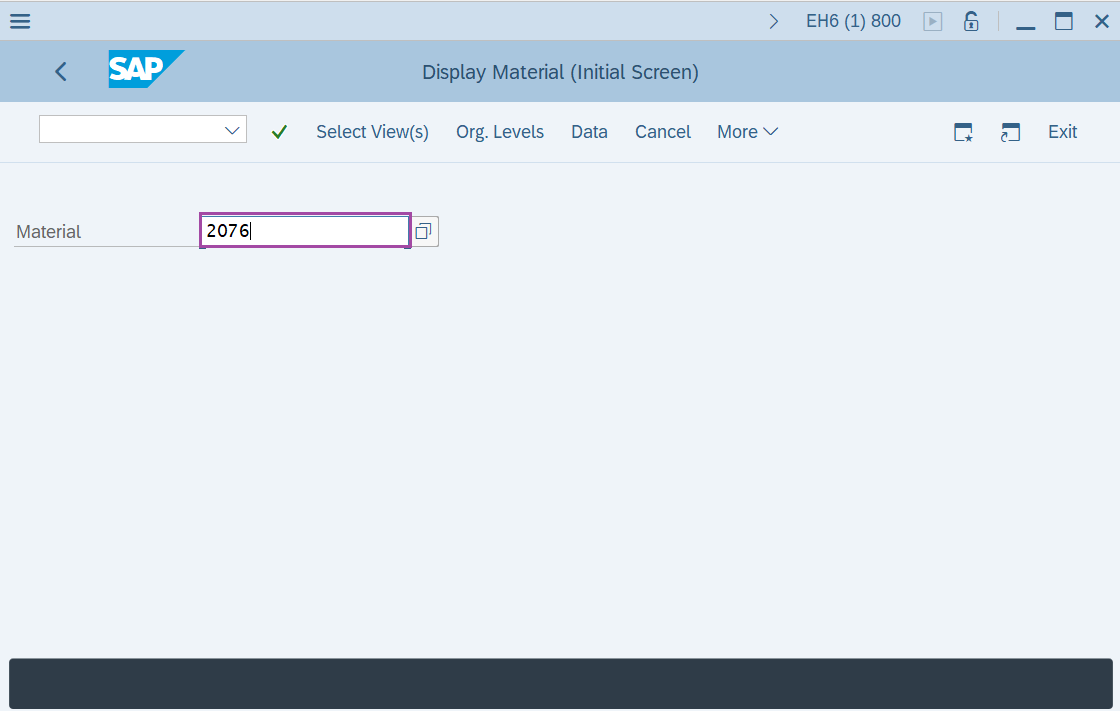
Step-2: - Display Material(Initial Screen) window appears. Enter the Material and press Enter to continue.
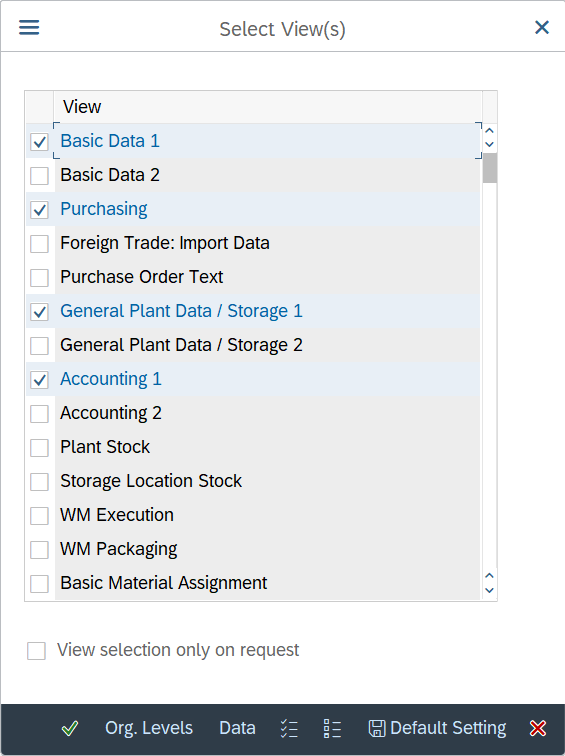
Step-3: - A pop-up window will be opened as Select View(s), select the views and press Enter to continue.
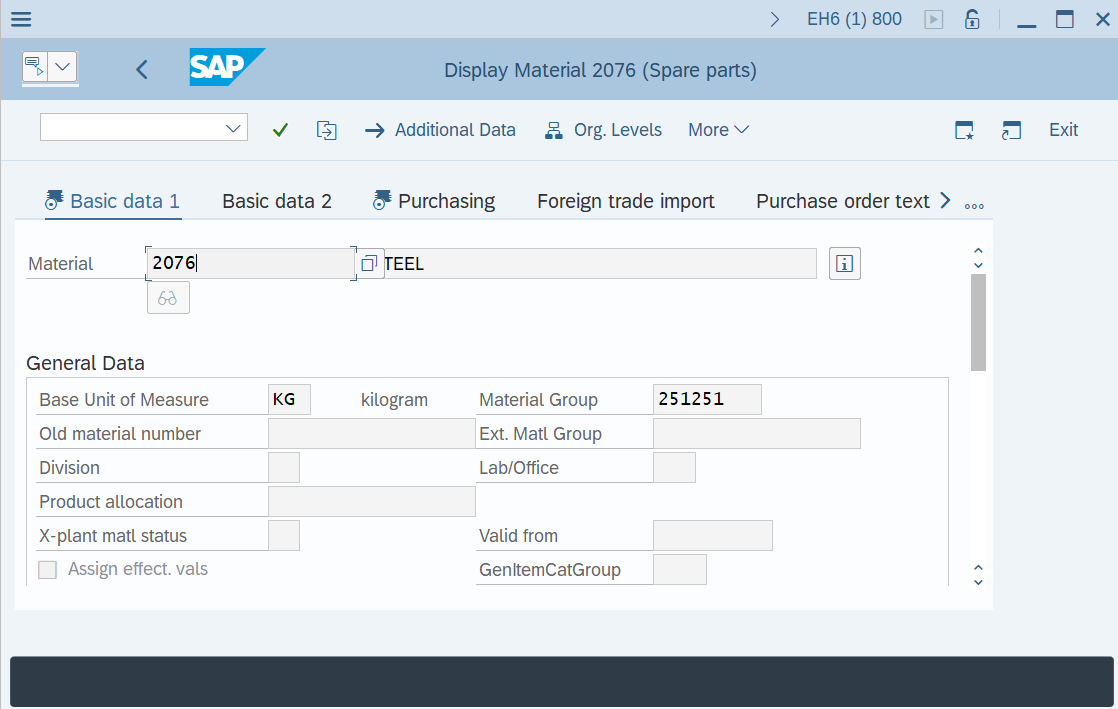
Step-4: - Display Material ELECTRONICS(Finished product) window appears with the Material details.
Technical details –
- Transaction code: MM03
- Menu path: Logistics → Material Management → Material Master → Material → Display.