
SAP PP How to Delete Planned Independent Requirement (PIR)
Planned Independent Requirements (PIRs) represent forecasted demand that MRP uses for planning. When sales forecasts change or planning needs to be corrected, you must delete PIRs so that MRP will no longer consider them as demand.
Deleting PIR means removing: quantities, dates, forecast versions from the PIR screen so that they no longer generate planned orders or procurement proposals.
Prerequisites -
- A PIR must already exist.
- Require correct version, plant, and material.
- Order reservations should be checked.
Here’s a step-by-step to Delete Planned Independent Requirement (PIR) –
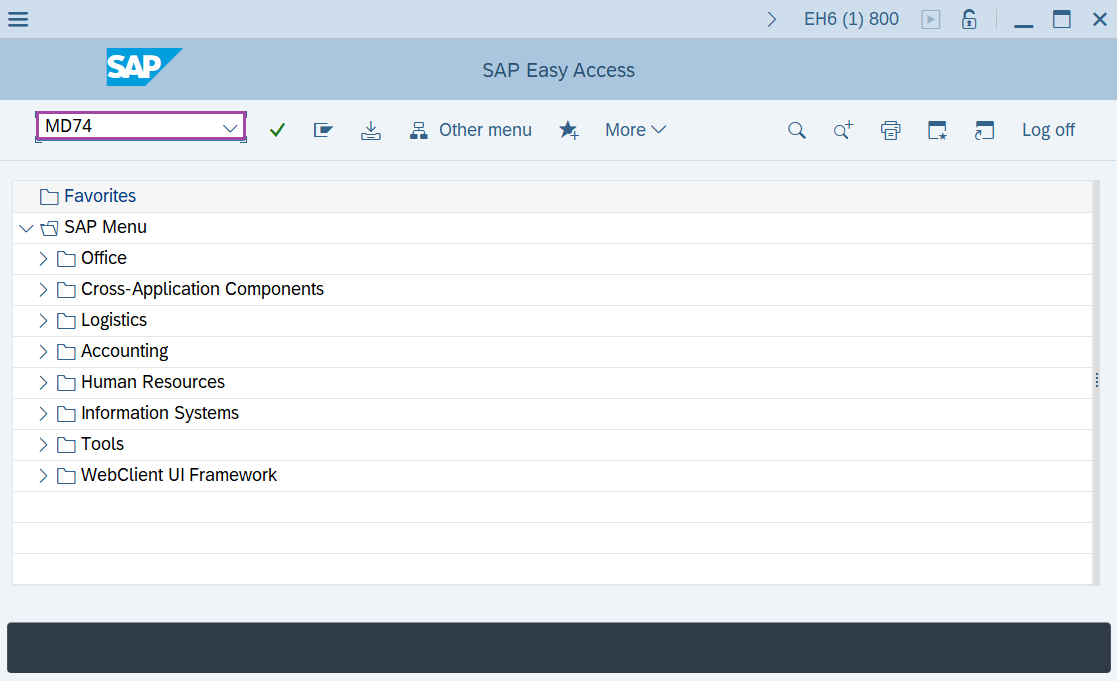
Step-1: - Enter the transaction code MD74/MD75 in SAP command field and press Enter to continue.
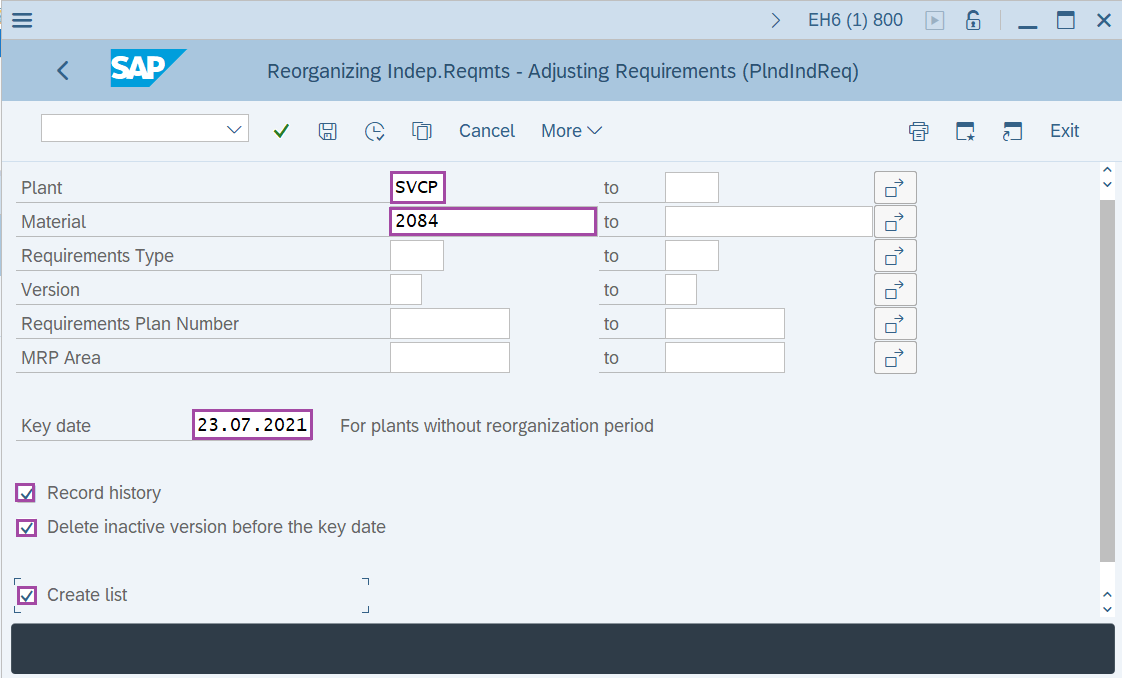
Step-2: - Reorganizing Indep.Reqmts – Adjusting Requirements(PlndIndReq) window appears. Enter the details in the fields Plant, Key data and select check box of Write history, Delete Inactive versions Before the key date, Create List.
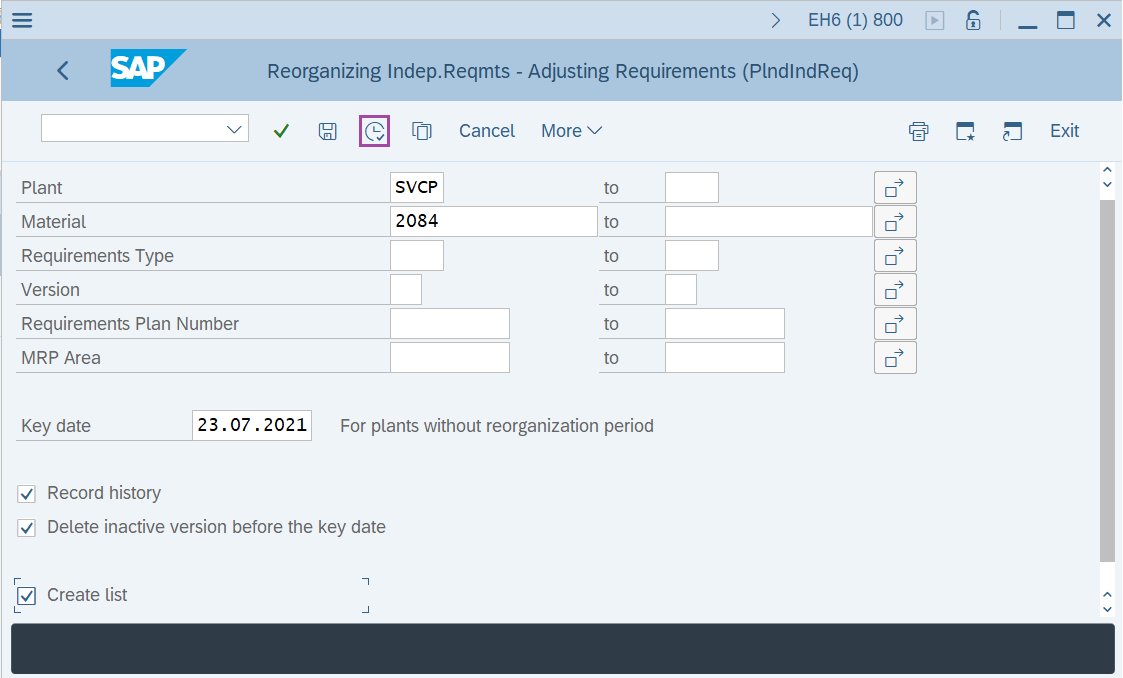
Step-3: - After entering the details, click on Execute button to run the report.
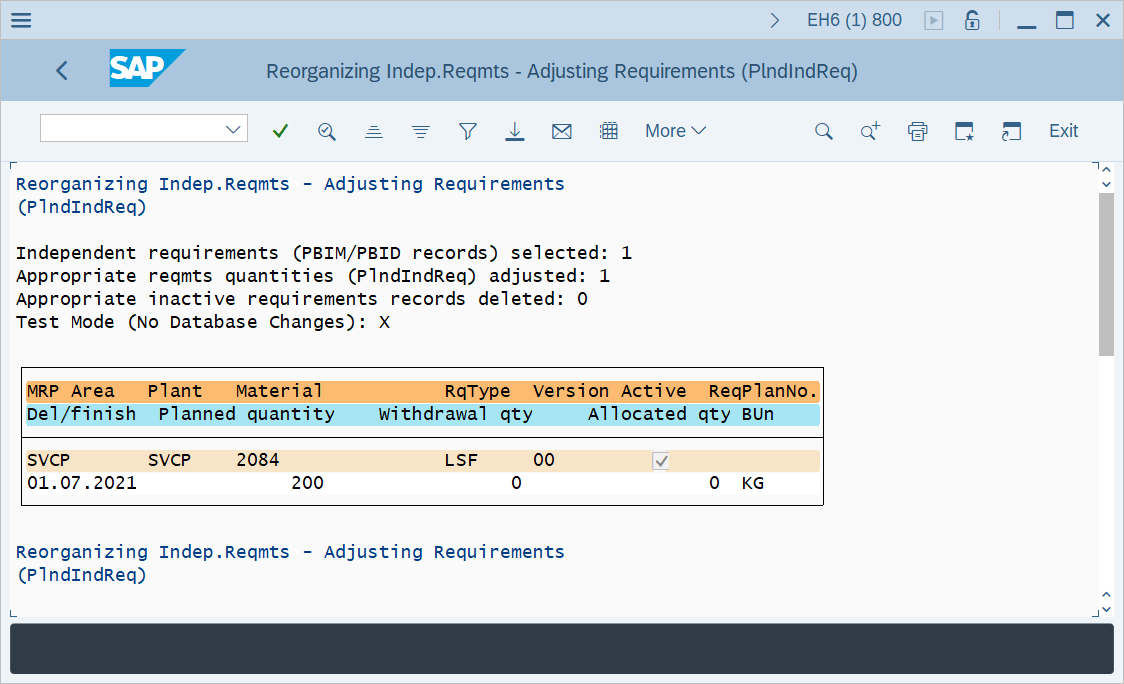
Step-4: - Reorganizing Indep.Reqmts – Adjusting Requirements(PlndIndReq) window appears with messages about deletion of PIR.
Technical details –
- Transaction code: MD74/MD75
- Menu path: SAP menu → Logistics → Production → Production Planning → Demand Management → Environment → Independent Requirements: Reorganization → Adjust Requirements or Schedule Lines: Reorganize .