
SAP PP How to Display Where-used List
A Where-Used List shows you all the places where a material is used inside SAP. It tells you whether a material is used in: Bill of Materials (BOMs), Higher-level assemblies, Production versions, Routing components, Recipes (PP-PI), Sales BOMs, and Engineering BOMs.
This is extremely useful for planners, engineers, and production teams.
Prerequisites -
- Material master must exist.
- BOM structure must exist.
- Correct Plant & BOM Uusage information.
Here’s a step-by-step to Display Where-used List –
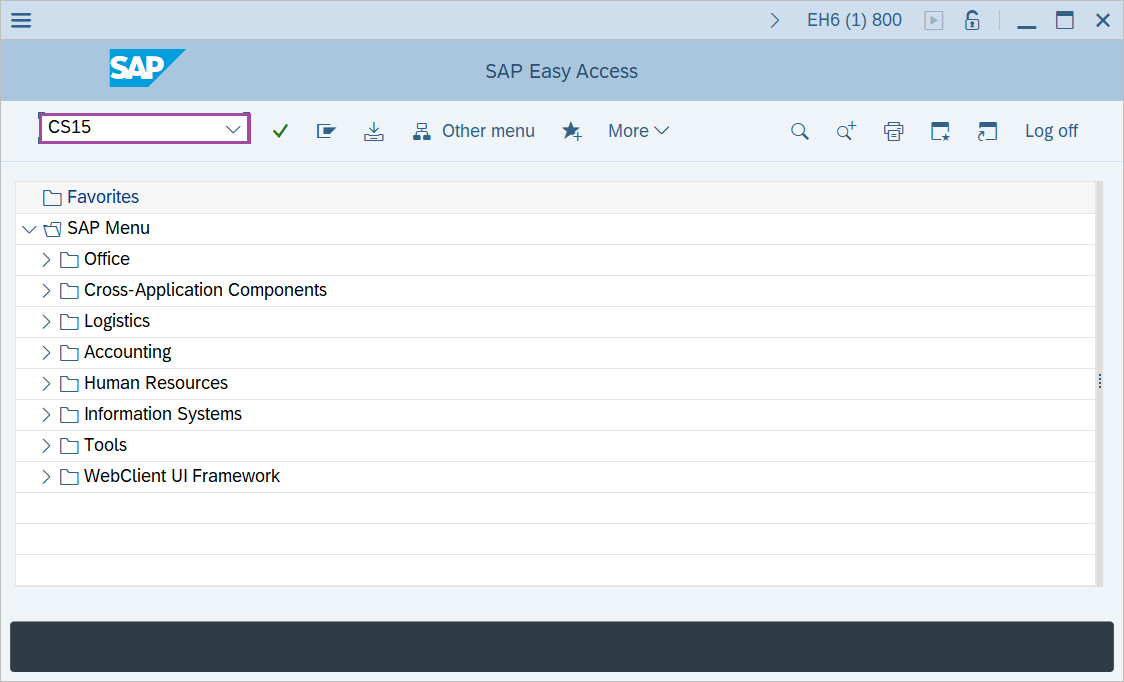
Step-1: - Enter the transaction code CS15 in SAP command field and press Enter to continue.
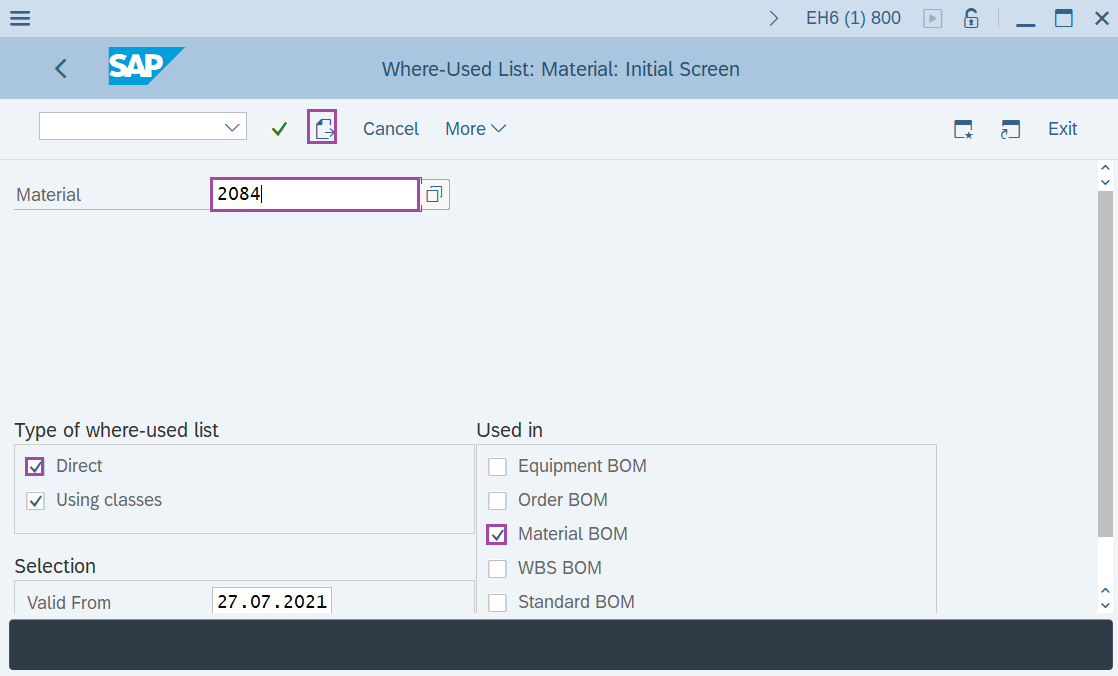
Step-2: - Where-Used List: Material: Initial Screen window appears. Enter the following details-
- Enter the Material.
- Select the Direct check box.
- Select the Material BOM check box.
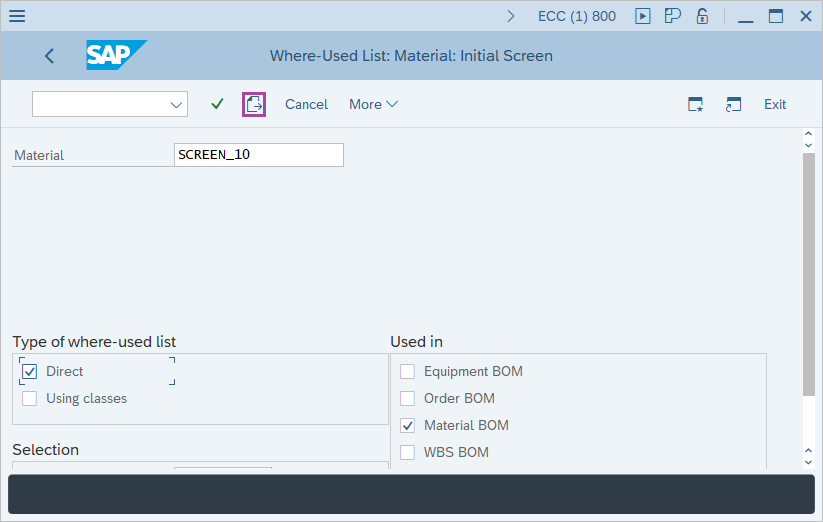
Step-3: - After filling the required fields click on Next button.
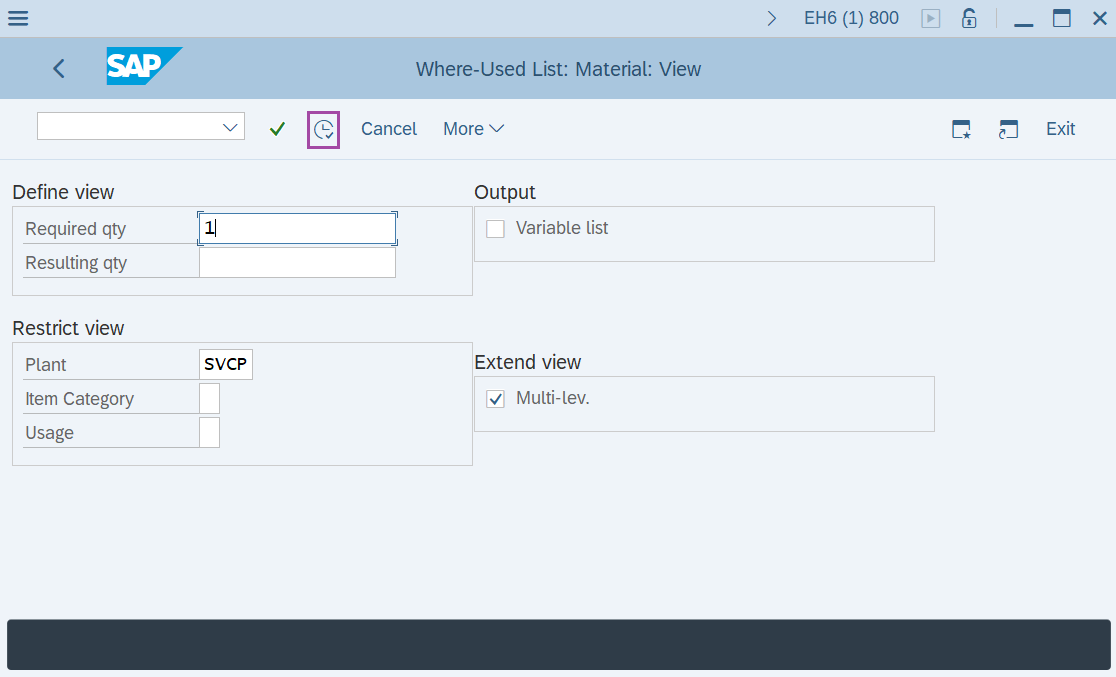
Step-4: - Where-Used List: Material: View window appears. Enter the following details -
- Enter Required qty - "1".
- Select the Plant code.
- Select the Multi-lev. check box in Extend view.
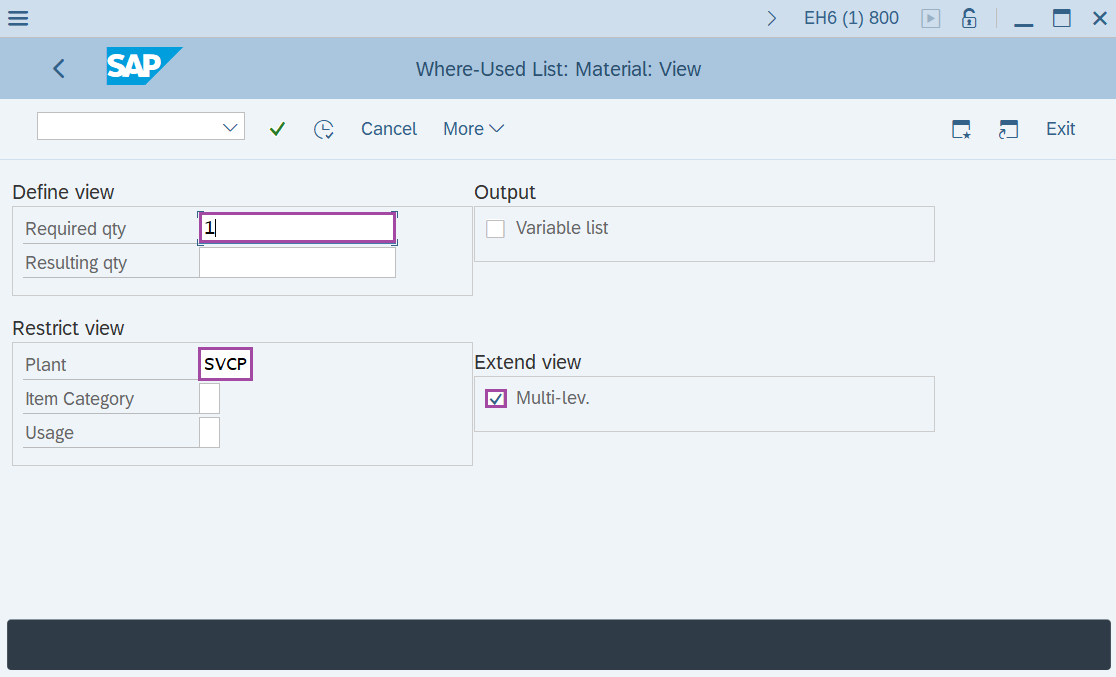
Step-5: - After entering the details, click on the Execute button.
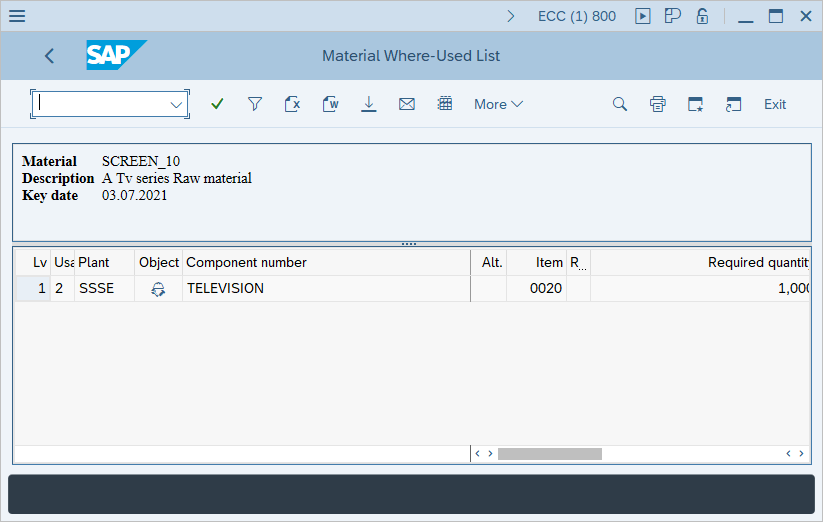
Step-6: - Material Where-Used List window appears with details of the different levels of BOM and the parent material.
Technical details –
- Transaction code: CS15
- Menu path: SAP menu → Logistics → Production → Master Data → Bills of Material → Reporting → Where-Used List → Material.