
SAP PP How to Check Capacity Situation
In SAP PP, the capacity situation shows you whether your production resources (machines, lines, or labor groups) have enough available time to handle the work assigned to them.
You check the capacity situation using SAP transactions like CM01, CM05, CM07, CM03, or CM21. These tools give planners a detailed view of workload versus available capacity so they can prevent bottlenecks and reschedule work if needed.
Prerequisites -
- Work centers must have correct capacity data.
- Routings must have valid operation times.
- Production orders or Planned orders must exist.
Here’s a step-by-step to Check Capacity Situation –
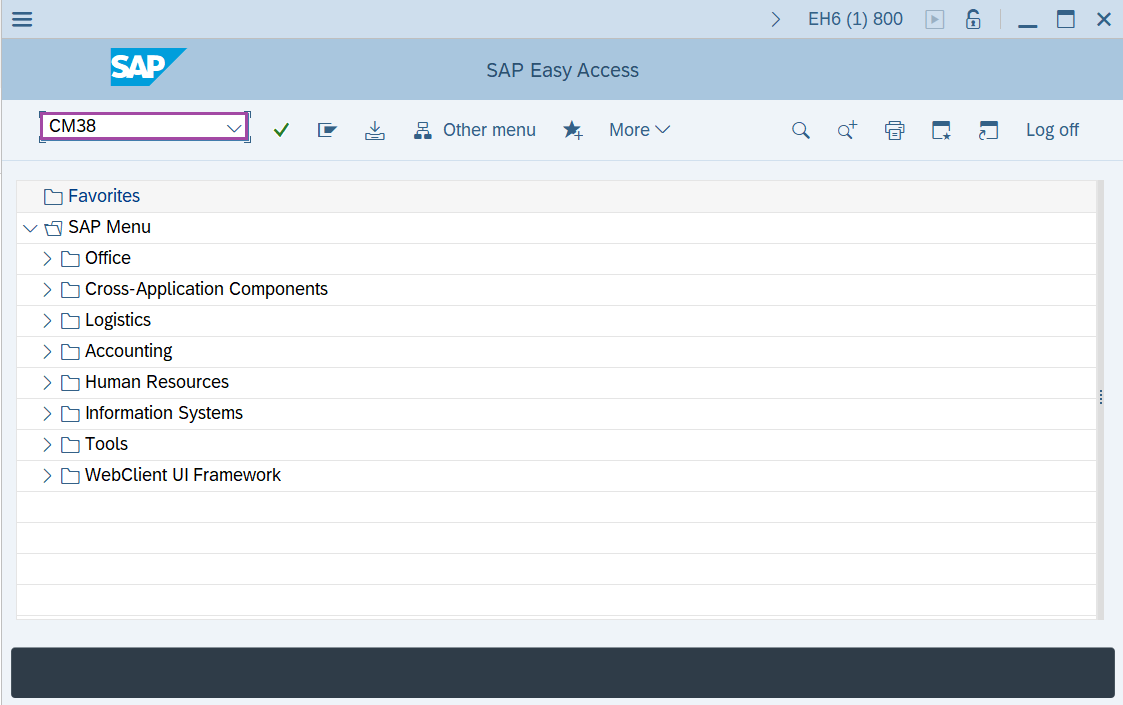
Step-1: - Enter the transaction code CM38 in SAP command field and press Enter to continue.
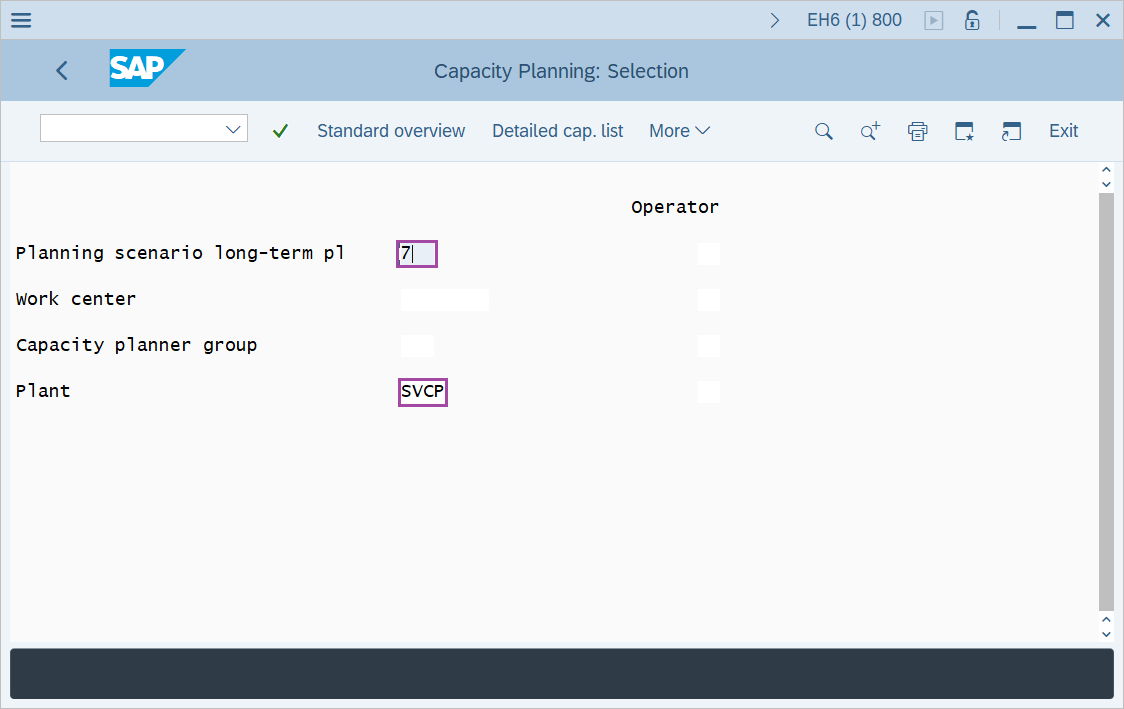
Step-2: - Capacity Planning: Selection Window appears. Enter the details in the fields Planning Scenario, Work center and Plant.
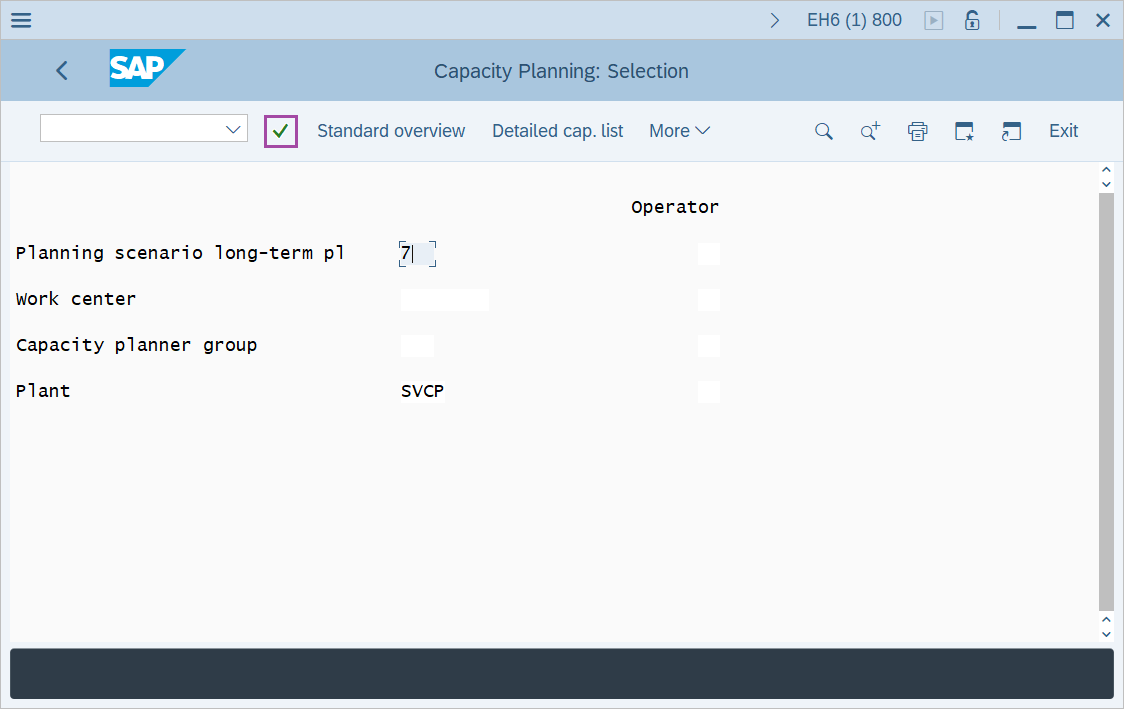
Step-3: - After entering the details, press Enter button.
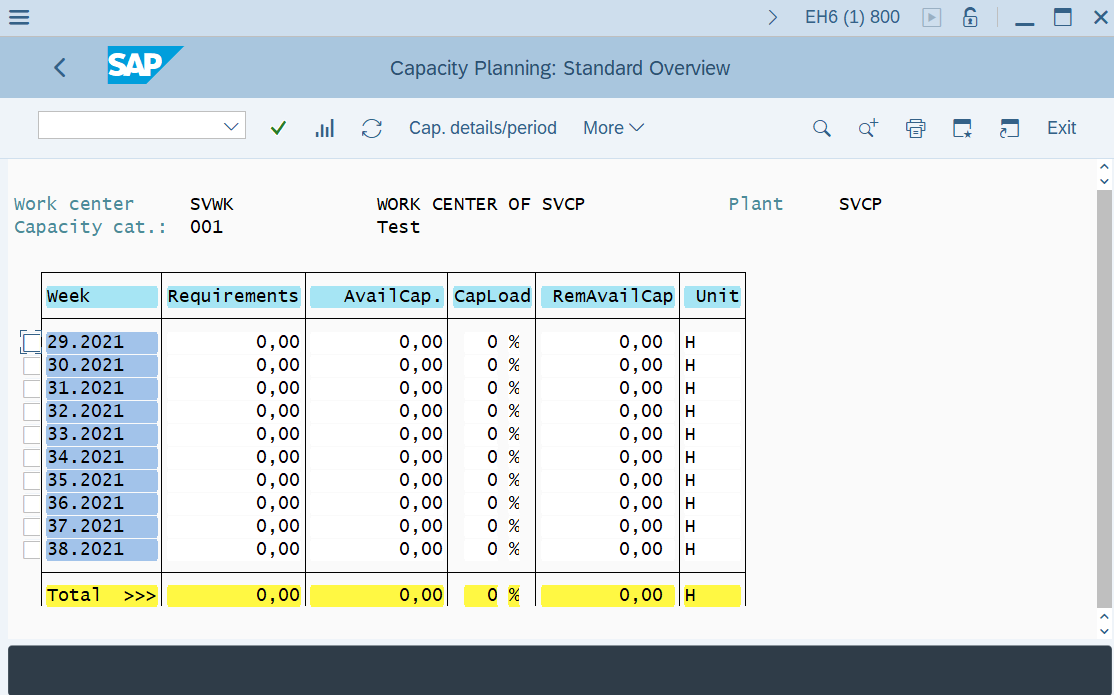
Step-4: - Capacity Planning: Standard Overview window appears, Check the capacity load at the work center that is basically ratio of capacity requirement and available capacity.
Technical details –
- Transaction code: CM38
- Menu path: Logistics → Production → Production Planning → Long-Term Planning → Evaluations → Capacity requirements → Work centers.