
SAP PP Assign Purchase Organization to Plant
When you assign Purchase Organization → Plant, you’re telling SAP “this buying team is responsible for this factory” so that purchase requisitions and POs from that plant know which purchasing org to use.
Without this link, you get classic errors like “Purchasing organization not responsible for plant”, and your PP-driven procurement flows (from MRP) will fail.
Prerequisites -
- The Plant must already be created and assigned to a Company Code (via Assign Plant to Company Code — OX18). If the plant isn’t attached to a legal entity, procurement integration will be messy.
- The Purchasing Organization must be defined (OX08) and, depending on your design, optionally assigned to a Company Code (OX01) if it’s a company-specific purchasing org.
- You should be clear on your procurement model: plant-specific Purchase Organization, one Purchase Organization for multiple plants, or cross-company purchasing org (in which case the plant assignment is key and you might not assign it to a company code).
Here’s a step-by-step to assign a purchase organisation to Plant –
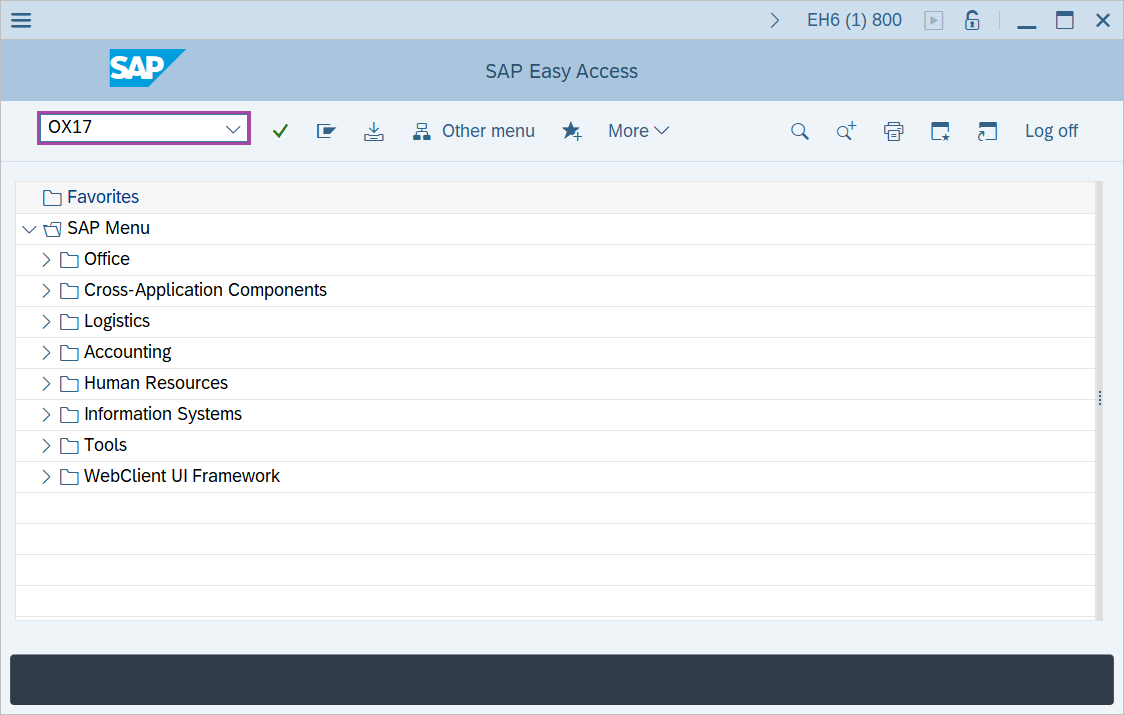
Step-1: - Enter the transaction code OX17 in SAP command field and press Enter to continue.
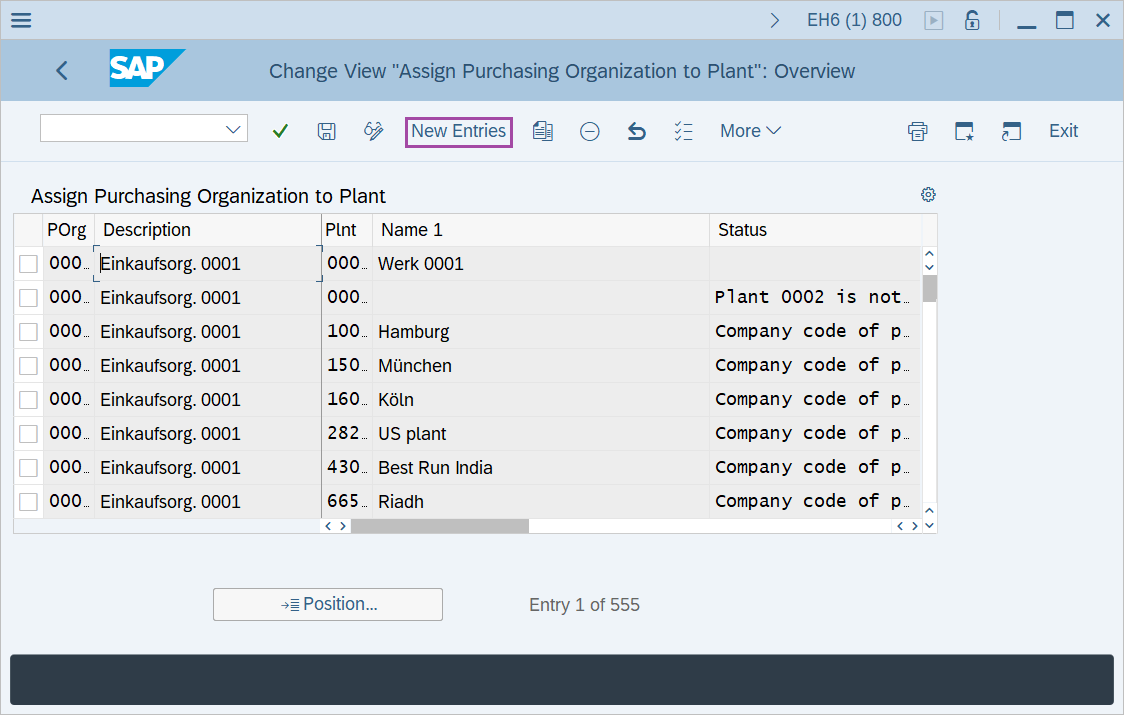
Step-2: - Change View “Assign Purchasing Organization to Plant”: Overview window appears. Click on “New Entries” button.
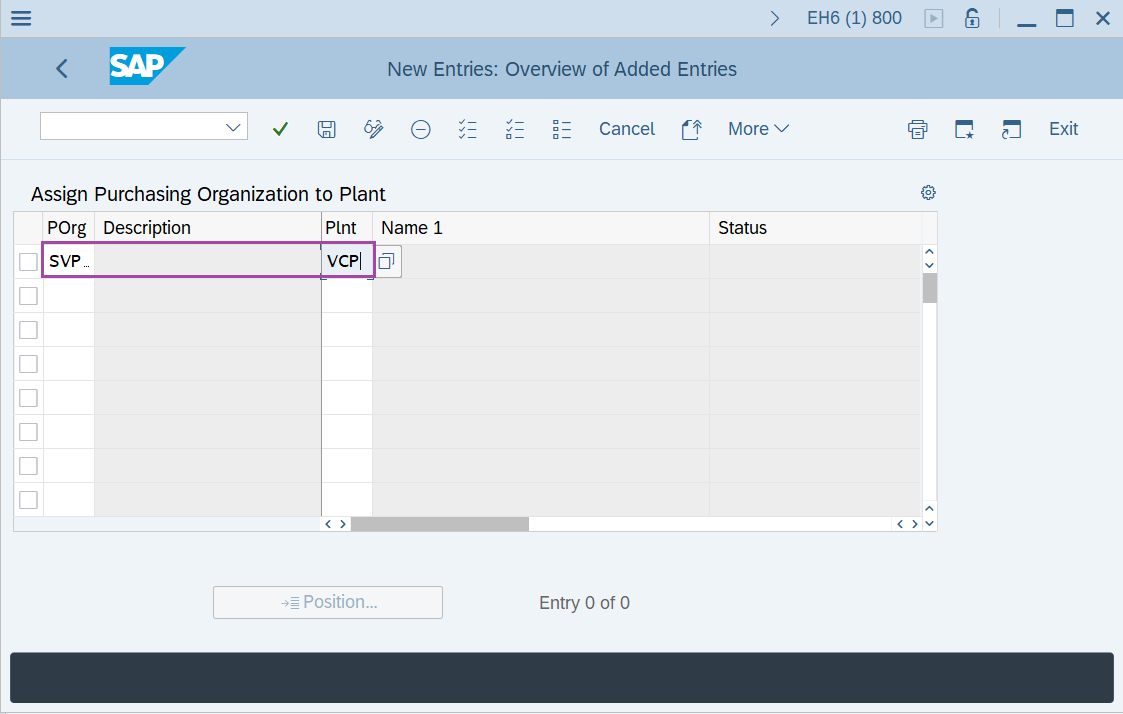
Step-3: - New Entries: Overview of Added Entries window appears, enter purchasing organization and plant code in the fields POrg and Plnt.
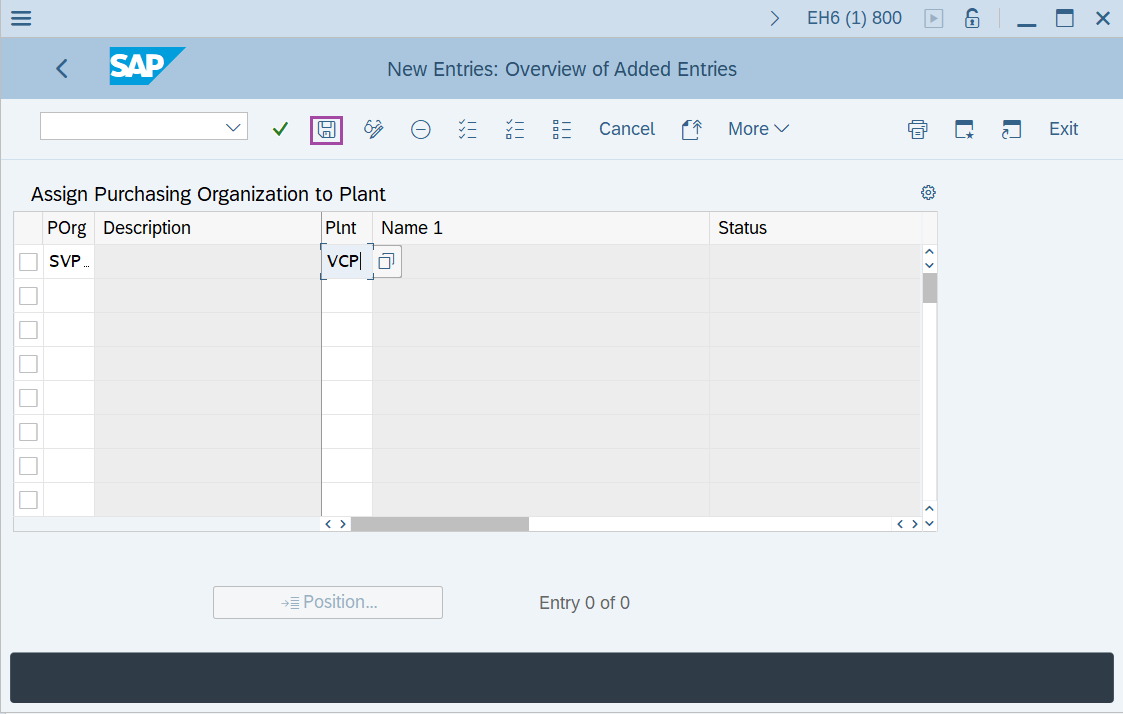
Step-4: - After entering the details, click on Save to save the details.
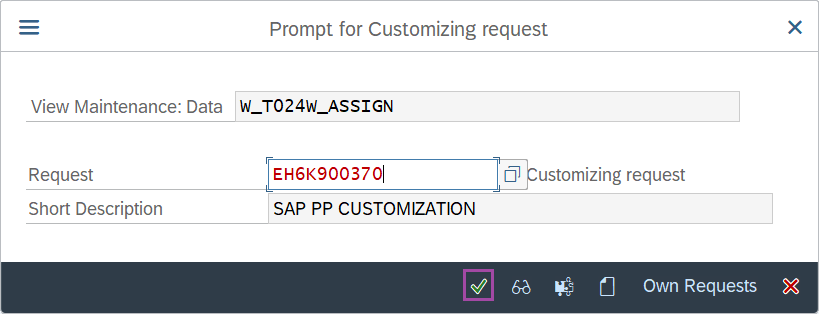
Step-5: - Select the “customizing request” and click on right mark to continue.
Step-6: - Status bar displays the below message once the values saved successfully.
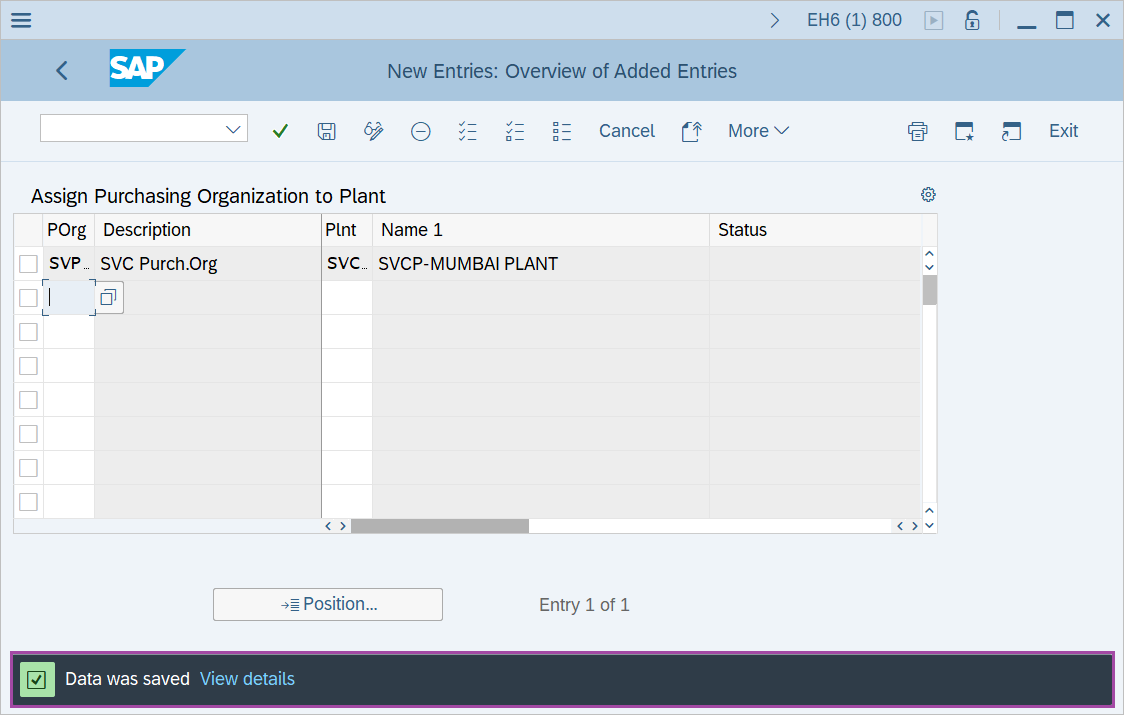
Thus, the Purchase Organization is assigned to Plant.
Technical details –
- Transaction code: OX17
- Menu path: SPRO → IMG Reference → Enterprise Structure → Assignment → Material Management → Assign Purchase Organisation to Plant.