
SAP PP Define Purchasing Group
A Purchasing Group in SAP represents the individual buyer or team of buyers responsible for day-to-day purchasing activities. It is not an organizational unit like a Purchase Organization — instead, it acts more like a responsibility tag that identifies who is handling the procurement of a certain set of materials.
A Purchasing Group is assigned to materials, purchase requisitions, and purchase orders so that SAP can track which buyer is responsible for which purchases.
Even though it is part of the MM (Materials Management) module, it plays an important role in SAP PP because MRP creates purchase requisitions that must be handled by the appropriate purchasing group.
Prerequisites -
- Must take decision on buyer structure.
- Must know basic details of the group or buyer.
Here’s a step-by-step to Define Purchasing Group –
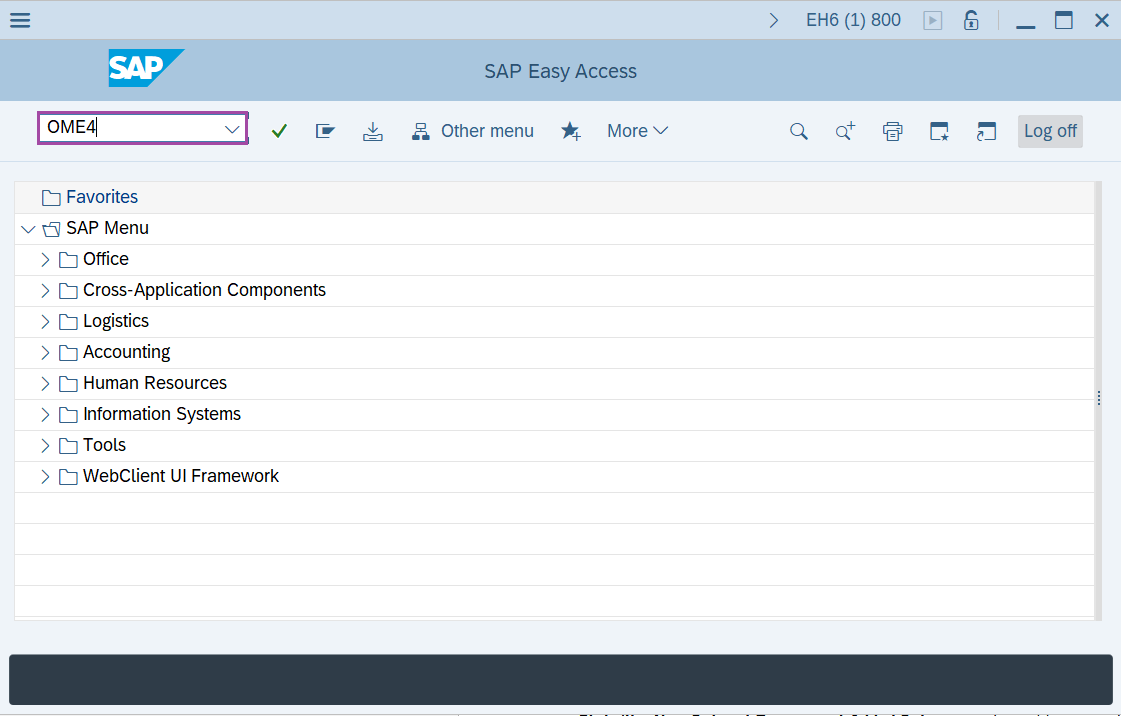
Step-1: - Enter the transaction code OME4 in SAP command field and press Enter to continue.
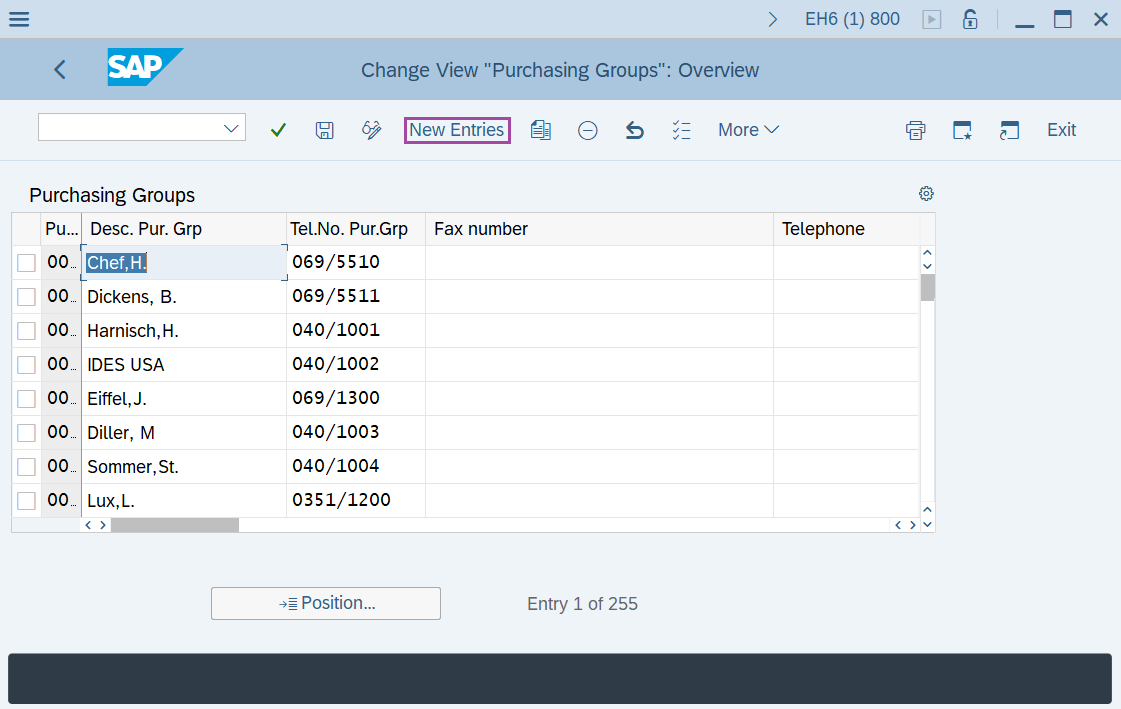
Step-2: - Change View "Purchasing Groups": Overview window appears. Click on New Entries.
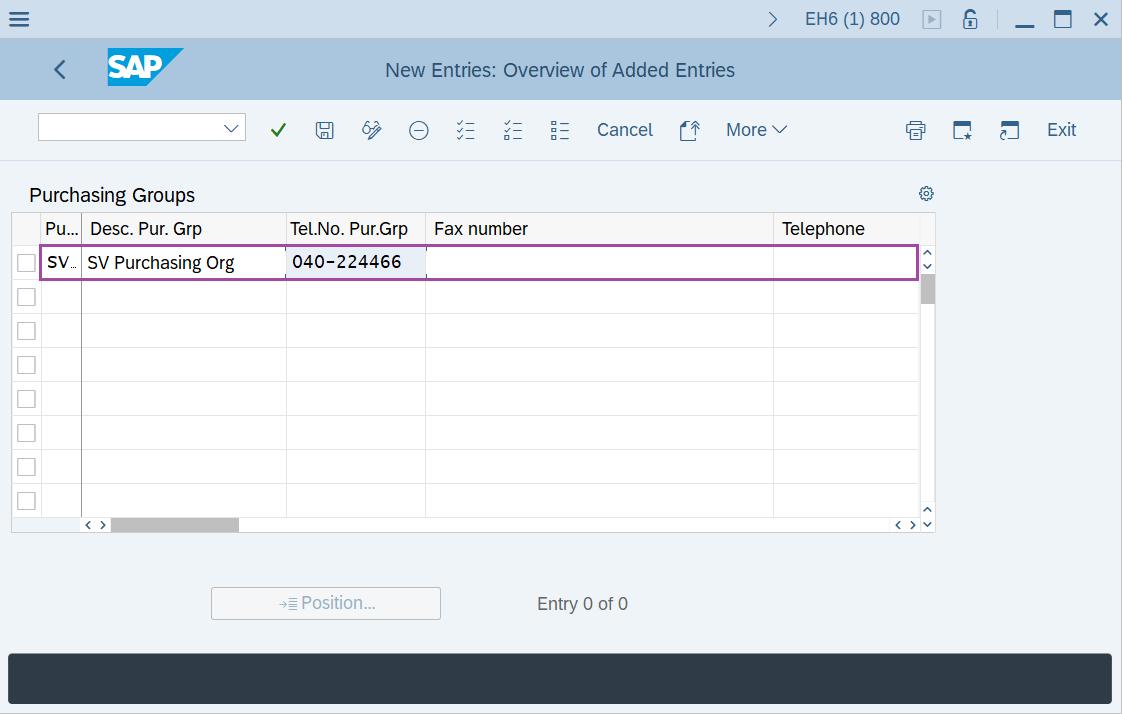
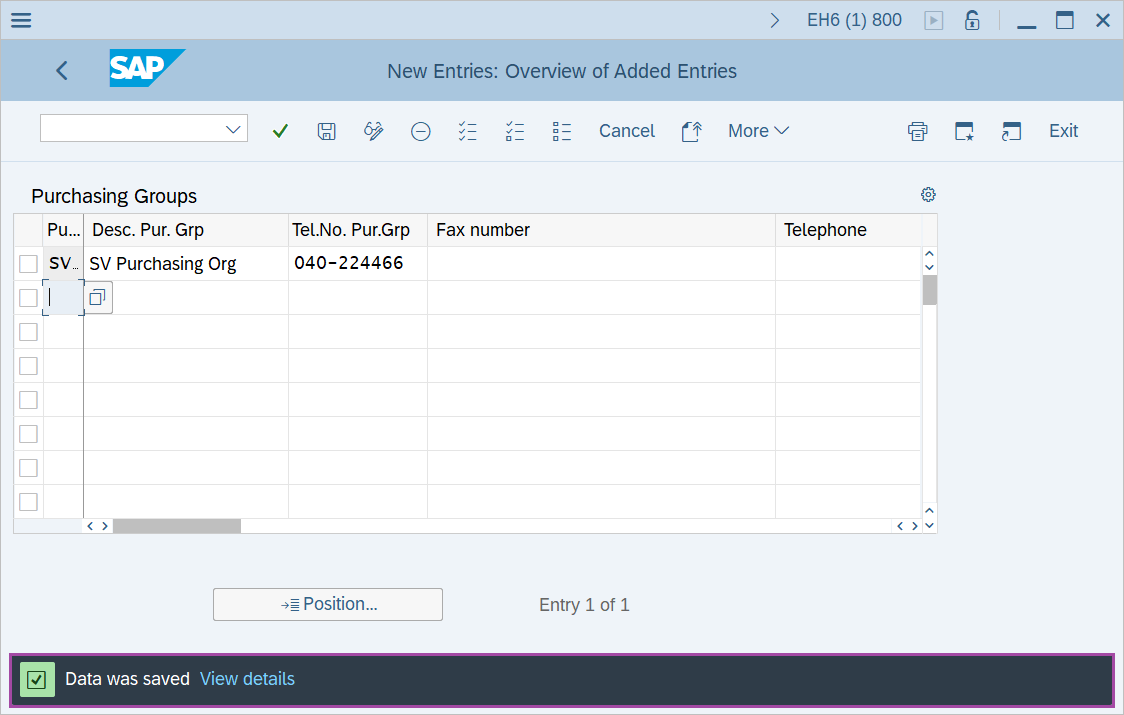
Step-3: - New Entries: Overview of Added Entries window appears, enter Purchasing Group, Description of Purchasing Group and Telephone number.
- Purchasing group – Enter a three digit alphanumeric key to identify the purchasing group.
- Desc.Pur.Grp - Enter the description of the purchasing group.
- Tel.No.Pur.Grp - Enter the telephone number for purchasing group.
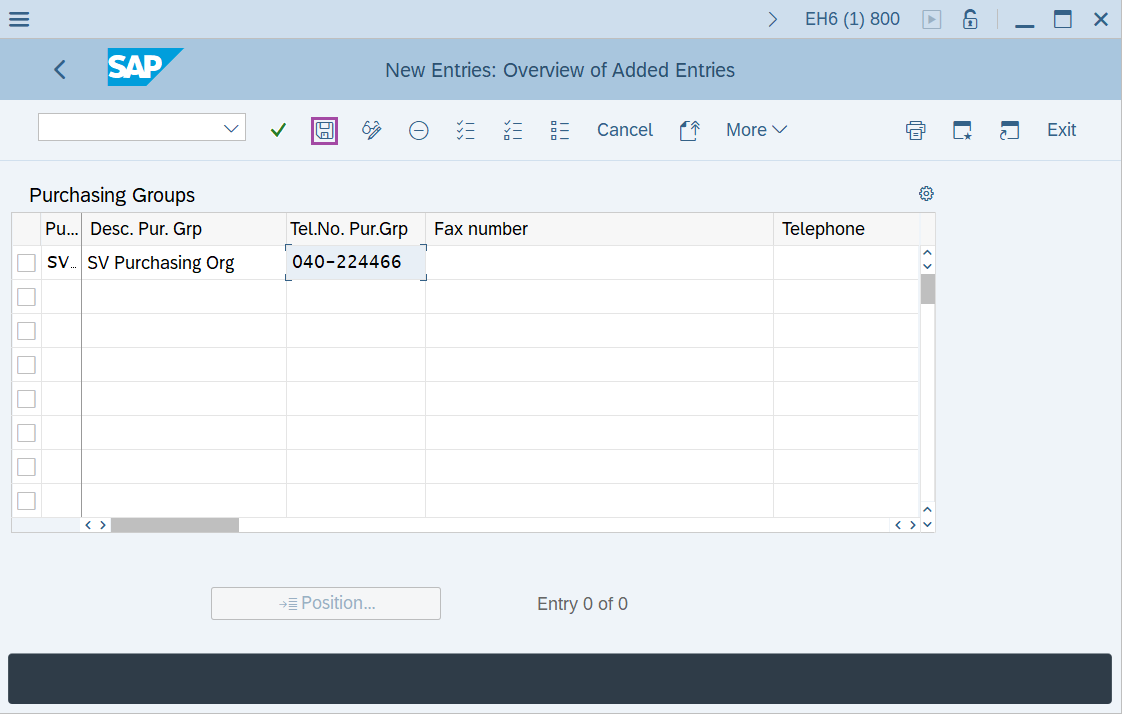
Step-4: - After entering the details, click on Save button to save the details.
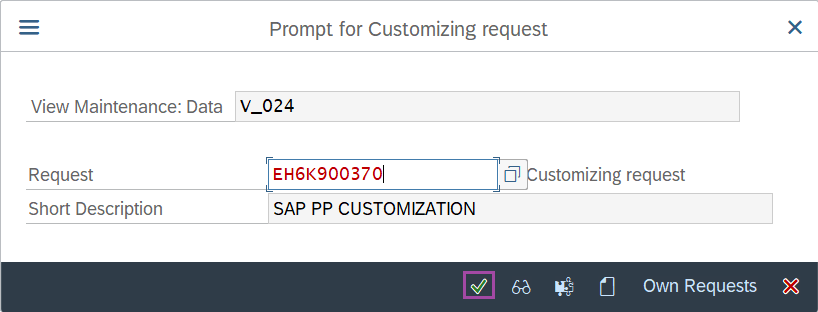
Step-5: - Select the “customizing request” and click on right mark to continue.
Step-6: - Status bar displays the below message once the values saved successfully.
Technical details –
- Transaction: OME4
- Menu Path: SPRO → SAP Reference IMG → Materials Management → Purchasing → Create Purchasing Groups.