
SAP PP How to run MRP for Single Material
Running MRP for a single material means you tell SAP to plan only one specific material instead of planning all products in the plant. SAP will check:
- Current stock
- Future demand
- Open purchase orders
- Purchase orders
- Safety stock
- Lead times
- Lot sizes
…and then generate:
- Planned orders
- Purchase requisitions
- Exception messages
Prerequisites -
- Material Master must have valid MRP data.
- Stock and Demand must exist.
- Correct plant.
- Planning file entry must exist.
Here’s a step-by-step to run MRP for Single Material –
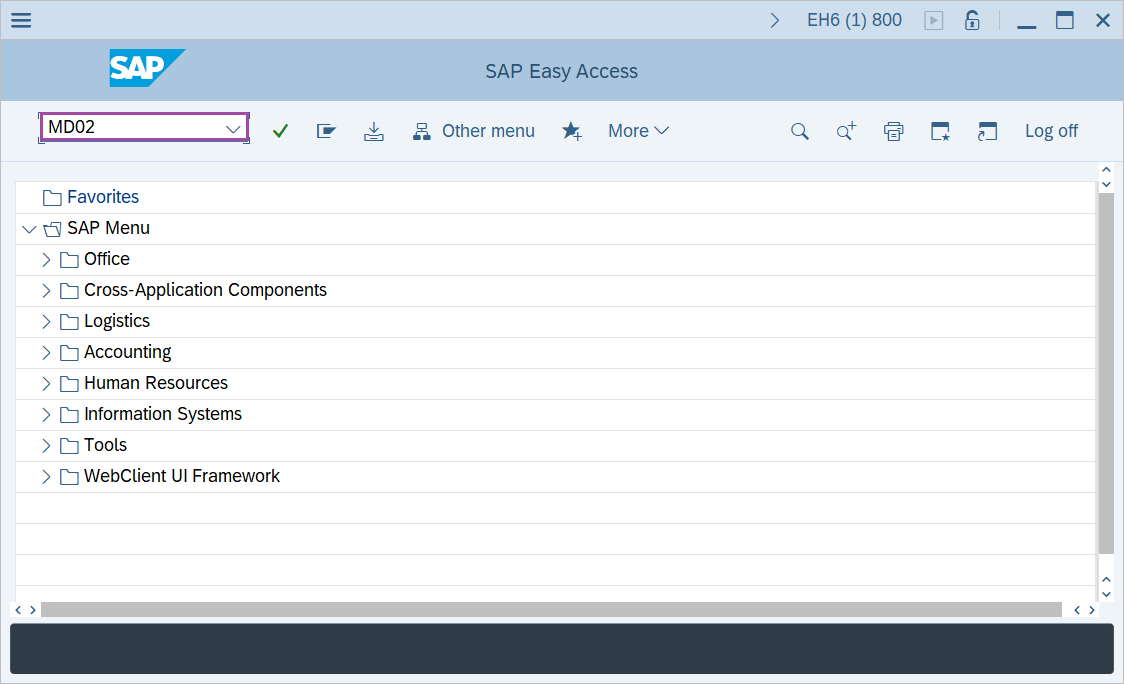
Step-1: - Enter the transaction code MD02 in SAP command field and press Enter to continue.
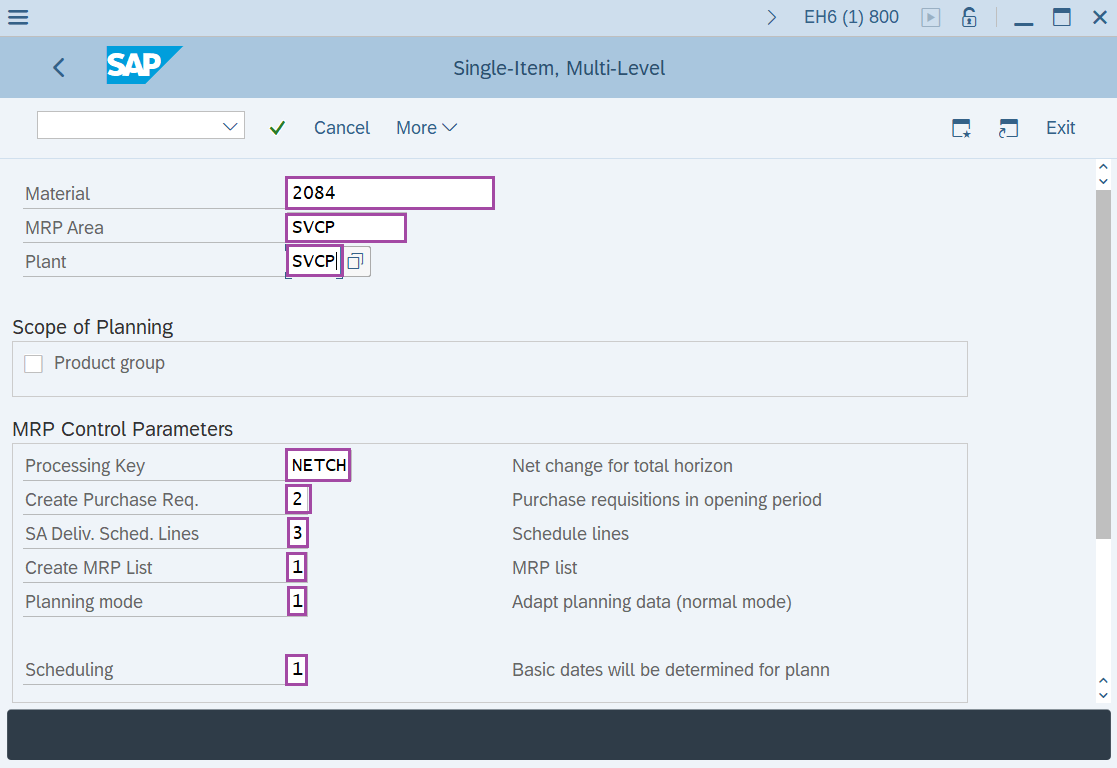
Step-2: - Now Single item, Multiple item window appears. Enter details in the fields Material, MRP Area, Plant, Processing Key, Create Purchase Req., SA Deliv. Sched. Lines, Create MRP list, Planning mode and scheduling.
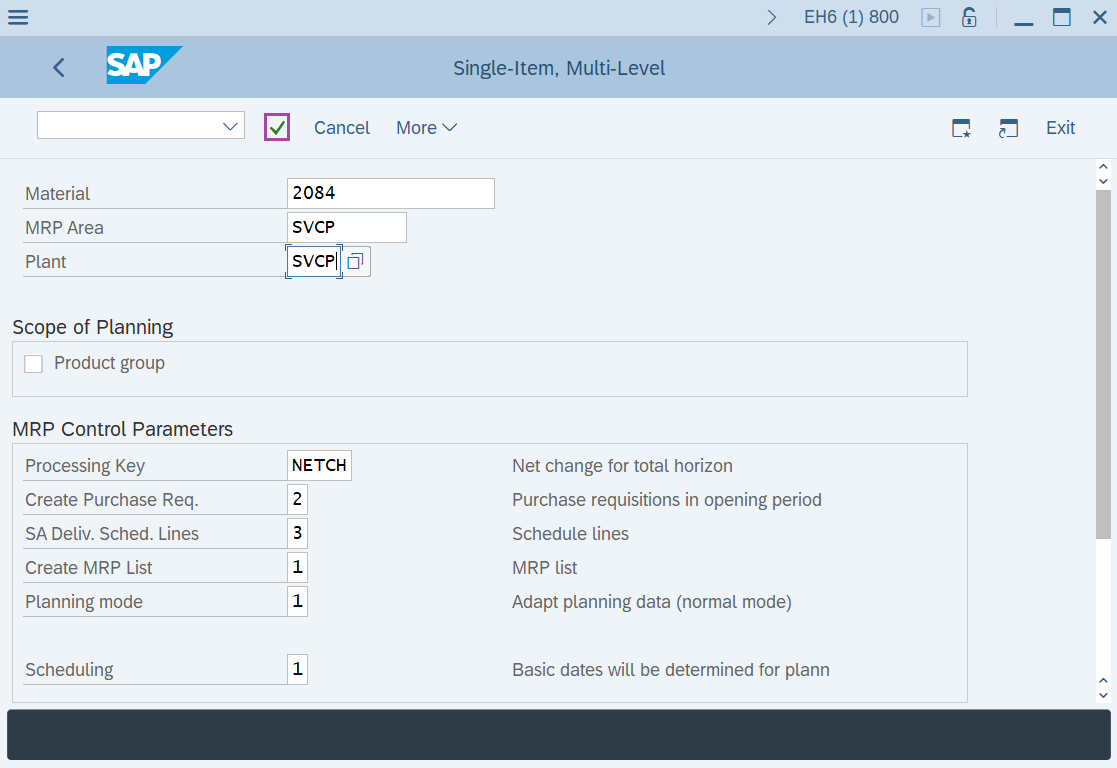
Step-3: - After entering the details in fields, click on Enter to continue.
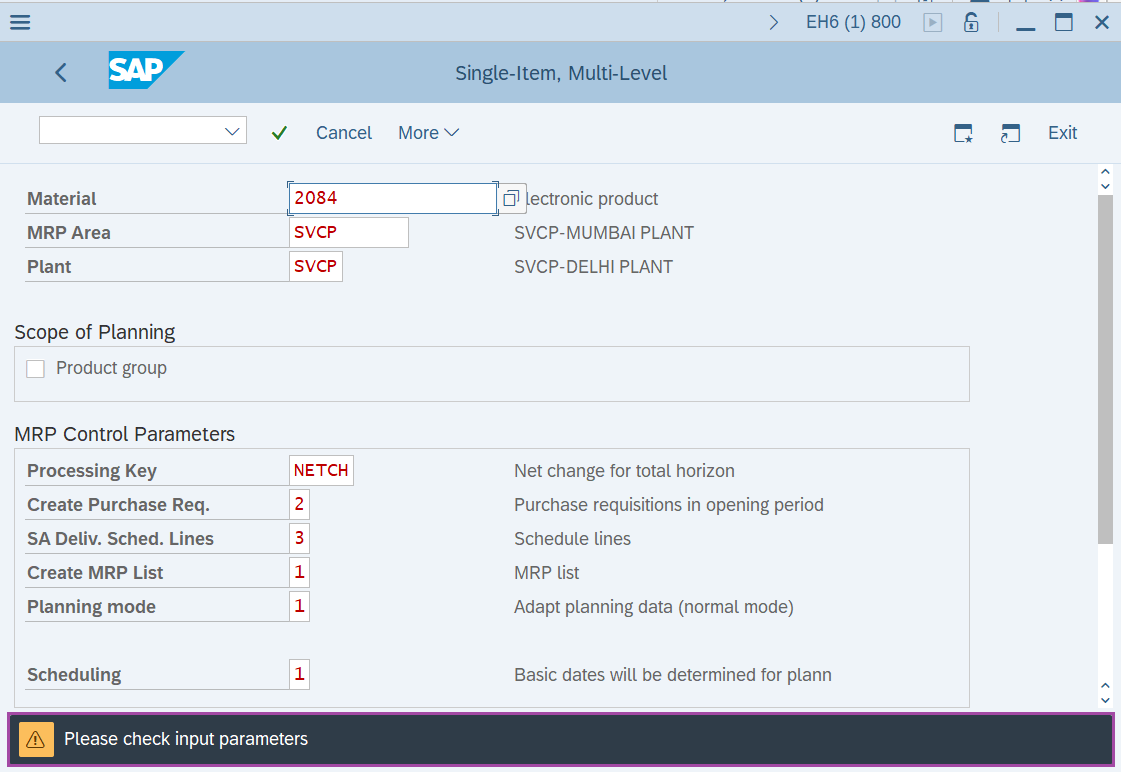
Step-4: - Status bar displays the below message to check the input parameters. After checking once press Enter to continue.
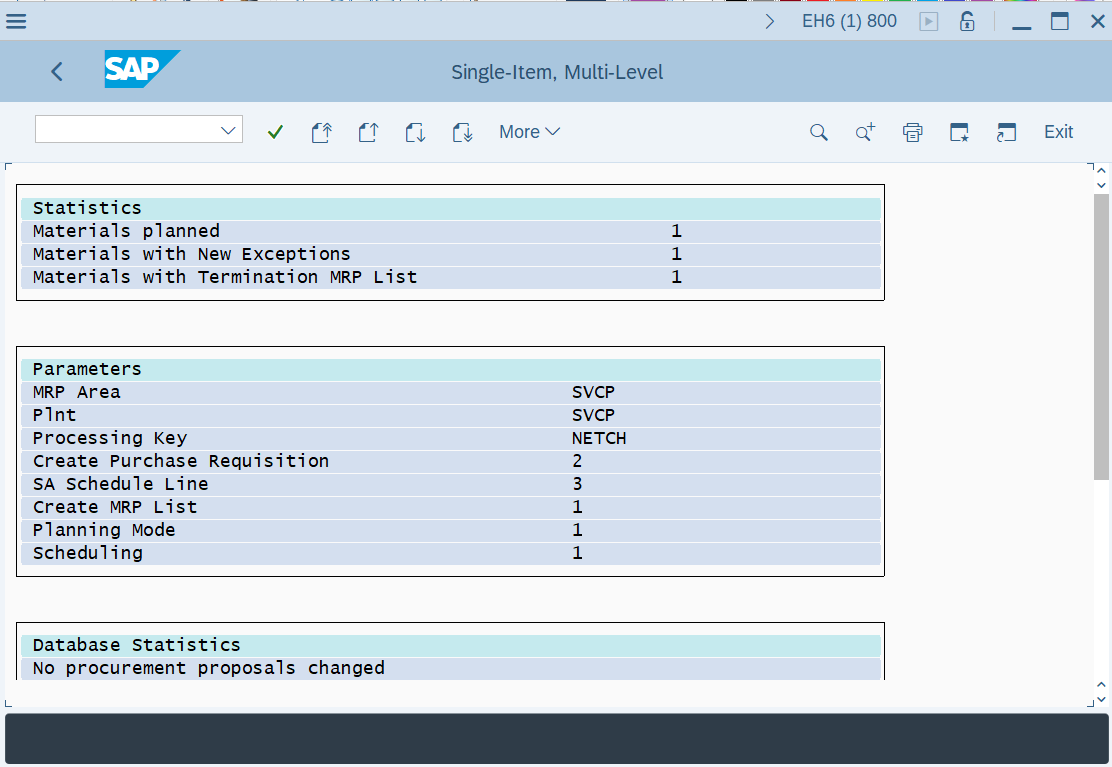
Step-4: - A statement of MRP run details will be appeared.
Technical details –
- Transaction code: MD02
- Menu path: Logistics → Production → MRP → Planning → Multilevel Single-Item Planning.