
SAP PP How to Display Order Information Systems
The Order Information System (OIS) in SAP PP is a powerful reporting tool used to analyze and monitor production orders. It provides summarized and detailed information about:
- Created production orders
- Released orders
- Confirmed orders
- Technically completed (TECO) orders
- Completed (CLSD) orders
- Orders with issues or delays
Prerequisites -
- Production orders must exist.
- You must know at least one of the following for selection: Plant, Order type, Material, Work center, Date range, MRP controller.
Here’s a step-by-step to Display Order Information Systems –
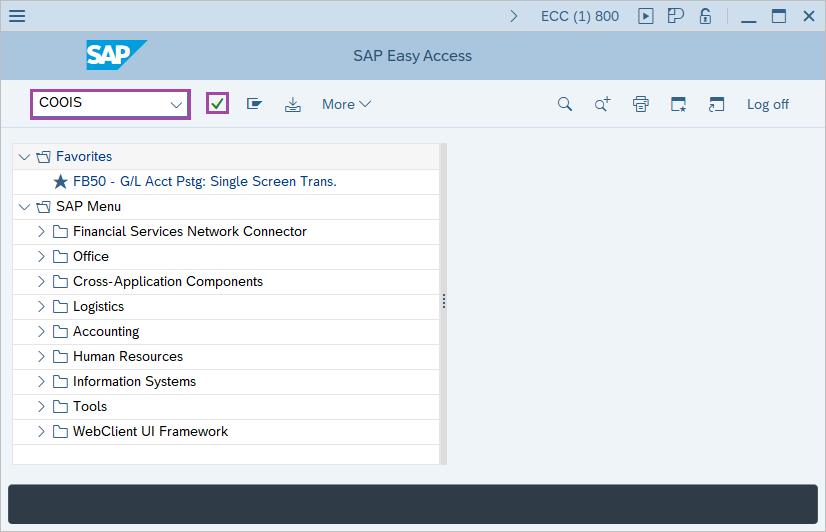
Step-1: - Enter the transaction code COOIS in SAP command field and press Enter to continue.
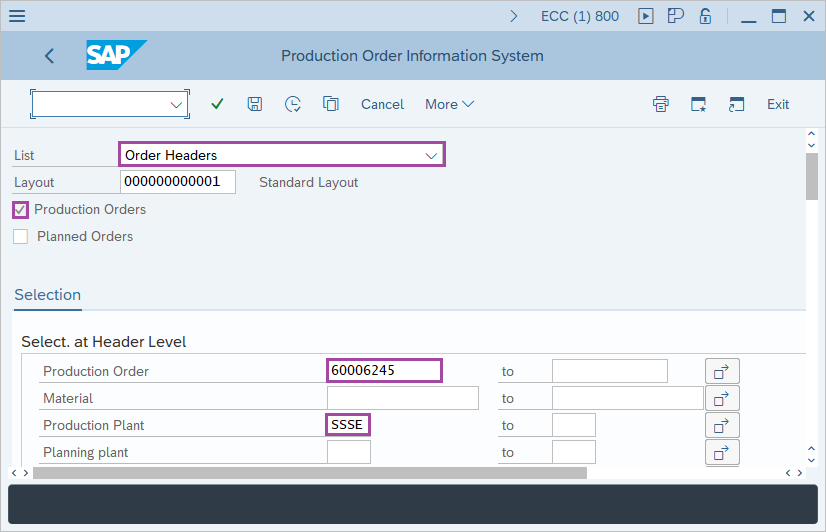
Step-2: - Production Order Information System window appears. Enter the following details –
- Select the Order Headers option in List field.
- Select the Production orders check box.
- Enter manufacturing plant code.
- Enter Order type, if order type is not entered then the report will show the data for all orders type for the plant.
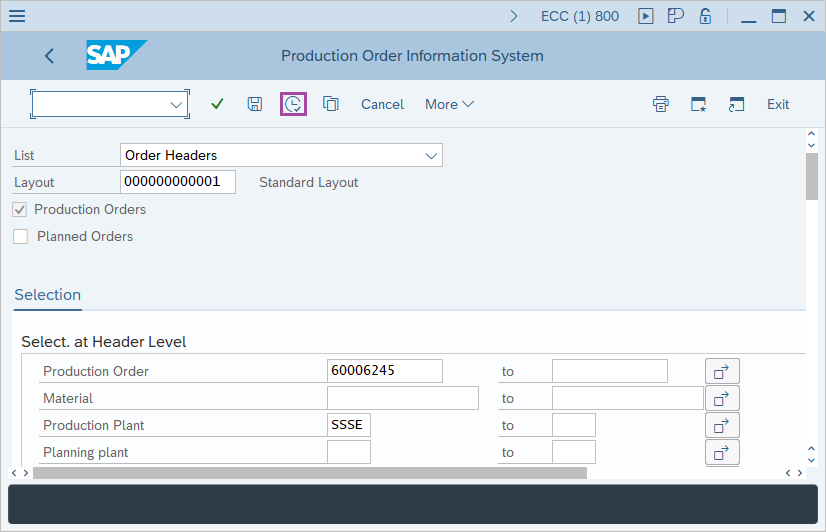
Step-3: - After entering the details, click on the Execute button.
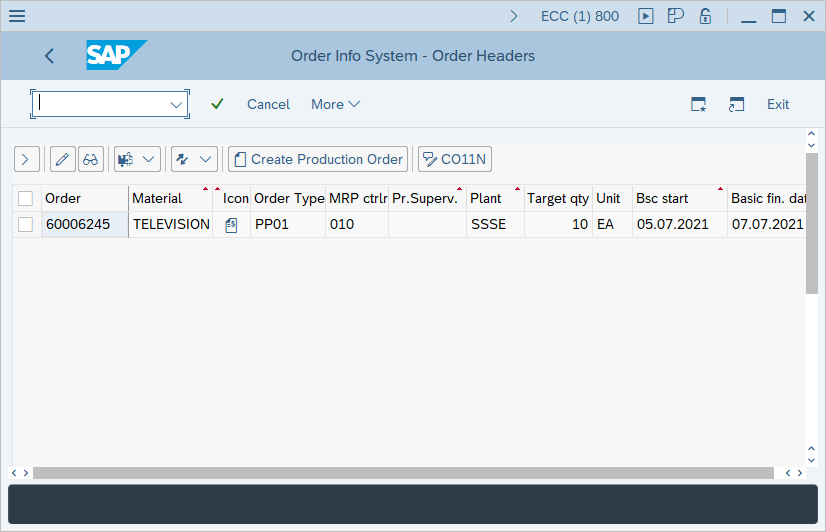
Step-4: - Order Information System: Detail List of Order Headers window appears with the list of Orders.
Click on Back button to exit.
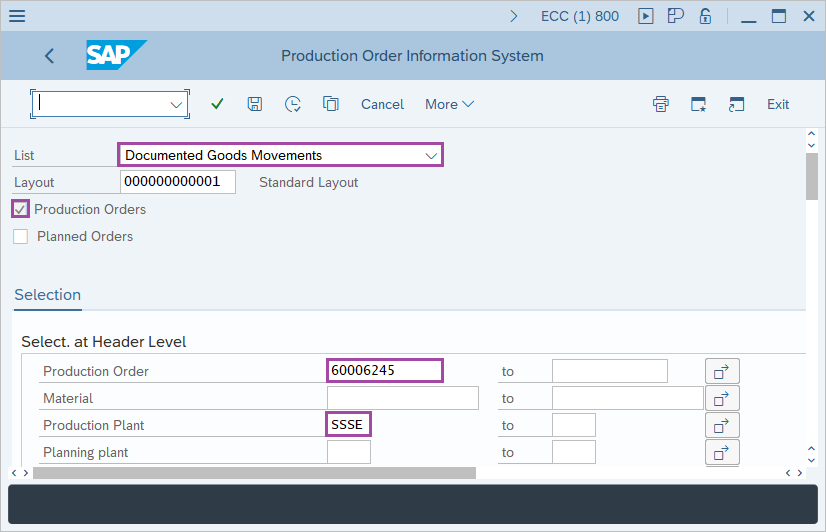
Step-5: - In Production Order Information System screen, Enter the following details –
- Select the Documented Goods Movements option in List field.
- Select the Production orders check box.
- Enter manufacturing plant code.
- Enter Order type, if order type is not entered then the report will show the data for all orders type for the plant.
Step-6: - After entering the details, click on the Execute button.
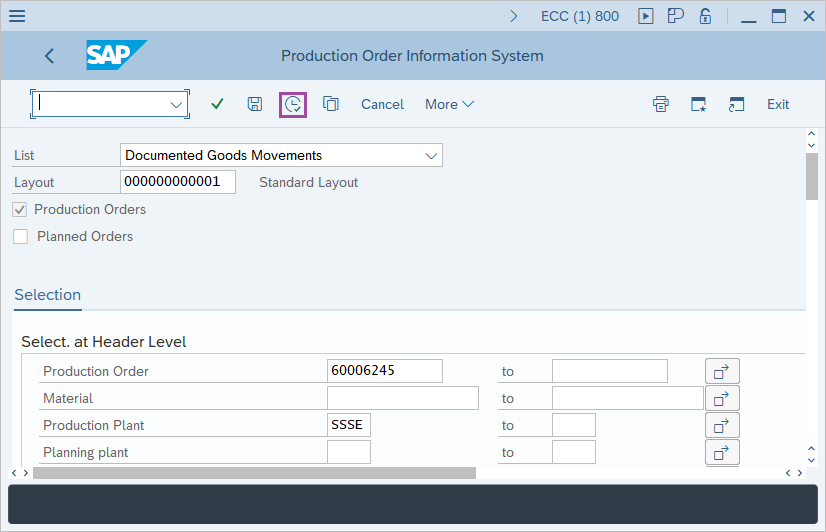
Step-7: - Order Information System: Detail List of Documented Goods Movements window appears with the list of Orders.
Click on Back button to exit.
Technical details –
- Transaction code: COOIS
- Menu path: SAP menu → Logistics → Production → Shop Floor Control → Information System → Order Information System.