
SAP PP How to Run Long Term Planning
Long-Term Planning (LTP) in SAP PP is a simulated MRP run that helps planners evaluate future material and capacity requirements without affecting real production or procurement.
LTP is “What-if planning” used to check if future demand can be met.
Prerequisites -
Before LTP can run successfully, the following must already be in place:
- Planning scenario must be created.
- Planning scenario must be released.
- PIR (Forecast) must exist.
- Proper master data.
- Relevant materials must be marked for LTP.
Here’s a step-by-step to Run Long Term Planning –
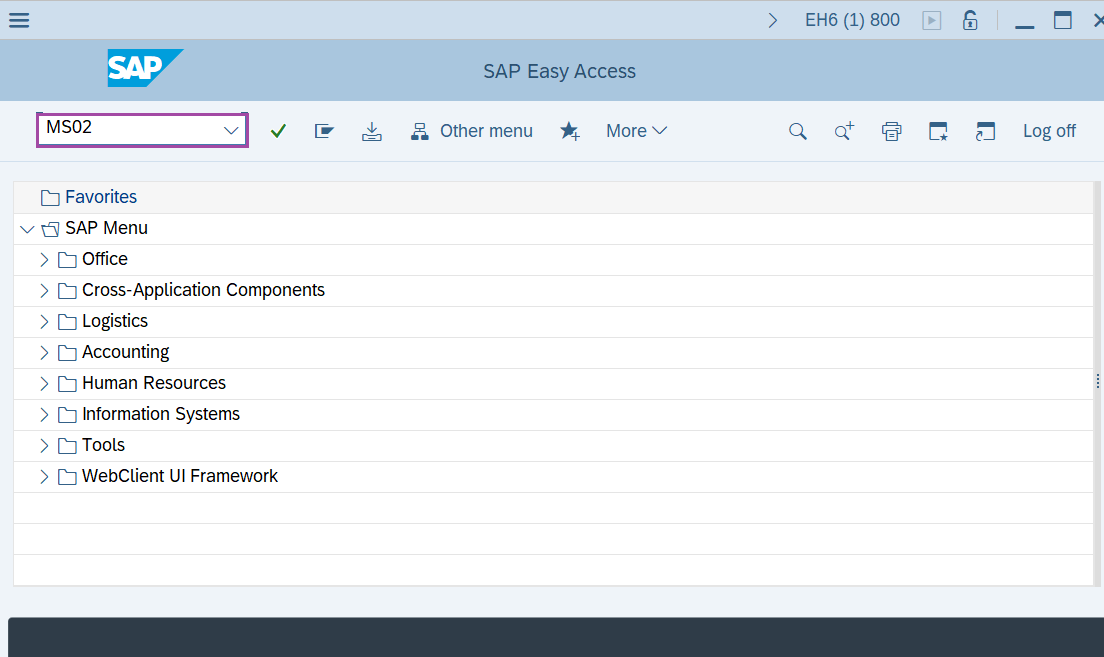
Step-1: - Enter the transaction code MS02 in SAP command field and press Enter to continue.
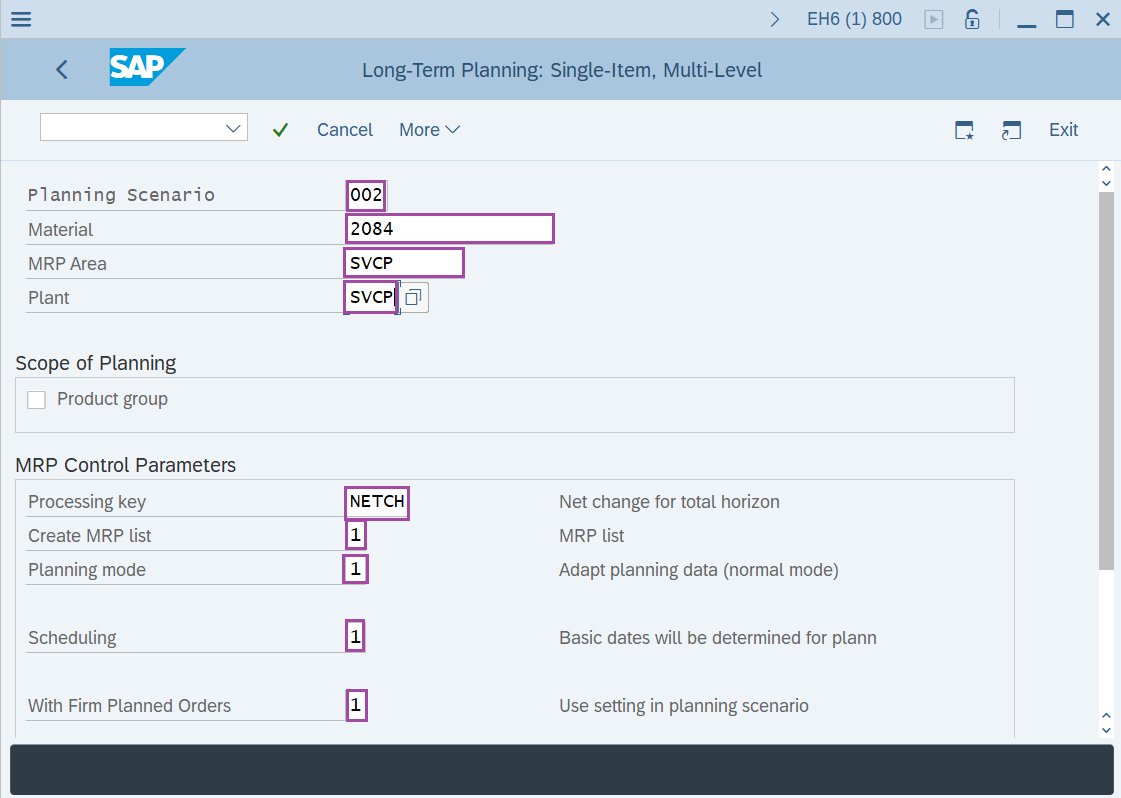
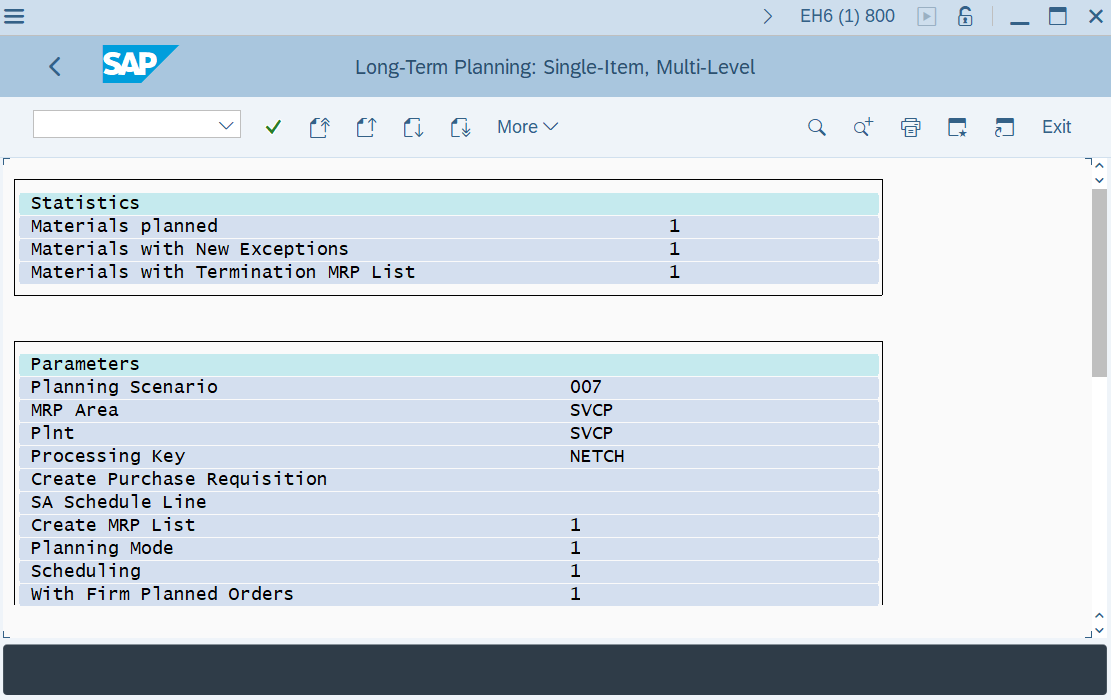
Step-2: - Long-Term Planning: Single-Item, Multiple-Level window appears. Enter the details in the fields Planning Scenario, Material, Plant, Processing Key, Create MRP list, Planning mode, scheduling and With firm planned orders.
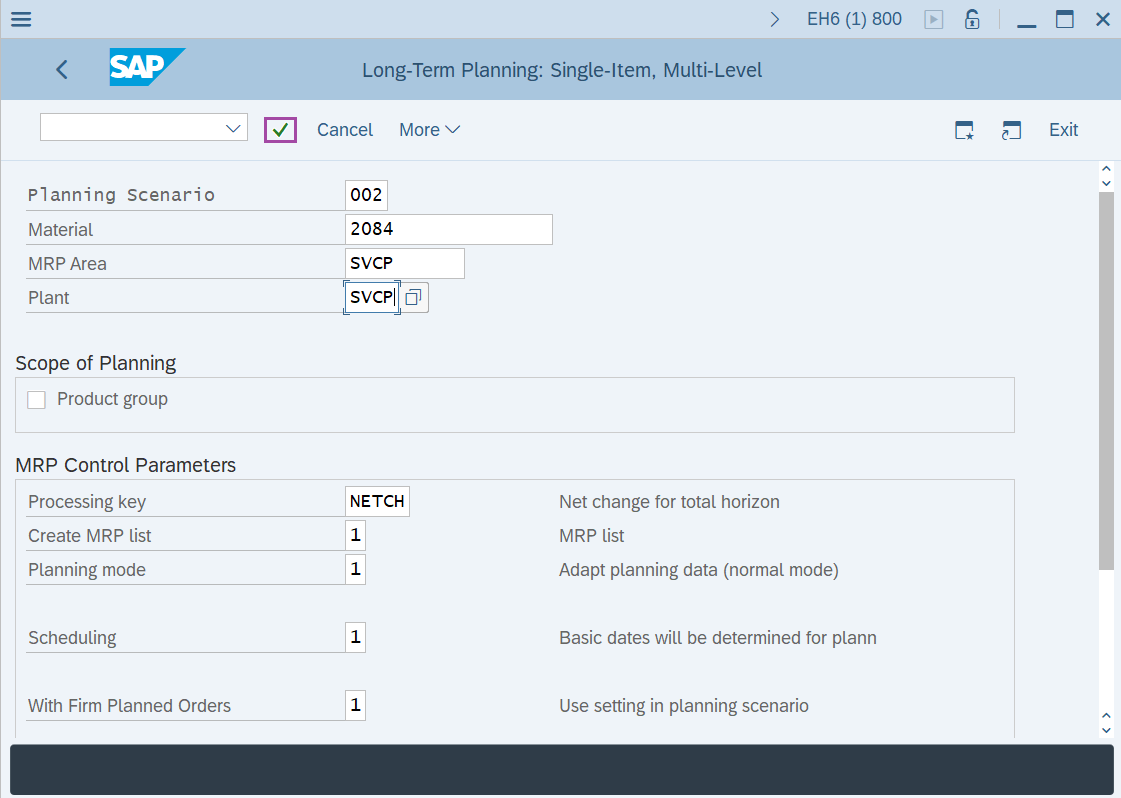
Step-3: - After entering the details press Enter button.
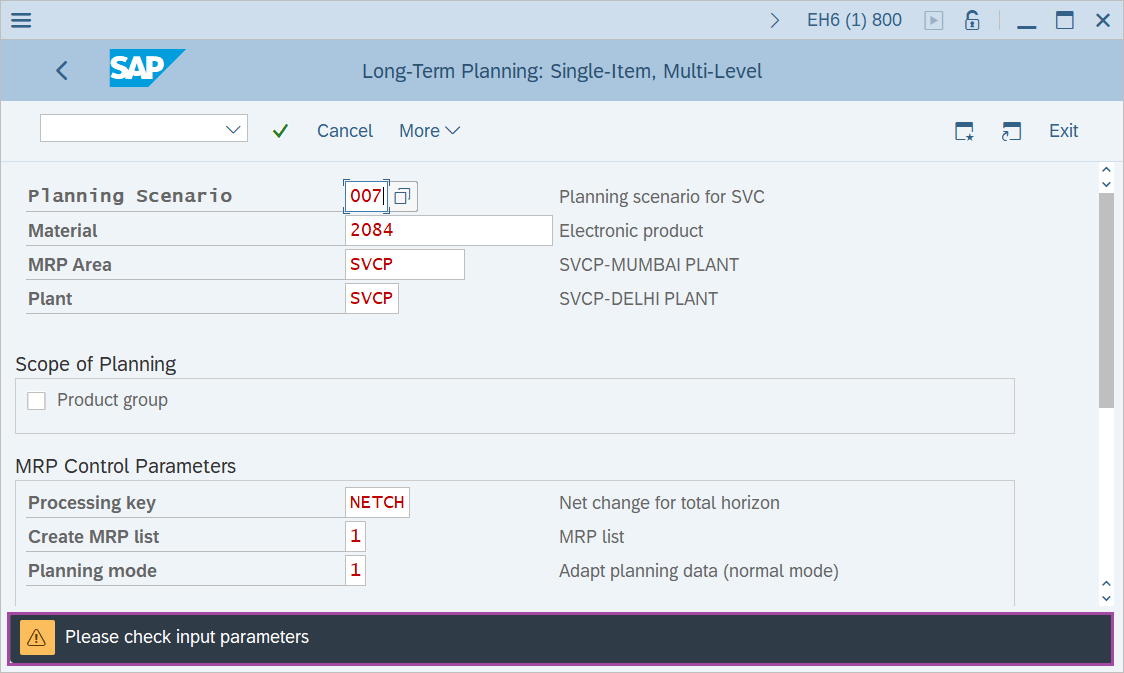
Step-4: - Status bar displays the below message to check the enter parameters. After checking once press Enter to continue.
Step-5: - A report will be displayed with all the details about the number of procurement proposals created.
Technical details –
- Transaction code: MS02
- Menu path: SAP menu → Logistics → Production → Production planning → Long-term planning → Long-Term Planning → Multilevel Single-Item Planning.