
SAP PP Stock Overview
How to check Stock Overview is described in the following steps –
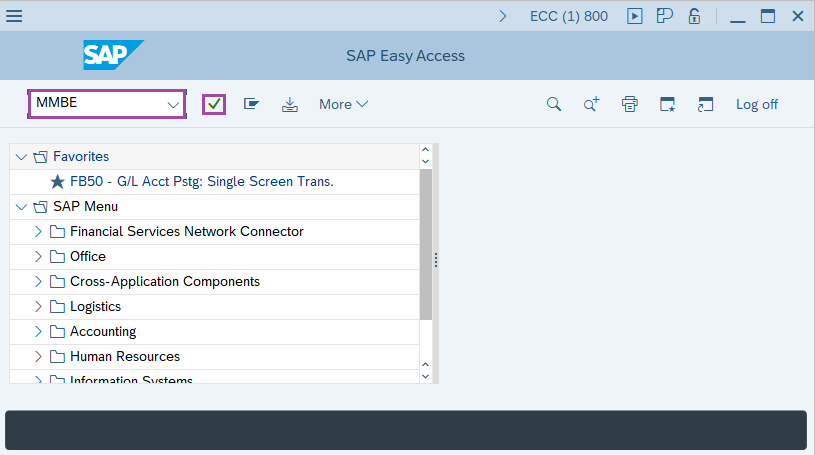
Step-1: - Enter the transaction code MMBE in SAP command field and press Enter to continue.
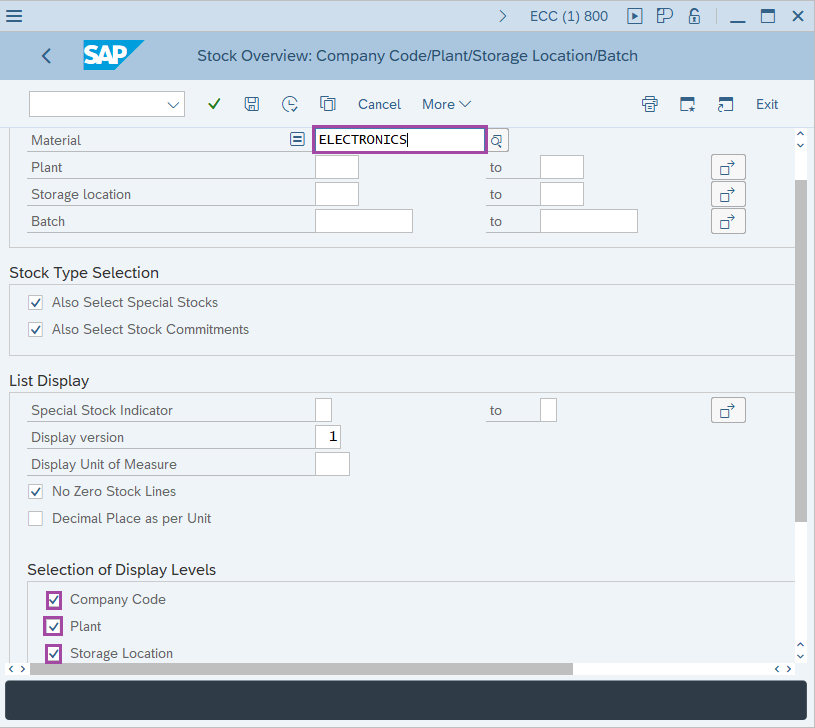
Step-2: - Stock Overview: Company Code/Plant/Storage Location/Batch window appears. Enter the details in the fields Material and select company code, plant and storage location from Display Levels.
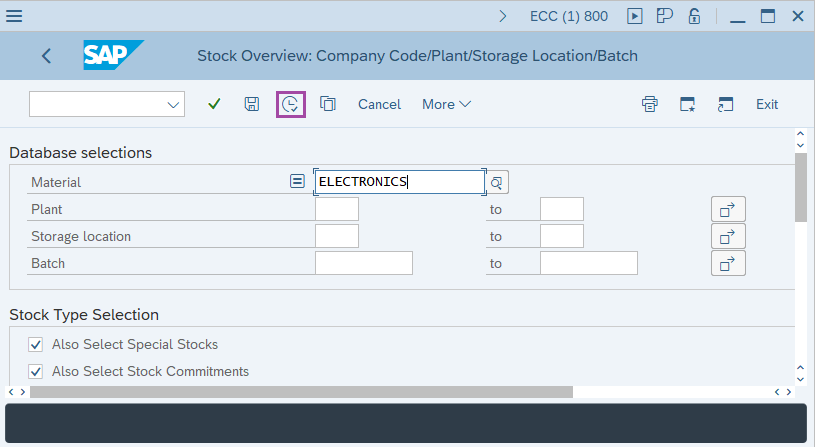
Step-3: - After entering the details, click on Execute button.
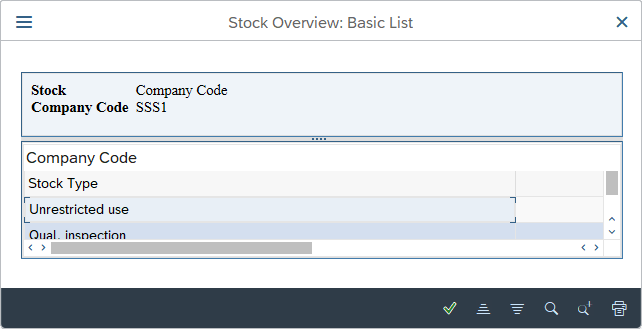
Step-4: - Stock Overview: Basic List window appears with details of stock at each level. Double click on company level to get detail at company level.
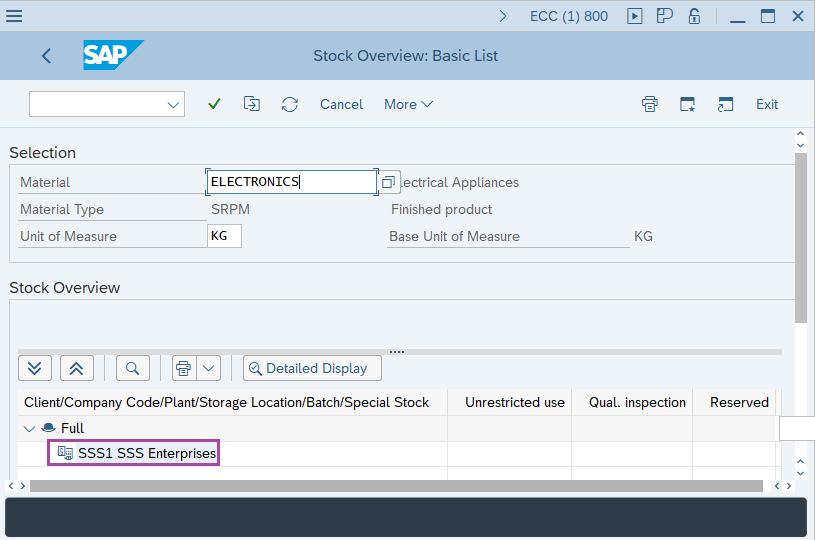
Step-5: - A pop-up window Stock Overview: Basic List appears with details at company level.
Technical details –
- Transaction code: MMBE
- Menu path: SAP menu → Materials Management → Inventory Management → Environment → Stock → Stock Overview (MMBE).