
SAP PP How to Check Capacity Loads
Capacity load refers to how much work is scheduled on a work center or production resource compared to how much time or capacity it actually has available. Checking capacity loads tells you whether a machine or work center is overloaded, under-loaded, or balanced.
By checking capacity loads, planners can see:
- How many hours of work are assigned.
- Whether production orders overload a machine.
- If production bottlenecks may occur.
- How to shift or reschedule operations to avoid delays.
Prerequisites -
- Work centers must be created and have capacity data.
- Routings must have valid operation times.
- Production orders or Planned orders must exist.
Here’s a step-by-step to Check Capacity Loads –
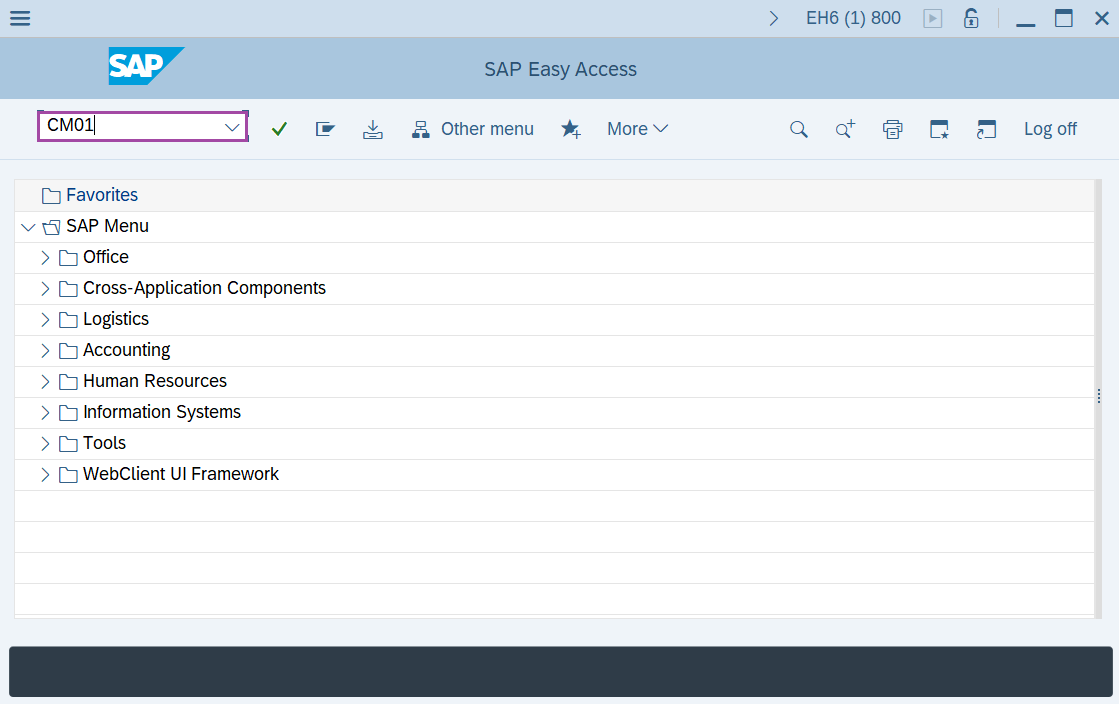
Step-1: - Enter the transaction code CM01 in SAP command field and press Enter to continue.
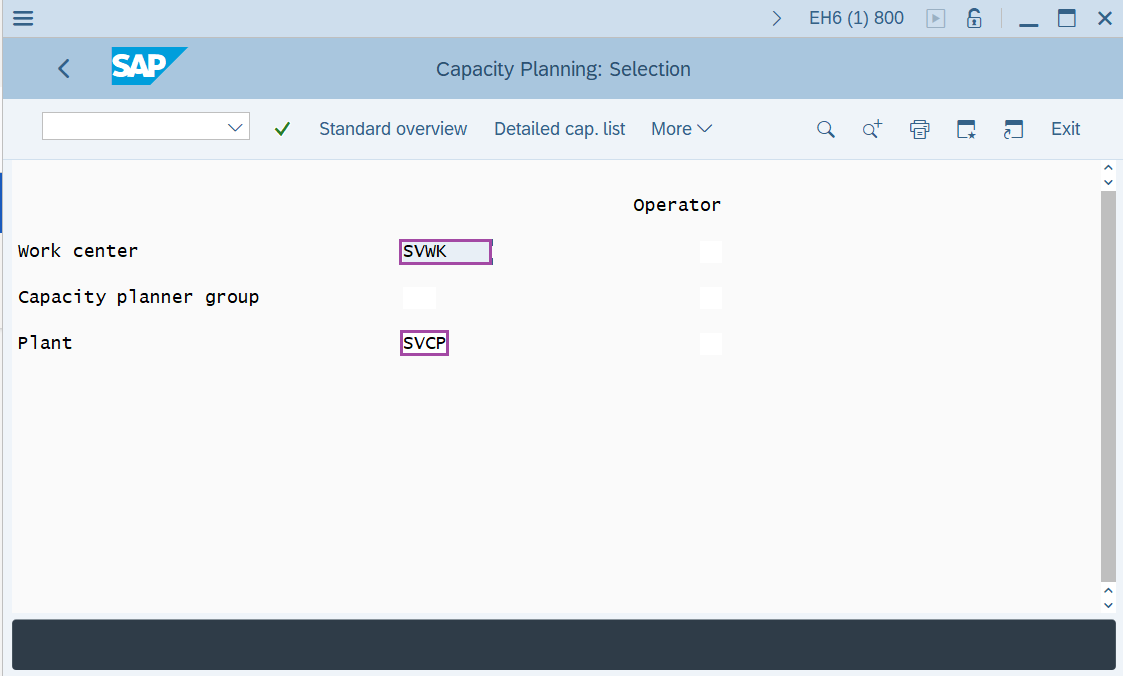
Step-2: - Capacity Planning: Selection window appears. Enter the details in the field Plant, Work center.
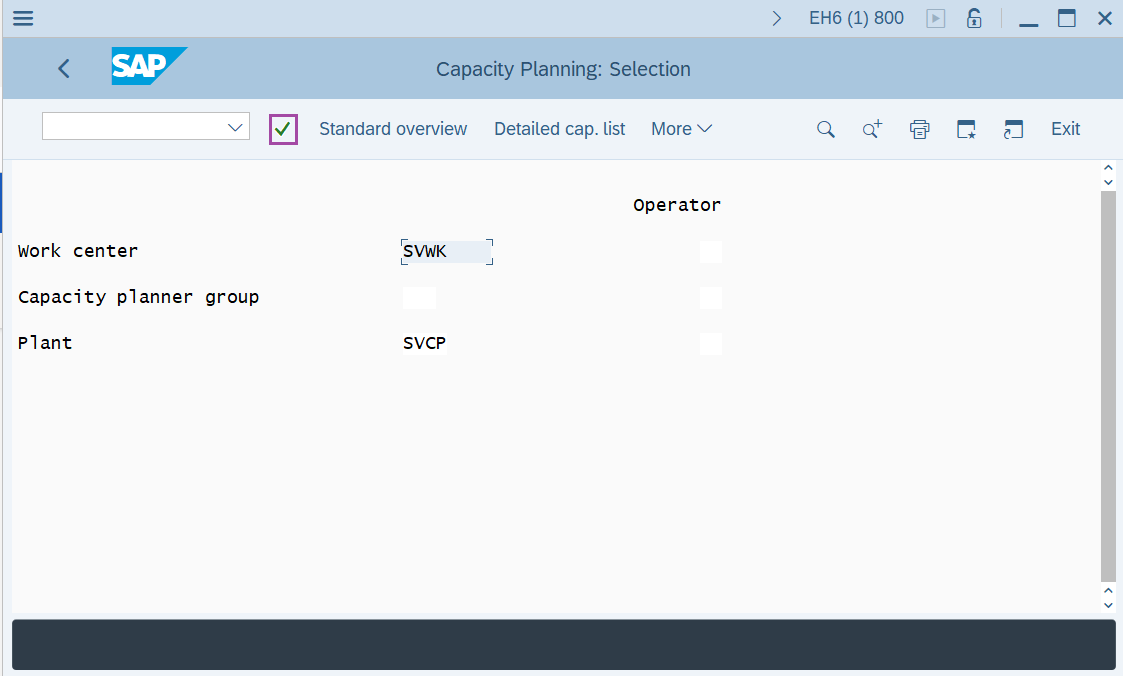
Step-3: - After entering the details, press Enter button.
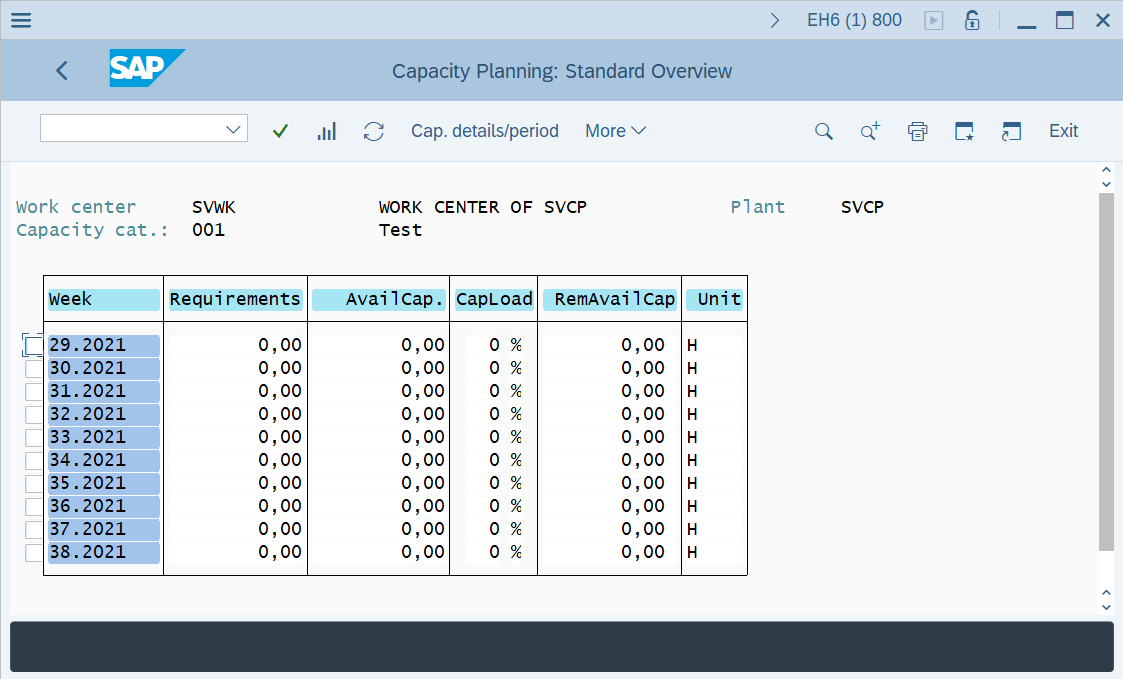
Step-4: - Capacity Planning: Standard Overview window appears with details of Capacity situation at work center where it enables to check the capacity requirement, available capacity and capacity load % at the Work Center.
Technical details –
- Transaction code: CM01
- Menu path: SAP menu → Logistics → Production → Capacity Planning → Evaluation → Work Center View → Load.