
SAP PP Define Company
a Company represents the highest-level organizational unit used for external reporting, especially when multiple company codes exist under the same corporate group. It is not the same as a company code. A Company is more like a parent or holding organization, while Company Codes are the individual legal accounting entities within it. Company creation in sap is optional.
Important points –
- It allows to generate financial statements as per legal requirements of country where company is located.
- Can allocate more than one code to company.
- It is considered as an optional organization unit in SAP.
Defining a Company helps SAP understand the consolidated business structure. Even though it is created mainly in the Enterprise Structure area of SAP (and used more in FI/CO), it still forms the base of the PP organizational setup.
Prerequisites -
- You should understand the organization’s global corporate structure.
- To define a Company, you must have: company name, city and country, address details and currency (for consolidation)
- Decision on Whether multiple company codes will exist.
Here’s a step-by-step to Define Company –
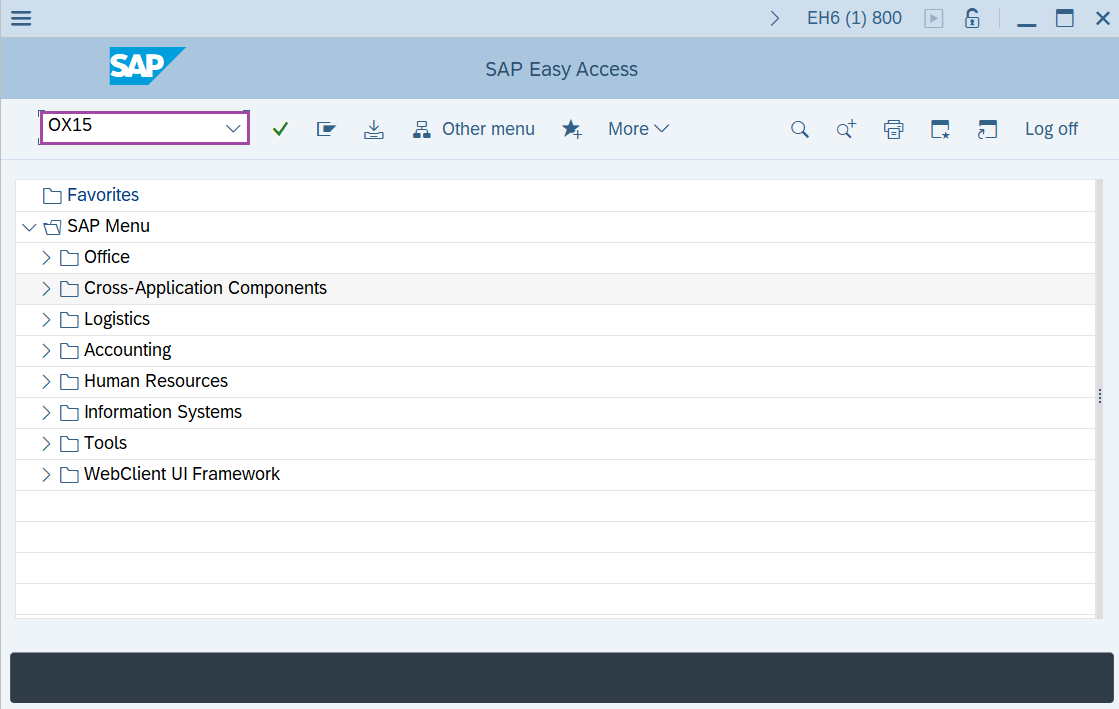
Step-1: - Enter the transaction code OX15 in SAP command field and press Enter to continue.
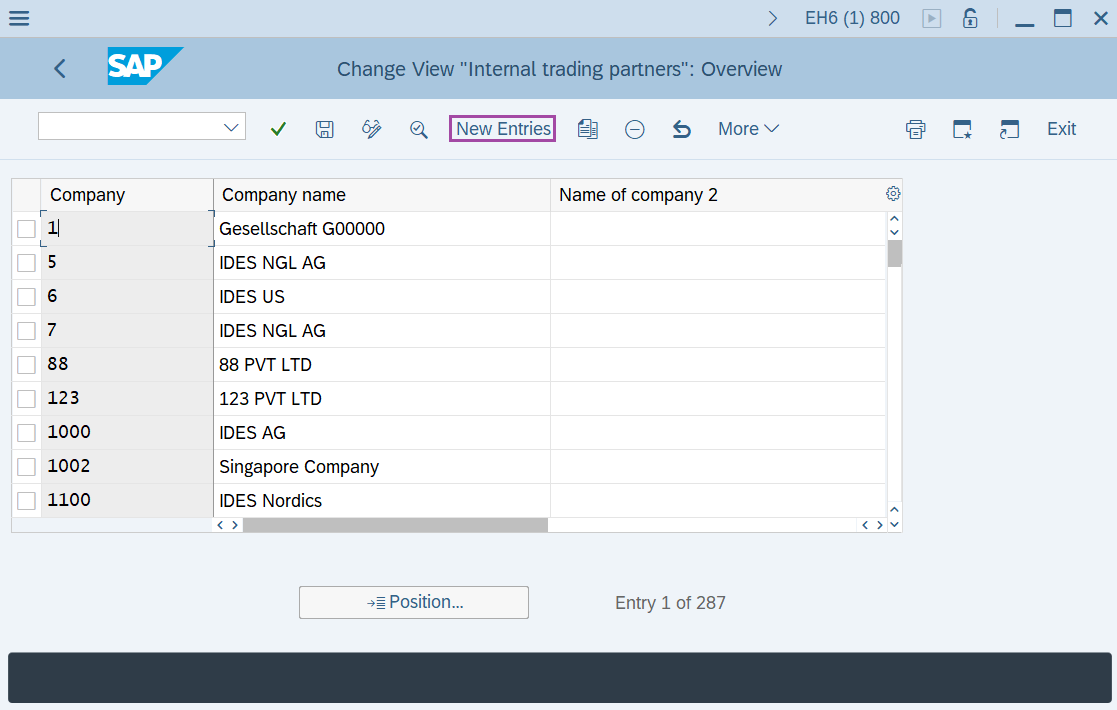
Step-2: - Change View “Internal trading partners”: Overview window appears. Click on the New Entries.
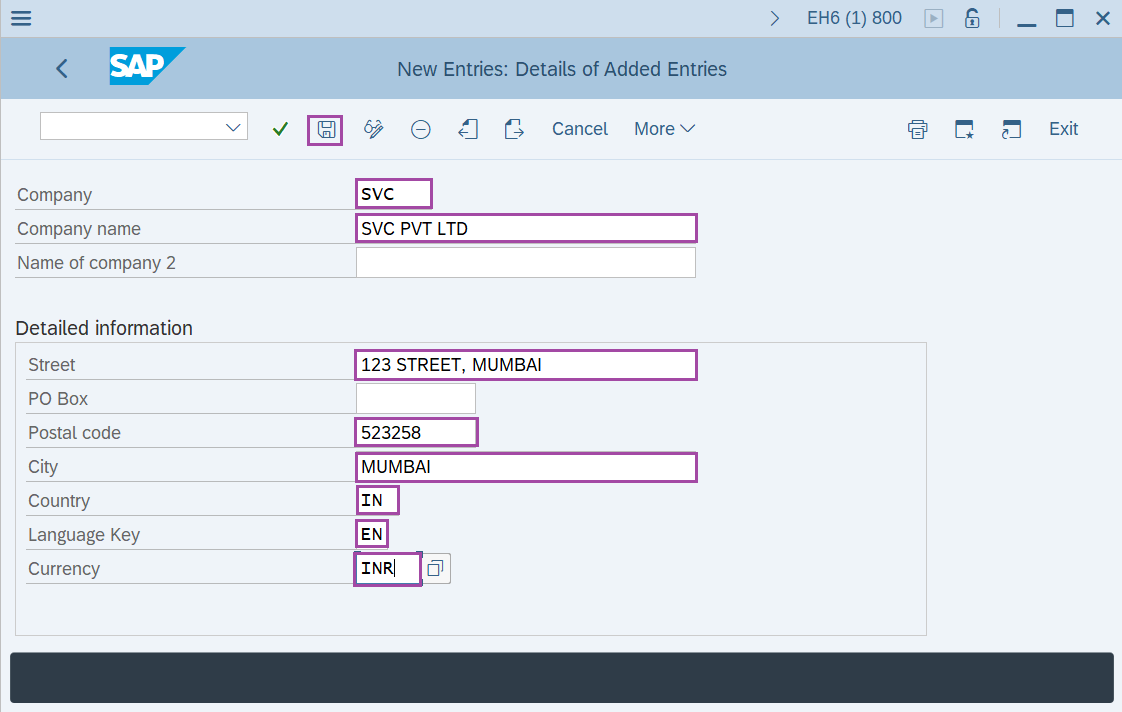
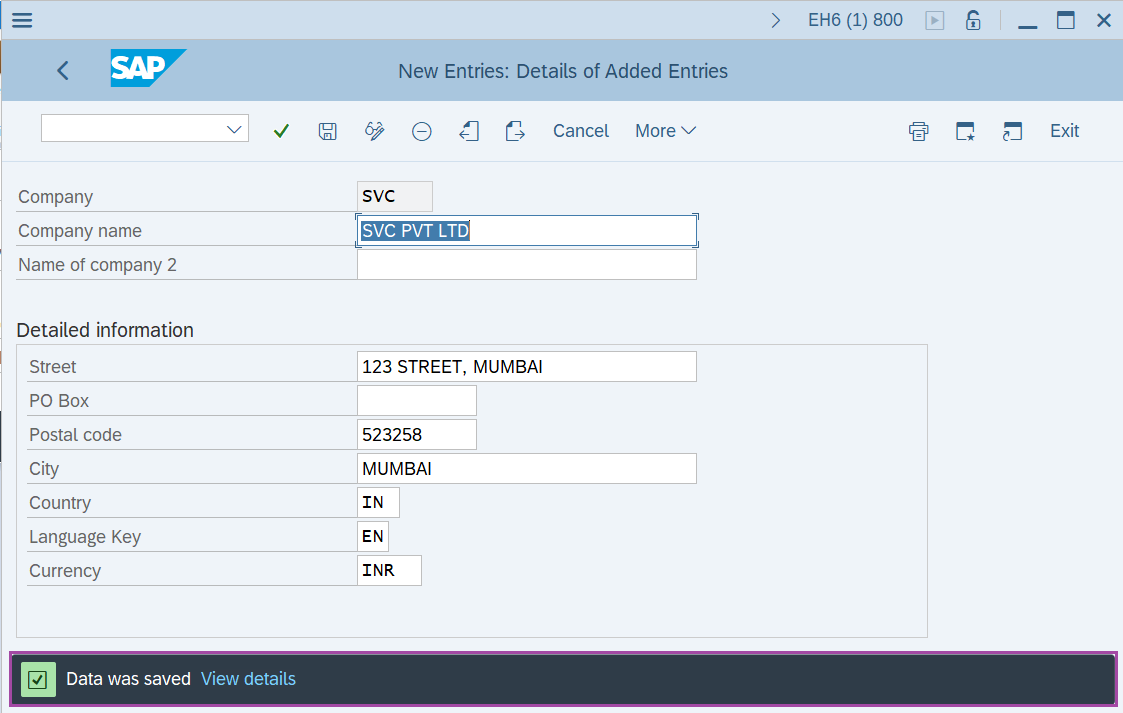
Step-3: - New Entries: Details of Added Entries window appears, enter the details in the fields –
- Enter an alphanumeric code key that represents the group of company.
- Enter name of the company.
- Enter Country Code.
- Enter language key.
- Enter local currency.
After the details are entered, Click on Save button.
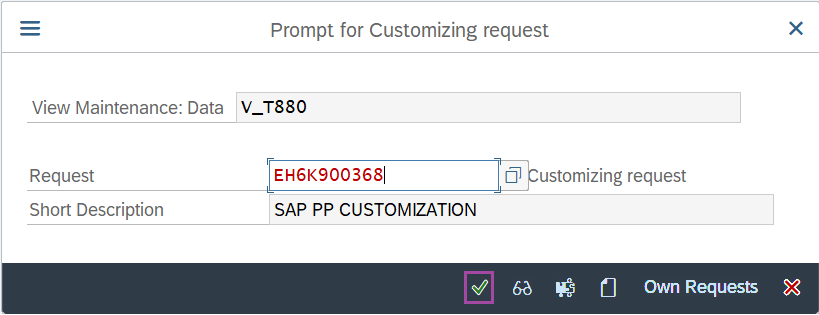
Step-4: - Select the “customizing request” and click on right mark to continue.
Step-5: - Status bar displays the below message once the default values saved successfully.
Technical details –
- Transaction code: OX15
- Menu path: SPRO → Implementation Guide for R/3 Customizing (IMG) → Enterprise Structure → Definition → Financial Accounting → Define Company.