
SAP PP Define Plant
A Plant in SAP is one of the most important organizational units in production planning. It represents a physical or logical location where manufacturing, procurement, storage, or maintenance activities take place.
When you “Define a Plant,” you are telling SAP: “Here is a location where materials are produced, processed, or stored.”
Based on the usage, the plants are defined as 3 types –
- Production Plant - The Plant where the production facility available.
- Inventory Plant - The Plant where the stock of materials are managed.
- Maintenance Plant: The Plant where the maintenance of goods take place.
Prerequisites -
- The company code must already be created in SAP.
- You must know: how many physical factories or warehouses the business has?, whether each needs its own plant code?, whether multiple plants belong to one company code?
- To define a plant, you should know: plant name, address (City, Country, Region), factory calendar (working days, holidays) and language and communication data.
Here’s a step-by-step to Define Plant –
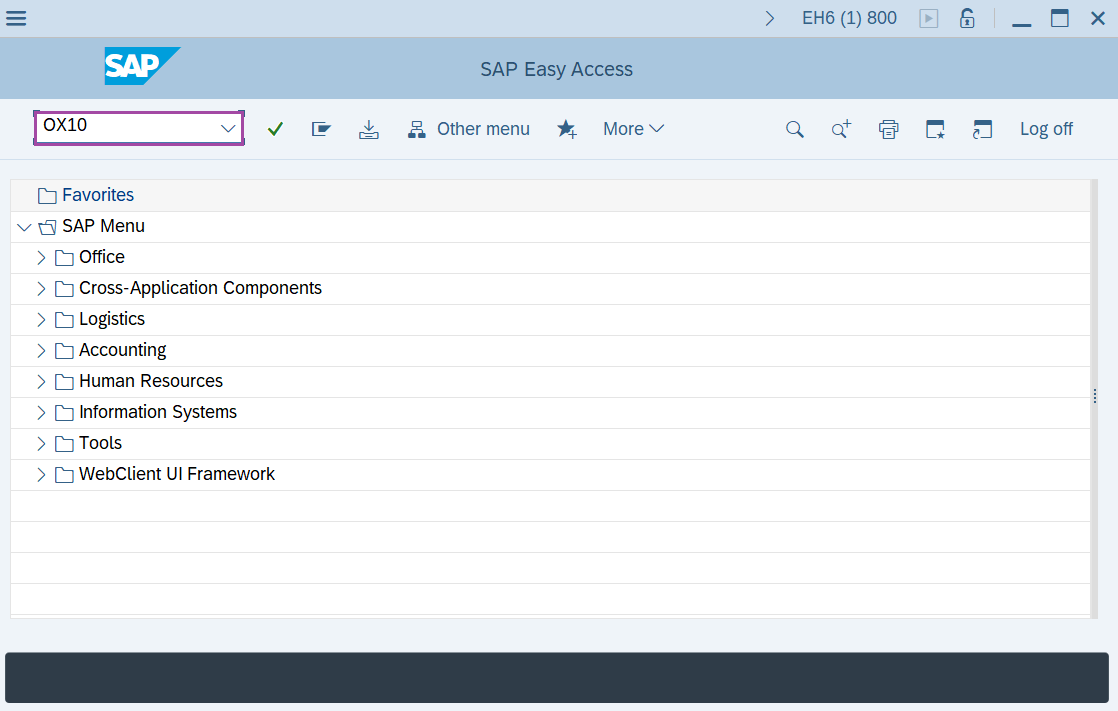
Step-1: - Enter the transaction code OX10 in SAP command field and press Enter to continue.
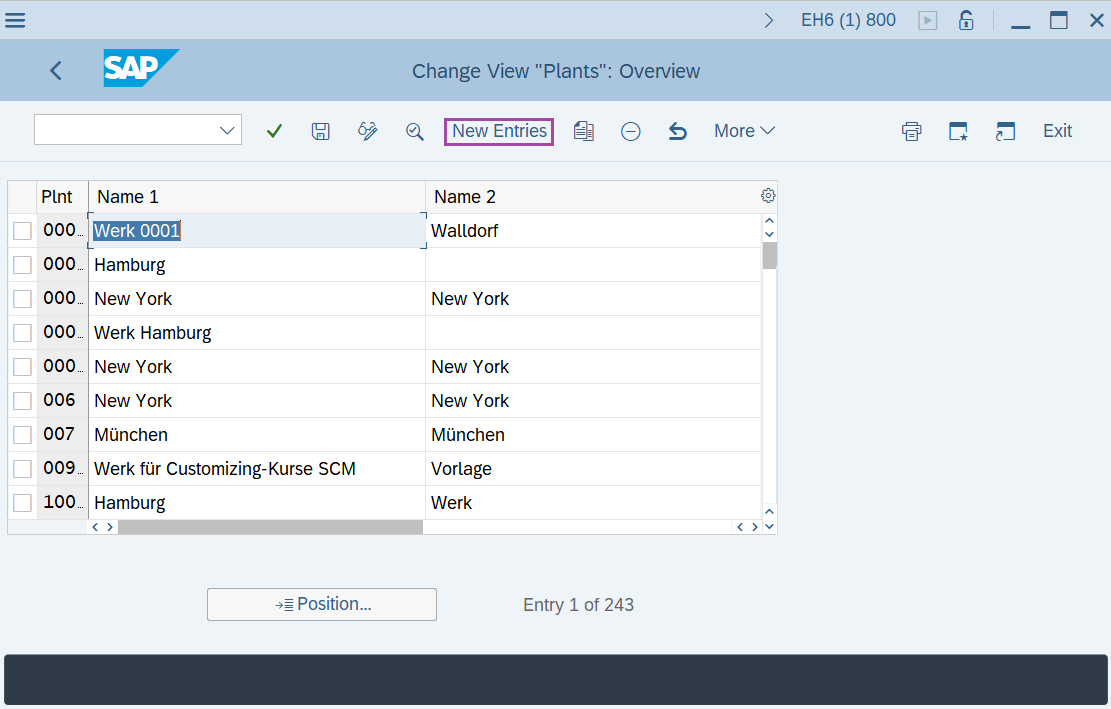
Step-2: - Change View “Plants”: Overview window appears. Click on the New Entries.
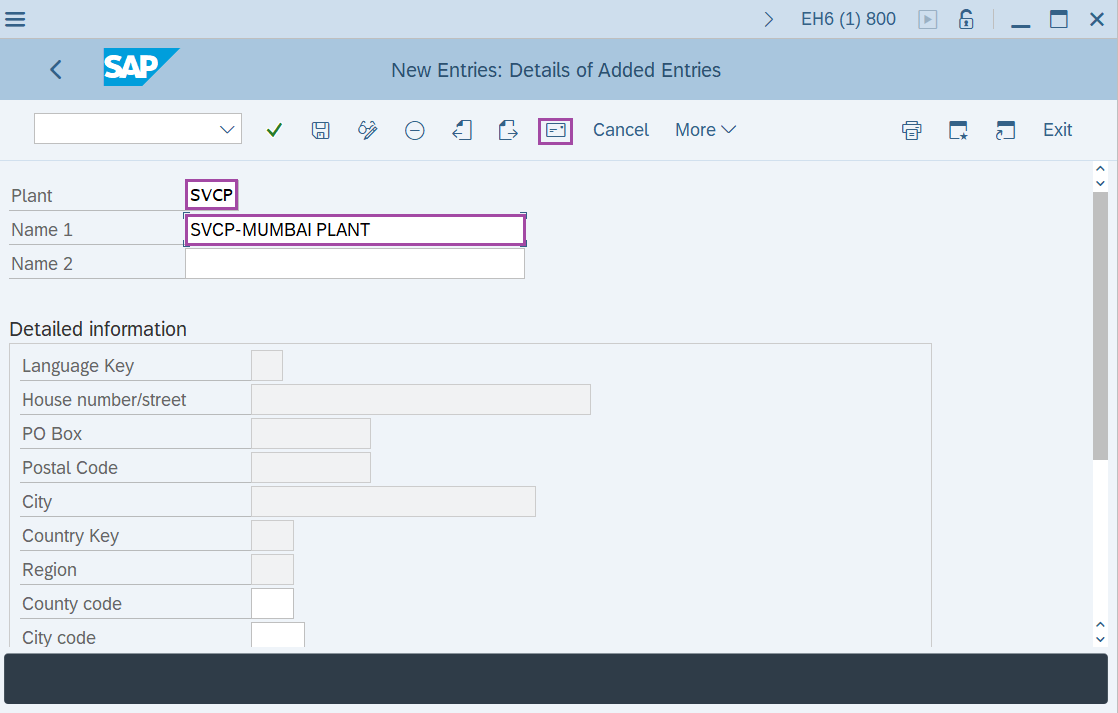
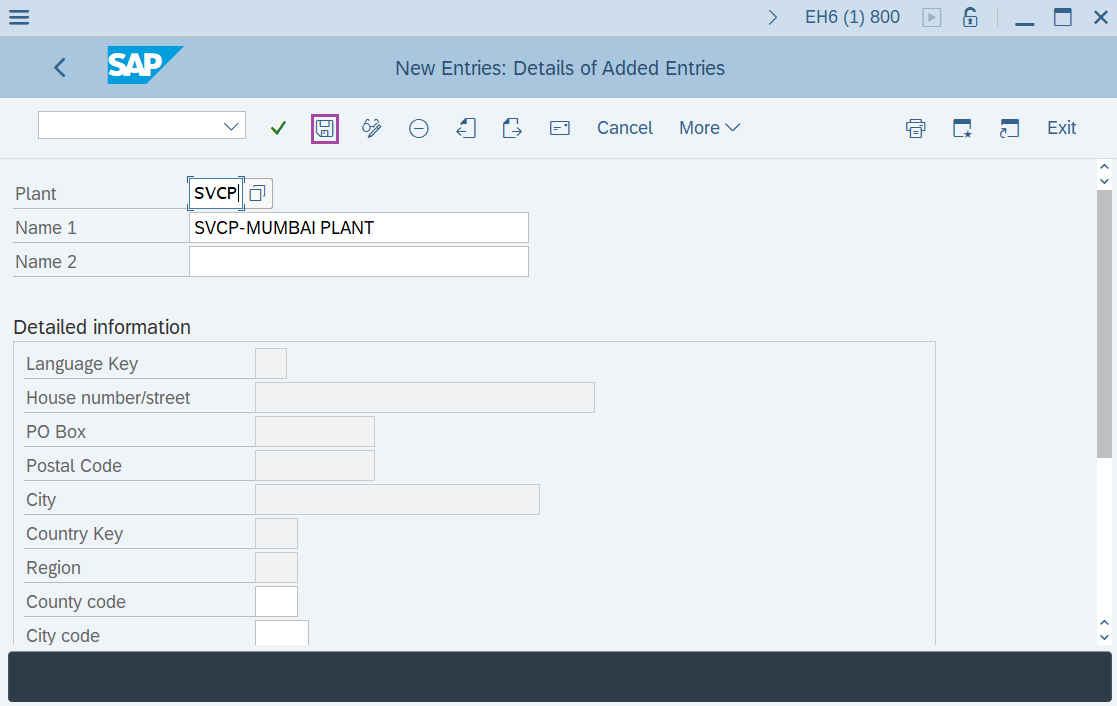
Step-3: - New Entries: Details of Added Entries window appears, enter the Plant code and Plant name then press Enter to continue.
Step-4: - Another window appears as Edit address, update the required fields.
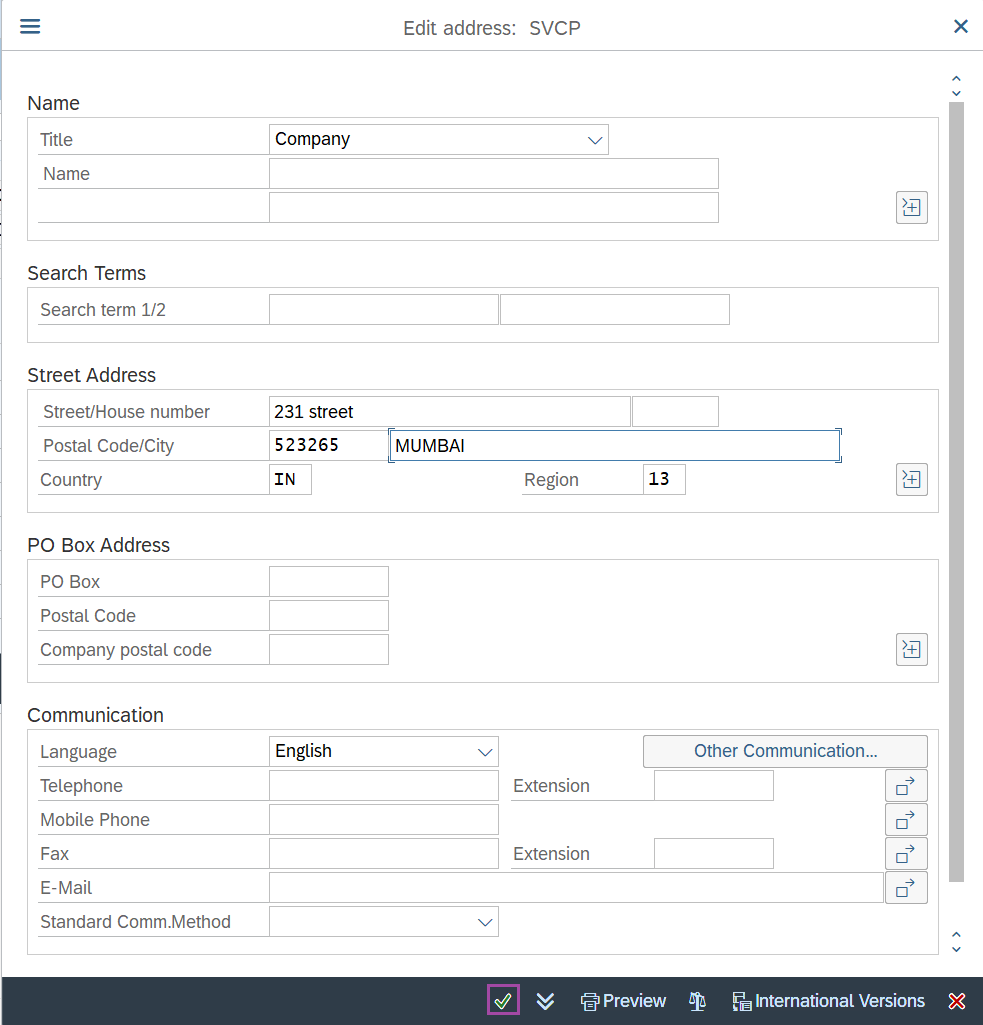
Once the data is entered, click on Save to save the details.
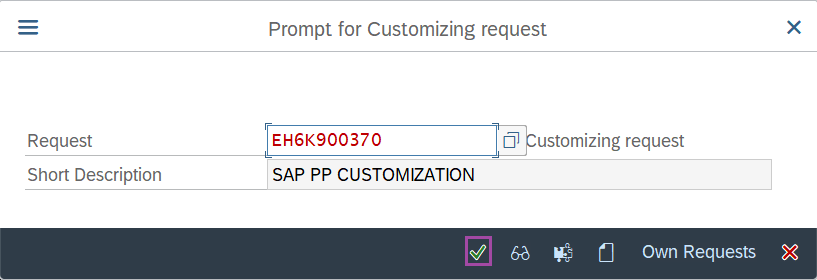
Step-5: - Select the “customizing request” and click on right mark to continue.
Step-6: - Status bar displays the below message once the default values saved successfully.
Thus, the Plant is created in SAP.
Technical details –
- Transaction code: OX10
- Menu path: SPRO → IMG Reference → Enterprise Structure → Definition → Logistics General → Define copy, delete, check plant.