
SAP PP Define Purchase Organization
A Purchase Organization in SAP is the organizational unit responsible for procurement of materials and services. It represents the group or department that negotiates with vendors, issues purchase orders, and manages purchasing activities.
Although the Purchase Organization is created mainly under the Materials Management (MM) module, it is still crucial for SAP PP because production planning depends heavily on timely procurement of raw materials.
One purchase organisation is assigned to one company code only. But a company code can have more than one purchase organisation according to the client requirements. It is helpful in performing the task of purchasing process.
It is a top level organisational element in SAP MM.
Types of Purchase organizations –
The following are the purchase organisations established at different levels –
- Plant specific purchase organization
- Cross plant purchase organization
- Cross company code purchase organization
- Central purchase organization
- Standard purchase organization
- Reference purchase organization
Prerequisites -
- The company code (legal entity) must exist.
- You must know the plant structure.
- You should decide procurement strategy.
Here’s a step-by-step to Define Purchase Organization –
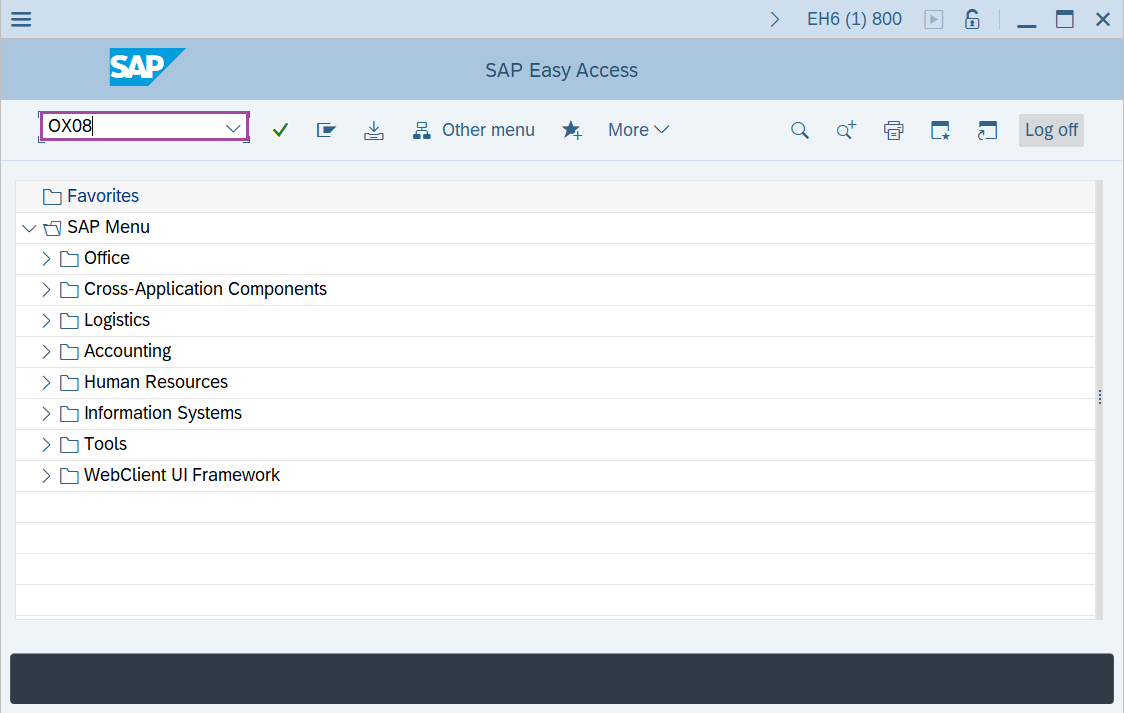
Step-1: - Enter the transaction code OX08 in SAP command field and press Enter to continue.
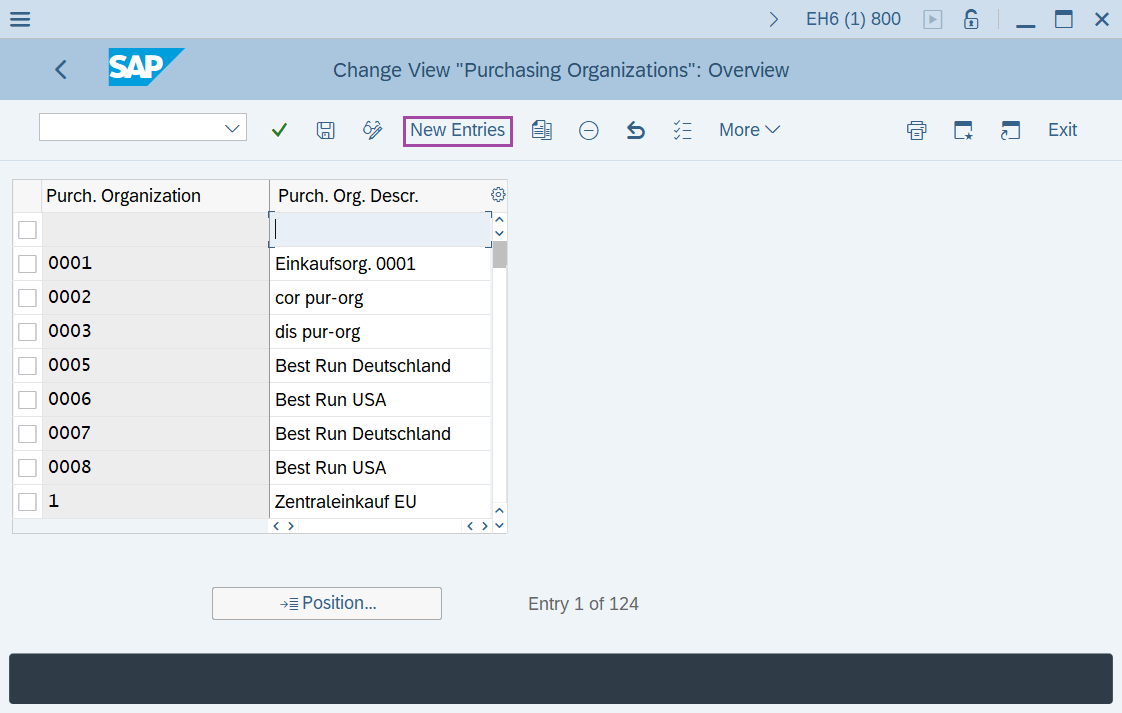
Step-2: - Change View “Purchasing Organizations”: Overview window appears. Click on New Entries.
Step-3: - New Entries: Overview of Added Entries window appears, enter Purchasing Organization and Purchasing Organization Description.
- Purch.Organisation - Enter a 4 digits key to identifying the purchase organisation.
- Purch. Org. descr. - Enter the description of the purchase organisation.
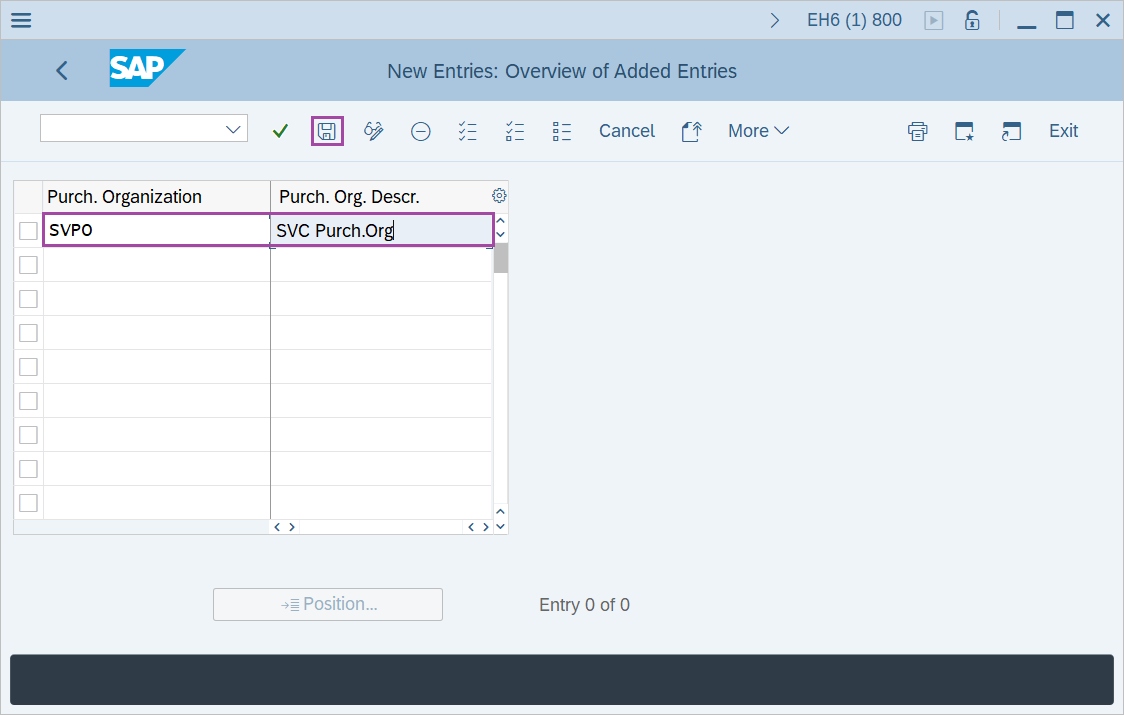
Step-4: - After entering the details, click on Save button to save the details.
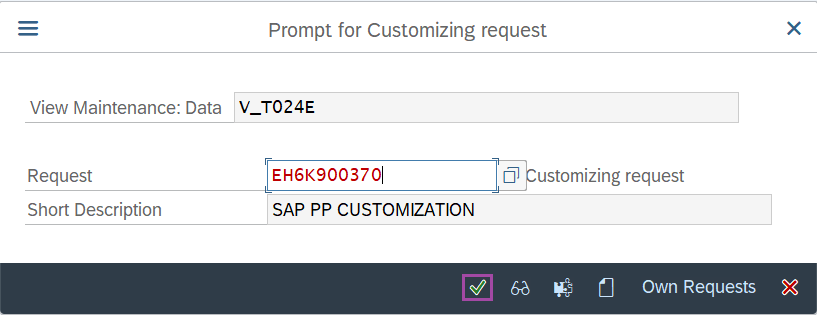
Step-5: - Select the “customizing request” and click on right mark to continue.
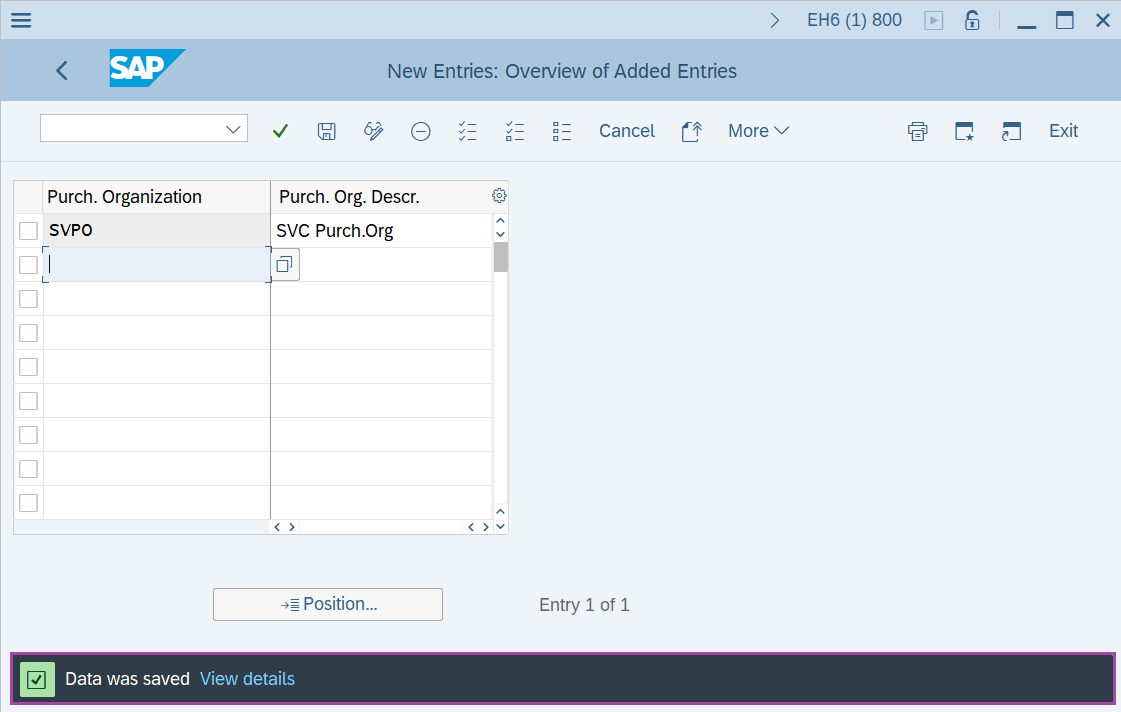
Step-6: - Status bar displays the below message once the default values saved successfully.

Thus, the Purchase Organisation is created.
Technical details: -
- Transaction: OX08
- Menu Path: SPRO → SAP Reference IMG → Enterprise Structure → Definition → Material Management → Maintain Purchasing Organisation.