
SAP PP Change Material Master
“Change Material Master” means updating or editing an existing material’s master data. This is done typically via the transaction code MM02 (Change Material Master).
With MM02, you can modify one or more fields or “views” of the material’s record — for example planning data (MRP type, lot size), production data (work scheduling), general data (unit of measure, description), accounting data, etc.
Prerequisites -
- The material record should already exist in the system.
- You should know which views and organizational levels you need to change.
Here’s a step-by-step to Change Material Master –
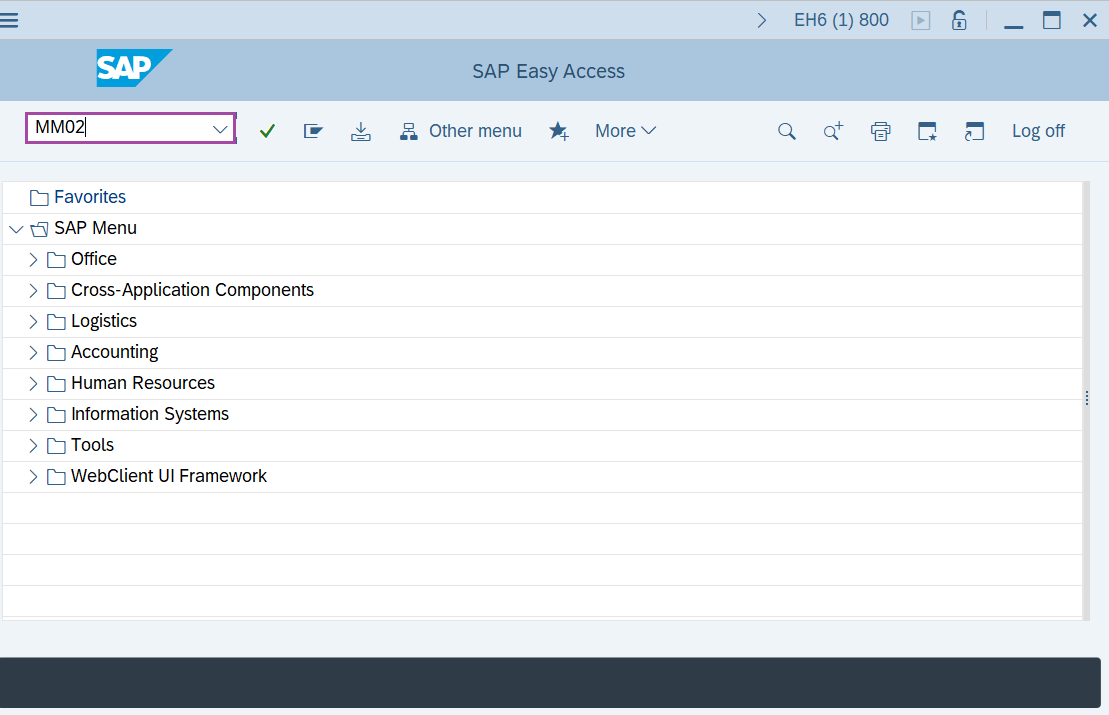
Step-1: - Enter the transaction code MM02 in SAP command field and press Enter to continue.
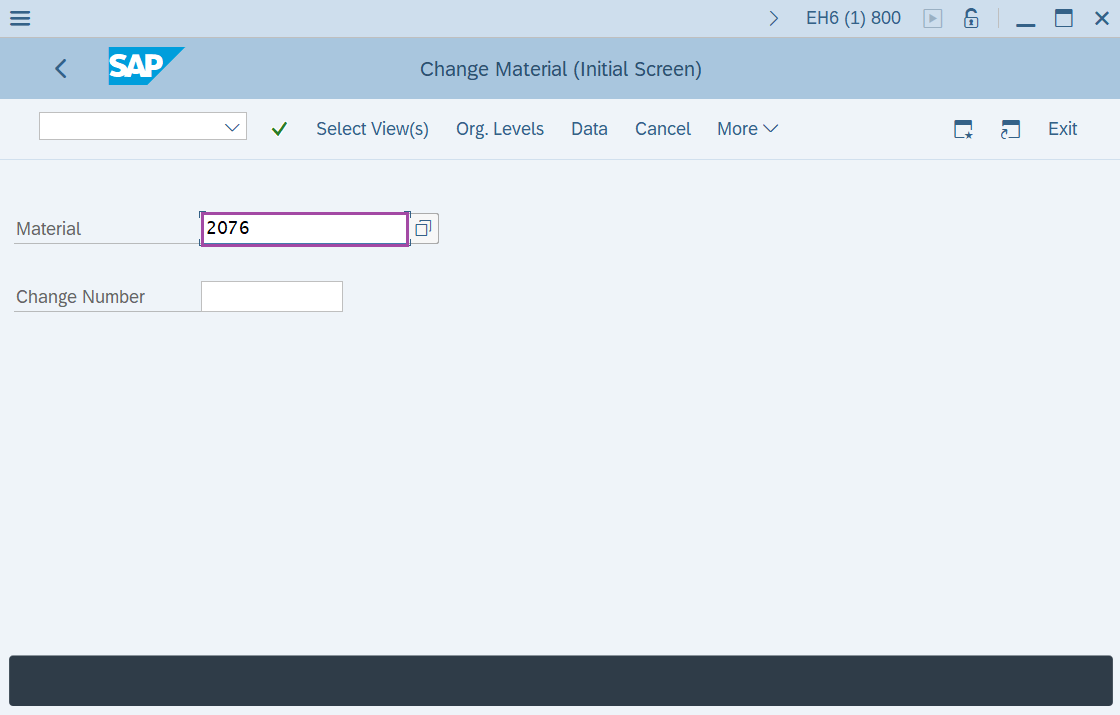
Step-2: - Change Material(Initial Screen) window appears. Enter the Material and press Enter to continue.
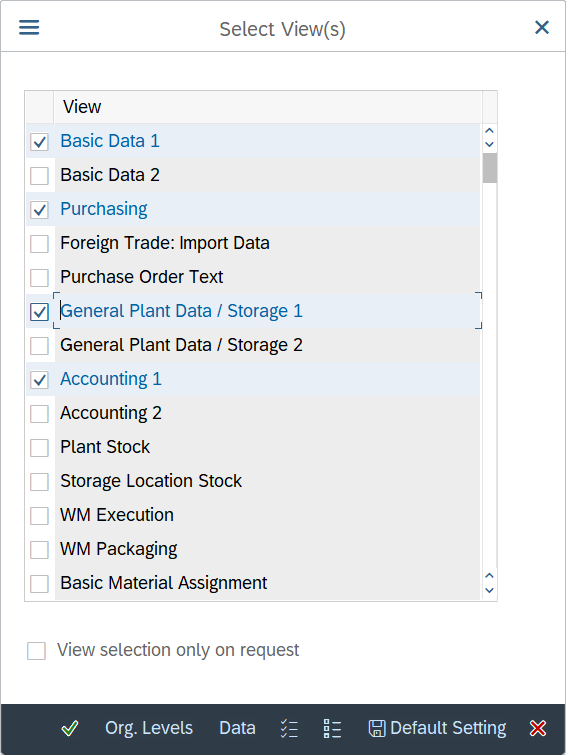
Step-3: - A pop-up window will be opened as Select View(s), select the views and press Enter to continue.
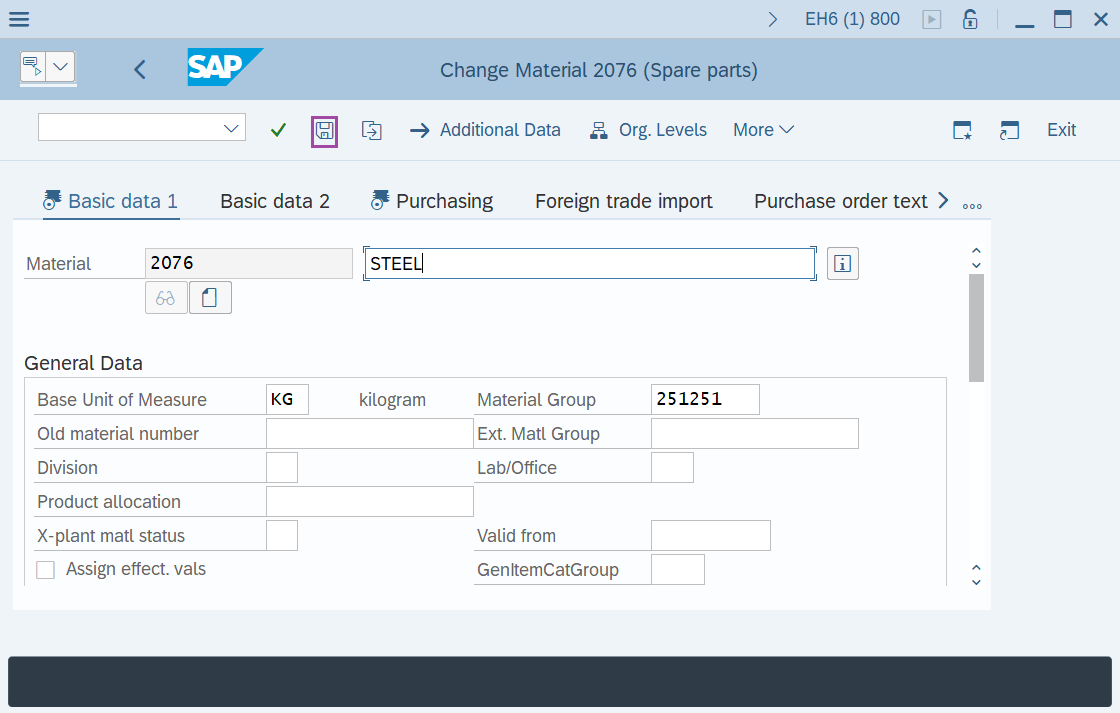
Step-4: - Change Material ELECTRONICS(Finished product) window appears with the details entered previously.
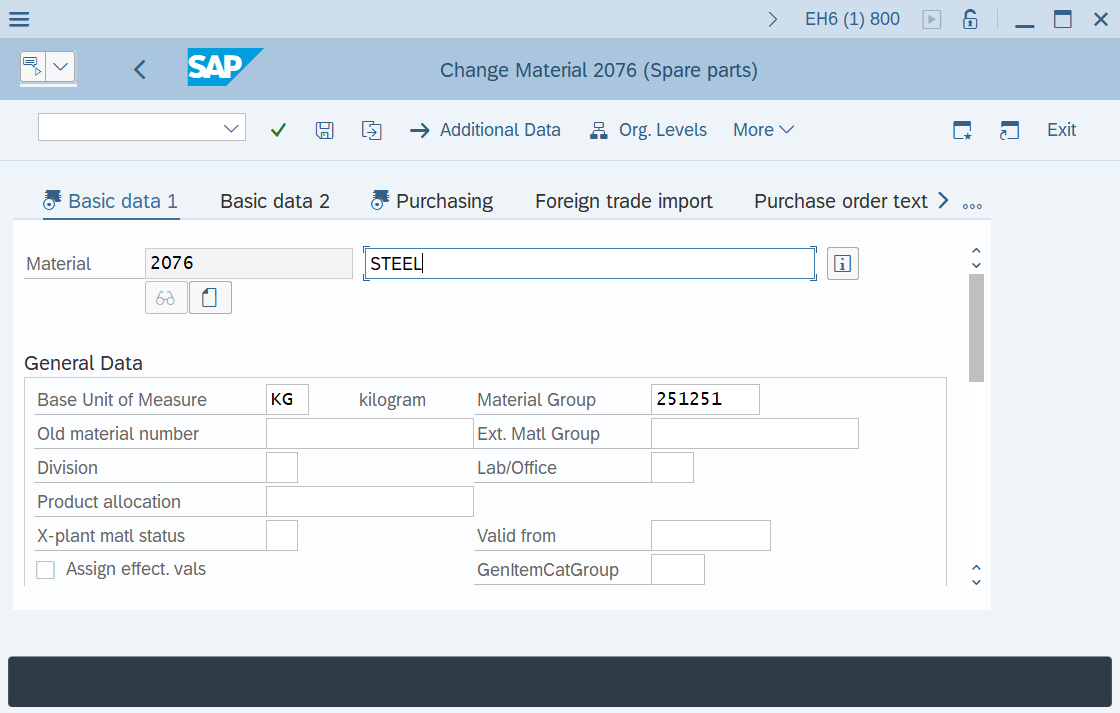
Step-5: - After making the changes as required, click on Save button to save the configured data.
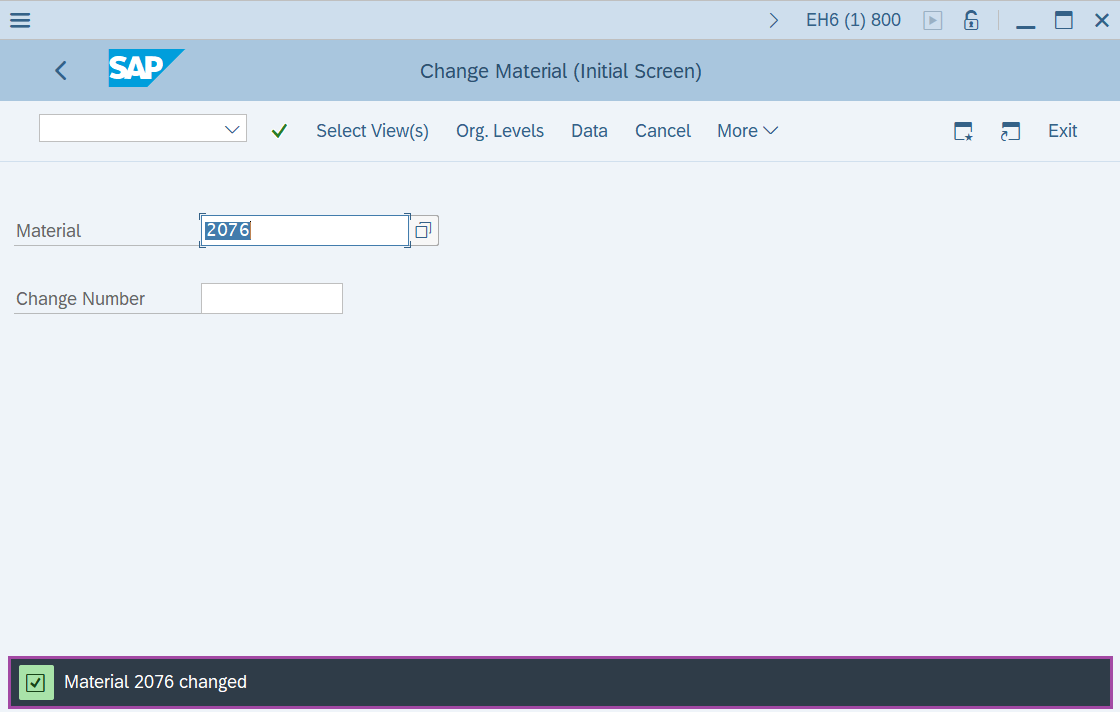
Step-6: - Status bar displays the below message once the values saved successfully.
Technical details –
- Transaction code: MM02
- Menu path: Logistics → Material Management → Material Master → Material → Change.