
SAP PP How to run Master Production Schedule (MPS)
MPS (Master Production Scheduling) is a specialized planning run used to plan important and critical materials only, such as:
- High-value finished goods
- Bottleneck materials
- Materials with long lead times
- Items directly impacting business commitments
MPS ensures these materials are planned carefully and independently before the full MRP run.
Prerequisites -
Before running MPS, the following should be prepared:
- Material must be marked as MPS item.
- Correct MRP/MPS master data must be maintained.
- Valid PIRs or Demand.
- Stock, Receipts, and Requirements.
Here’s a step-by-step to run Master Production Schedule (MPS) –
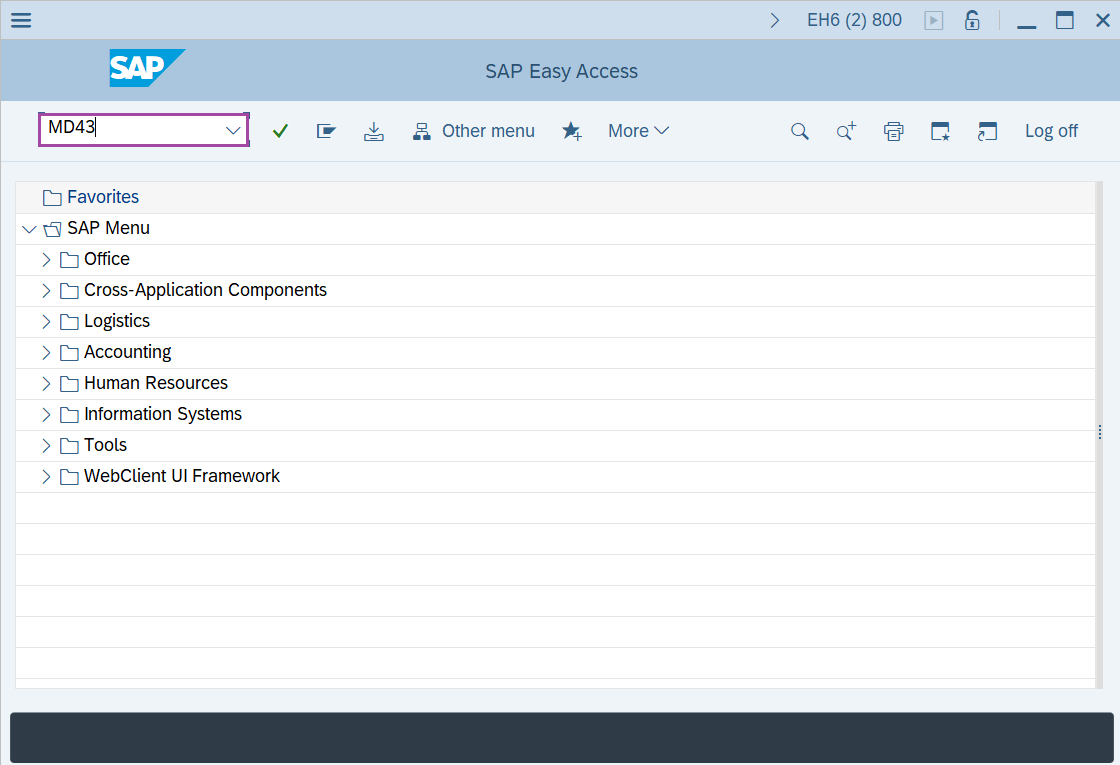
Step-1: - Enter the transaction code MD43 in SAP command field and press Enter to continue.
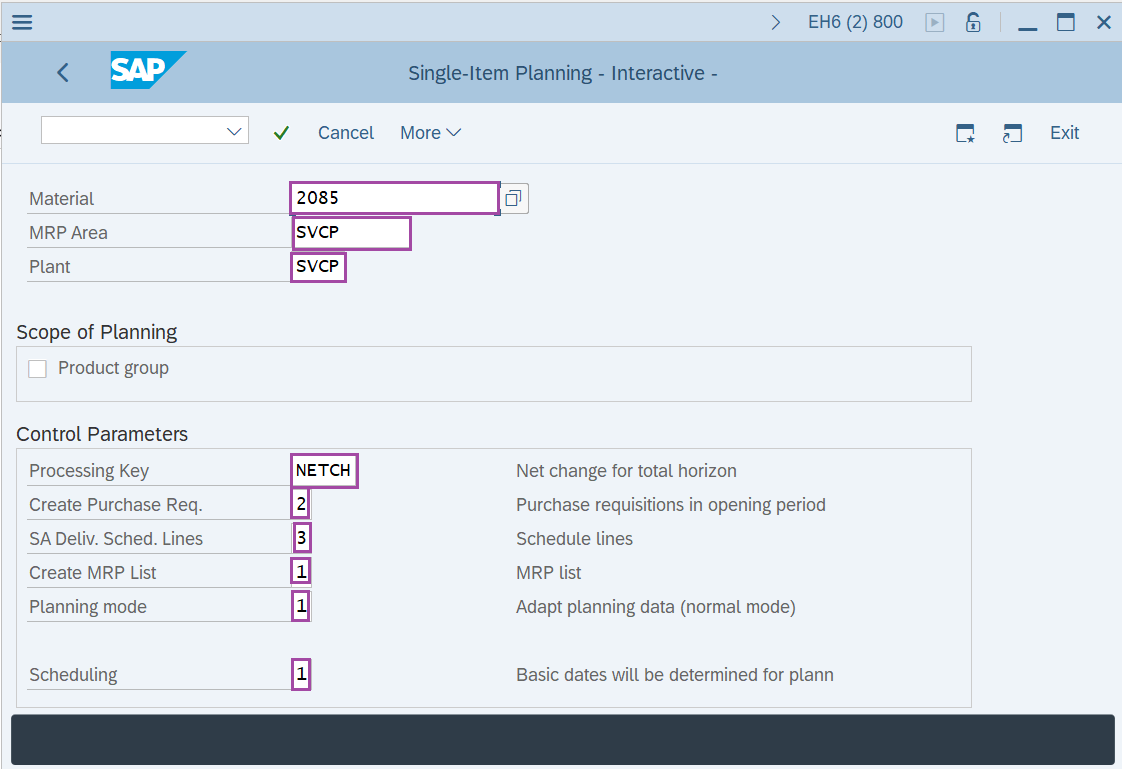
Step-2: - Single-Item Planning -Interactive- window appears. Enter details in the fields Material, MRP Area, Plant, Processing Key, Create Purchase Req., SA Deliv. Sched. Lines, Create MRP list, Planning mode and scheduling.
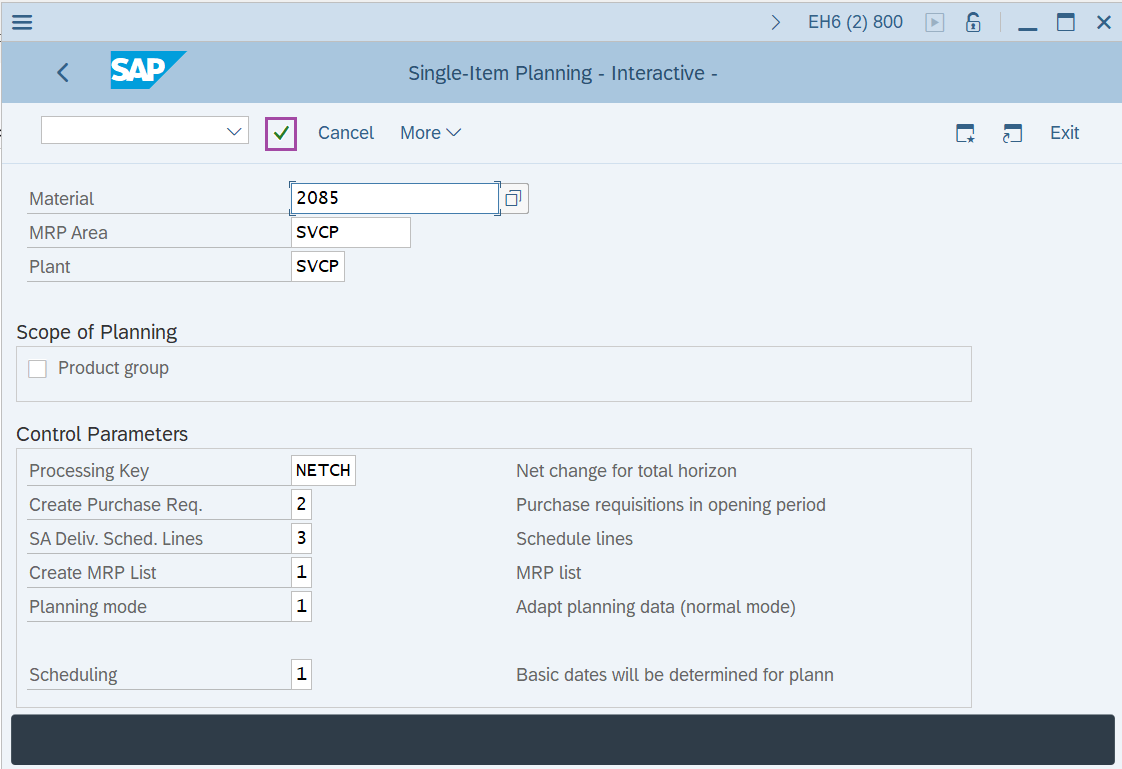
Step-3: - After entering the all details, press Enter to continue.
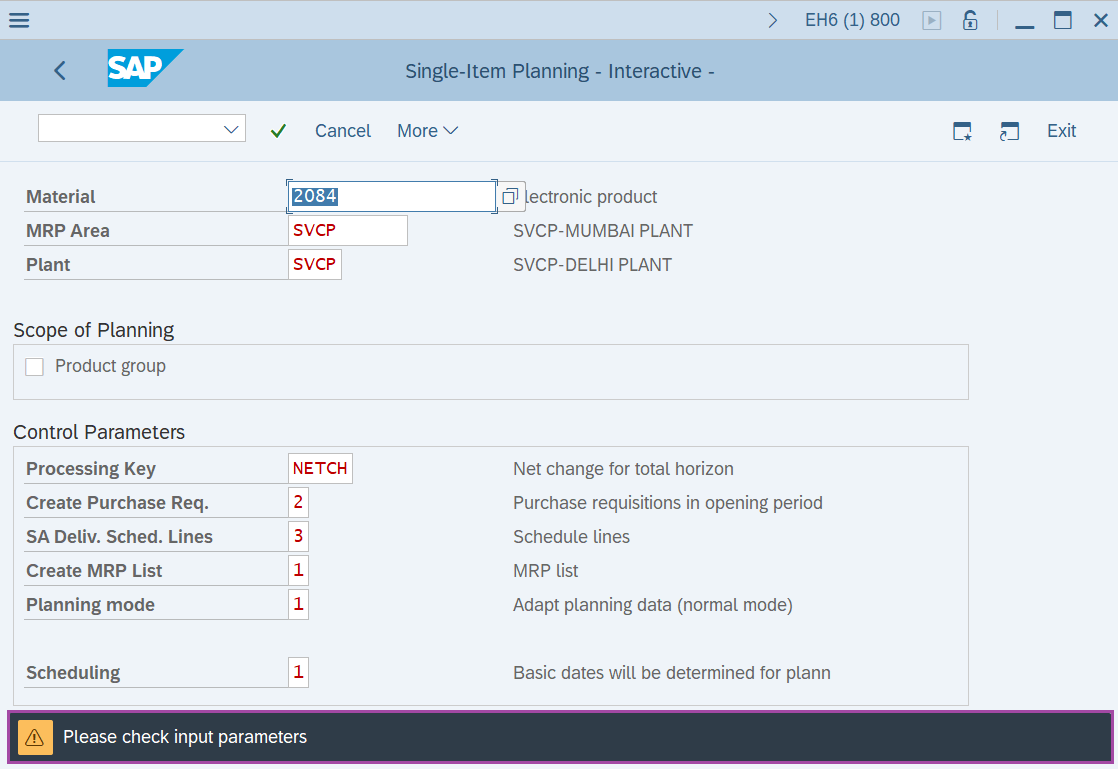
Step-4: - Status bar displays the below message to check the enter parameters. After checking once press Enter to continue.
Step-5: - Planning Result: Individual lines screen appears. Click on the planning tab to generate the planned orders for the shortage quantity.
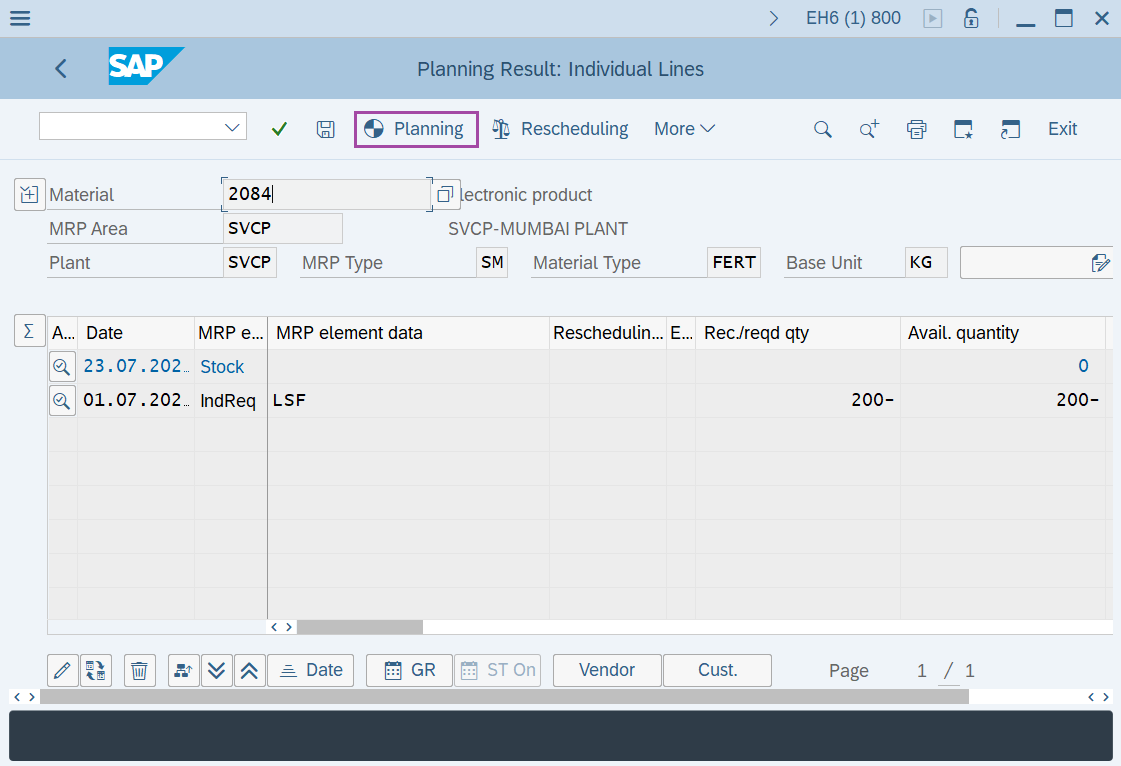
Step-6: - Planning Result: Individual lines screen appears with details of planned orders for the shortage quantity.
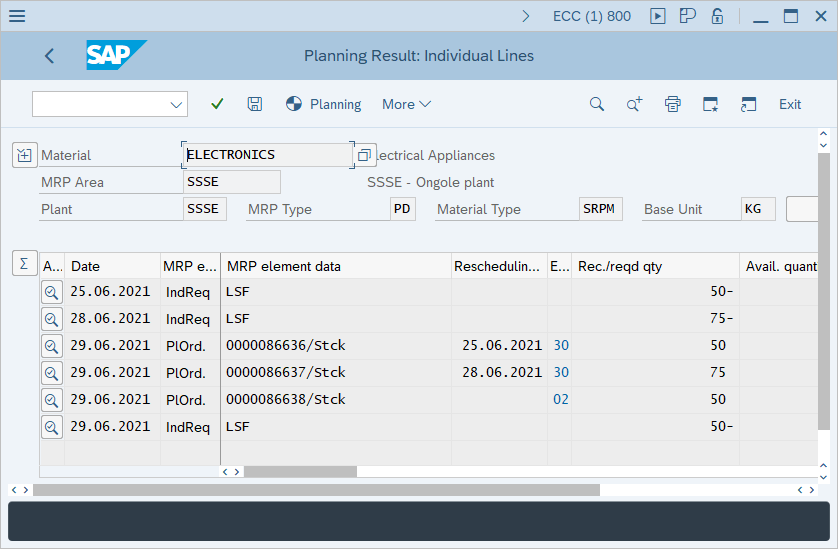
Technical details –
- Transaction code: MD43
- Menu path: Logistics → Production → MRP → Planning → Single-Item Planning - Interactive.