
SAP PP Create Planned Independent Requirement (PIR)
By creating PIRs, planners generate demand that triggers procurement proposals or planned production orders when running MRP (Material Requirements Planning), even if no confirmed sales orders exist. This is especially useful for “make-to-stock” scenarios.
Think of PIR as a “forecast bucket” — you define when (period) and how much (quantity) you expect to consume or produce, and SAP includes that in planning accordingly.
Prerequisites -
- The material for which you want to create PIR must already exist in SAP (material master).
- The plant must be defined because PIR is plant-specific.
- The material must have appropriate MRP and planning-strategy settings.
Here’s a step-by-step to Create Planned Independent Requirement (PIR) –
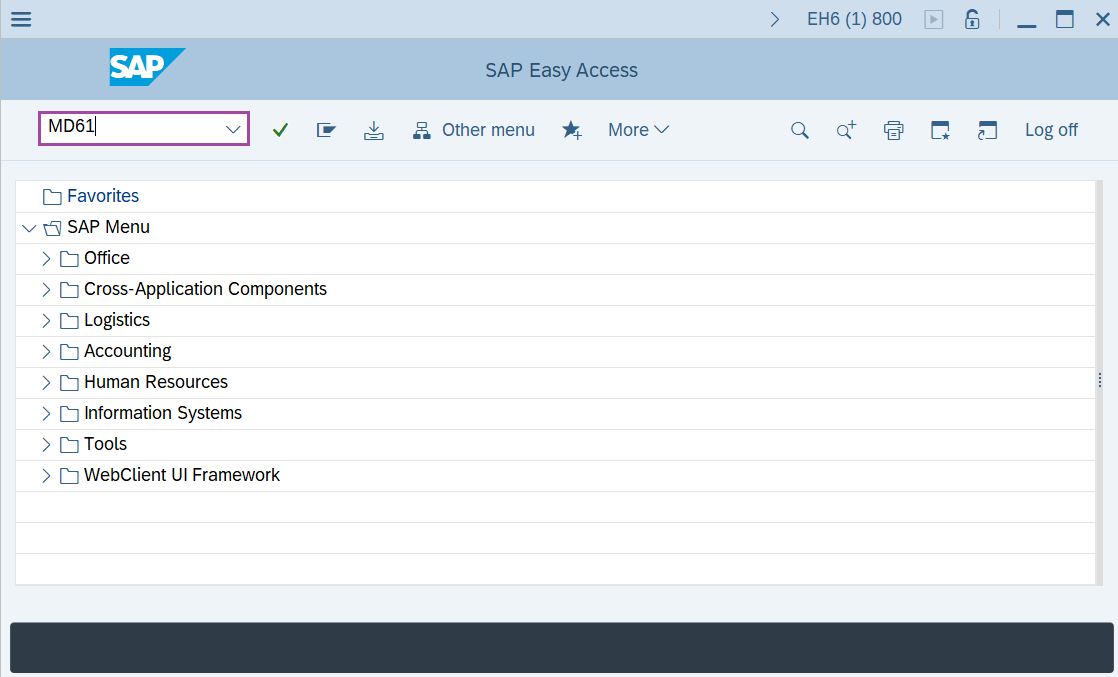
Step-1: - Enter the transaction code MD61 in SAP command field and press Enter to continue.
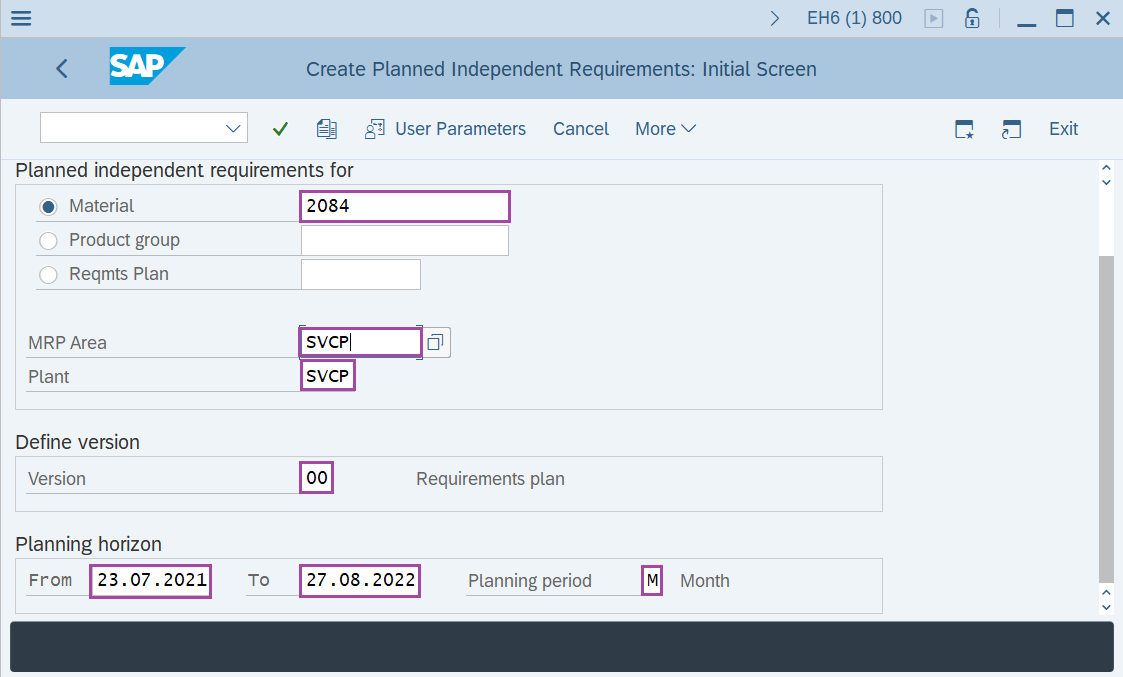
Step-2: - Create Planned Independent Requirements: Initial Screen window appears, enter the details in the fields Material, Plant, MRP Area, version and Planning horizon.
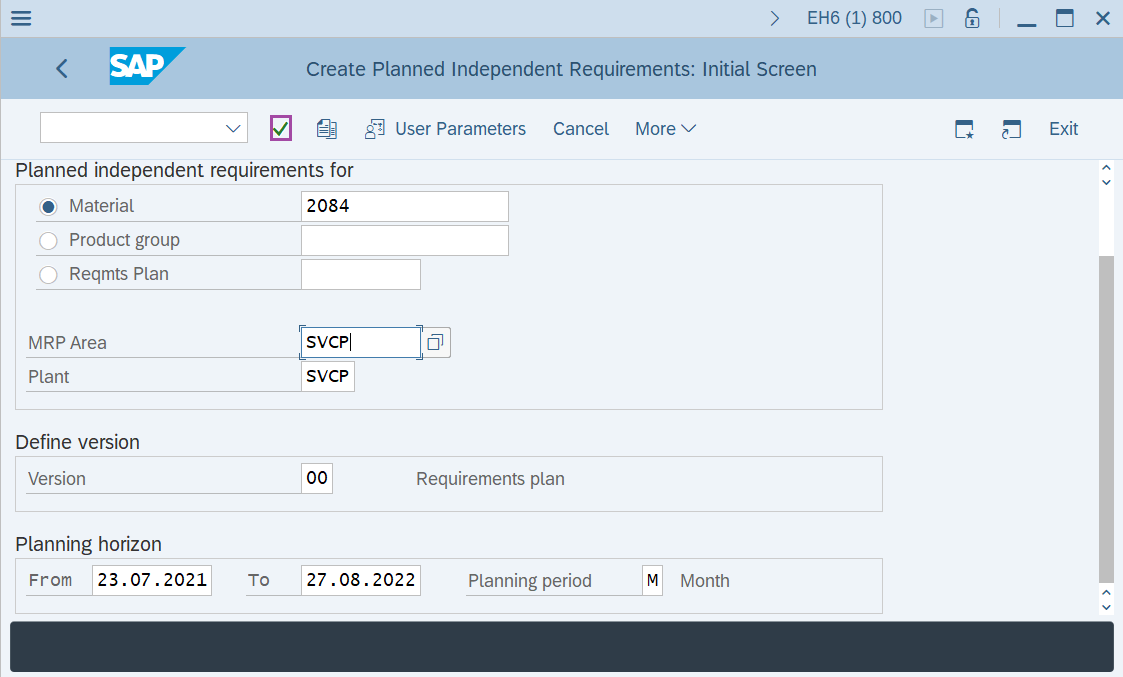
Step-3: - After entering the details, click on Enter button to continue.
Step-4: - Planned Ind. Reqmts Create: Planning Table window appears.
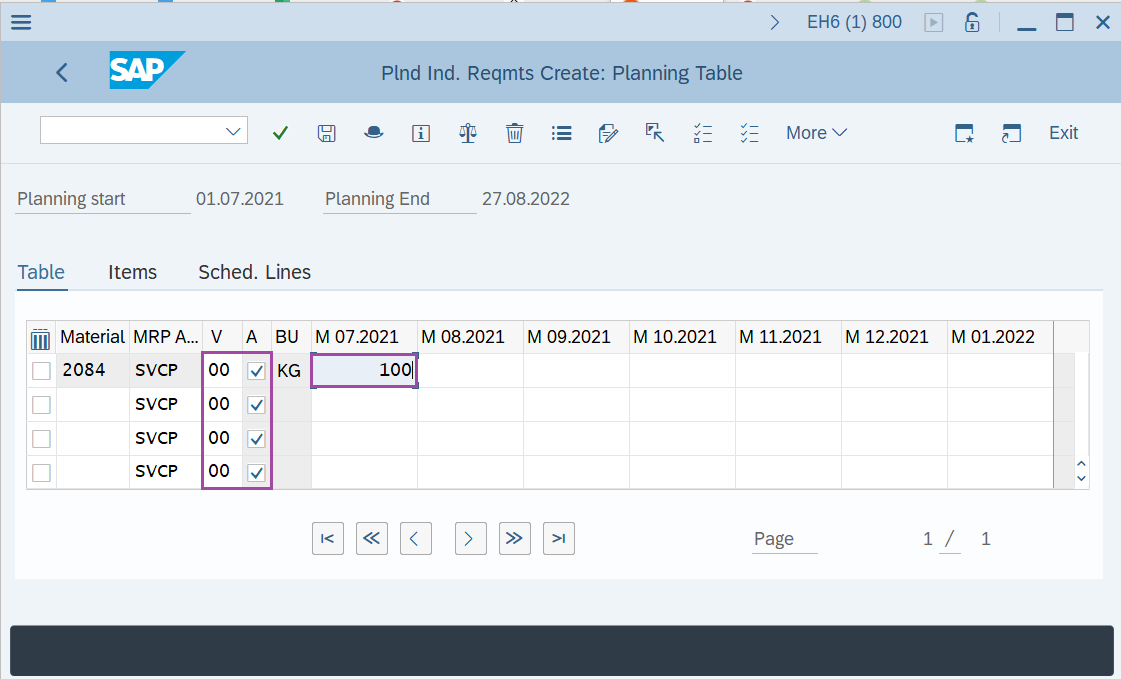
Step-5: - Once all the required details are entered, click on Save button to save the details.
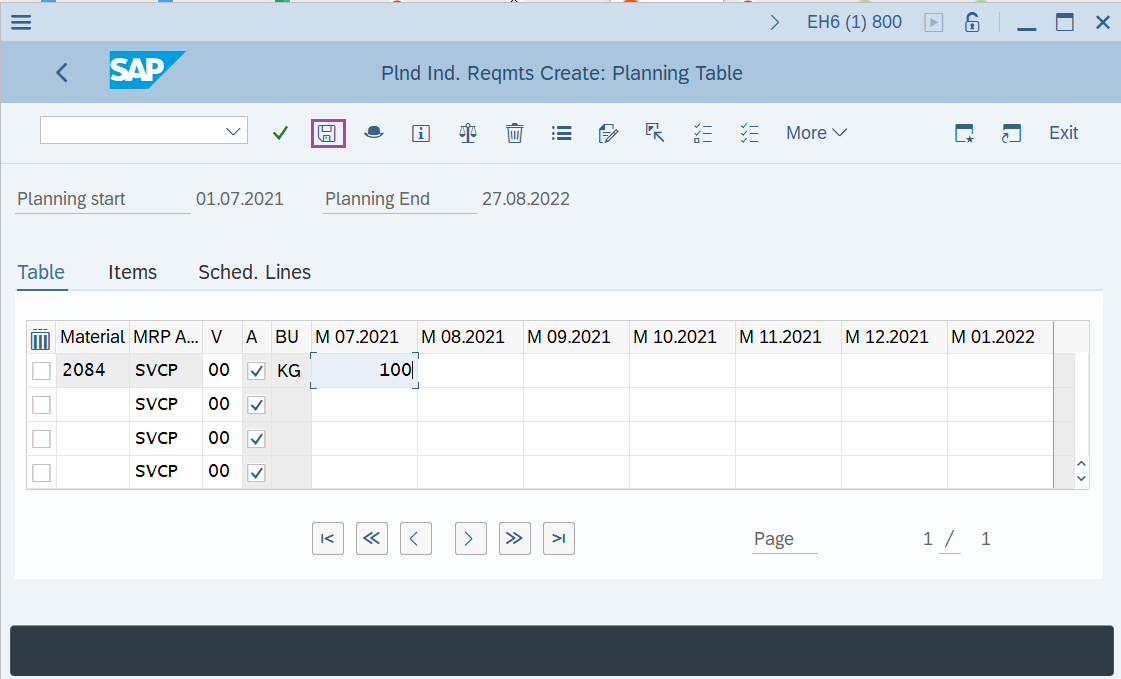
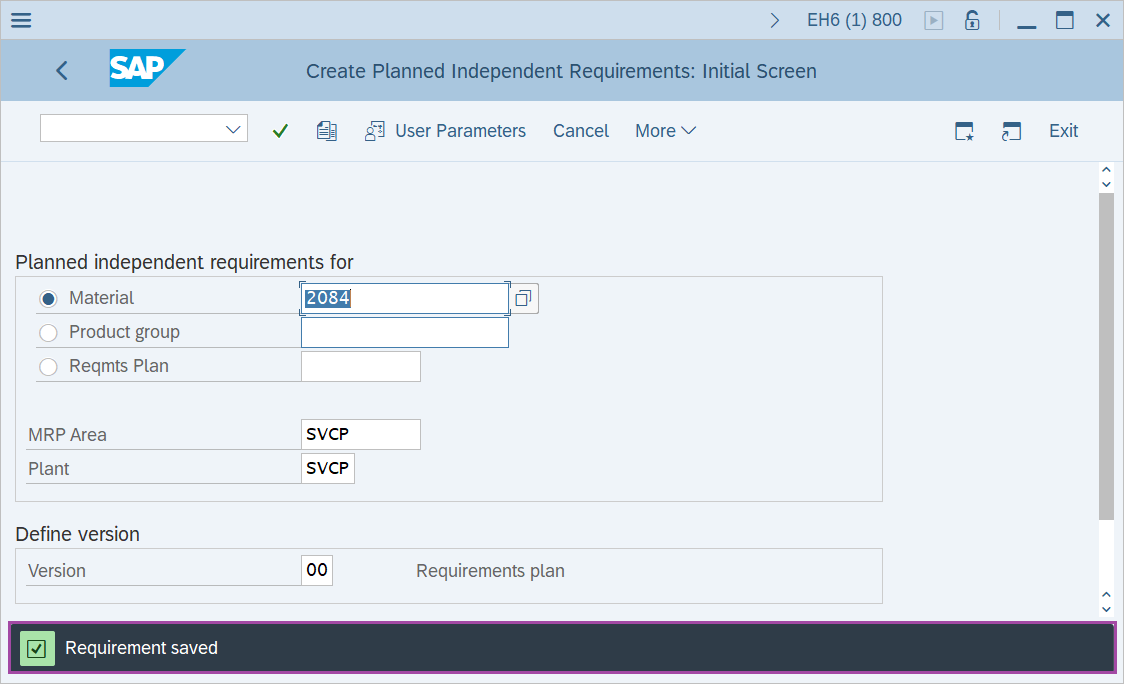
Step-6: - Status bar displays the below message once PIR created successfully.
Technical details –
- Transaction code: MD61
- Menu path: SAP menu → Logistics → Production → Production planning → Demand Management → planned Independent Requirements → Create.