
SAP PP Change Work Center
Change a work center means to update this master-data record. You might revise its capacity (if working hours change), update its cost center (if accounting assignments change), adjust scheduling or processing time settings, or correct any other information associated with it.
It is important to accurate scheduling and capacity planning, correct costing, flexibility when processes change, integration with routing and production orders.
Prerequisites -
- The work center must already exist in SAP for the relevant plant.
- You must know which plant the work center belongs to, and the work center code (its unique identifier) — this identifies the exact work center to modify.
- If you are adjusting capacity, scheduling or cost-related settings, ensure that the related work center’s cost center, activity types, factory calendar, and capacity parameters are properly defined in your SAP setup.
Here’s a step-by-step to Change Work Center –
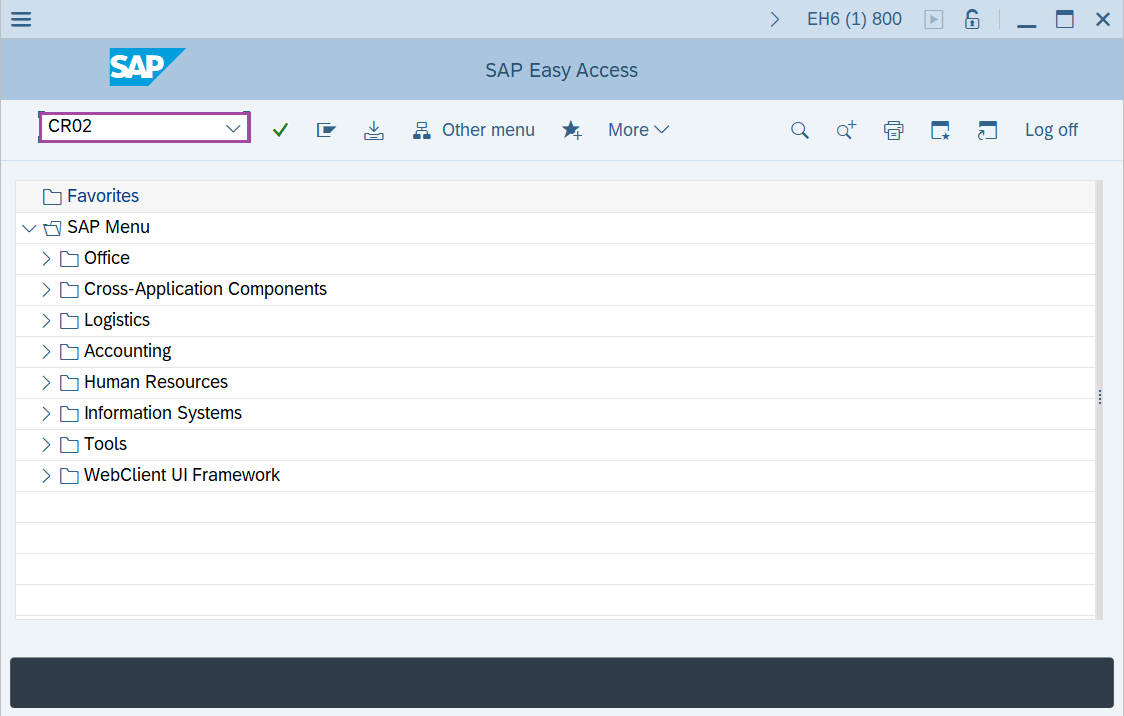
Step-1: - Enter the transaction code CR02 in SAP command field and press Enter to continue.
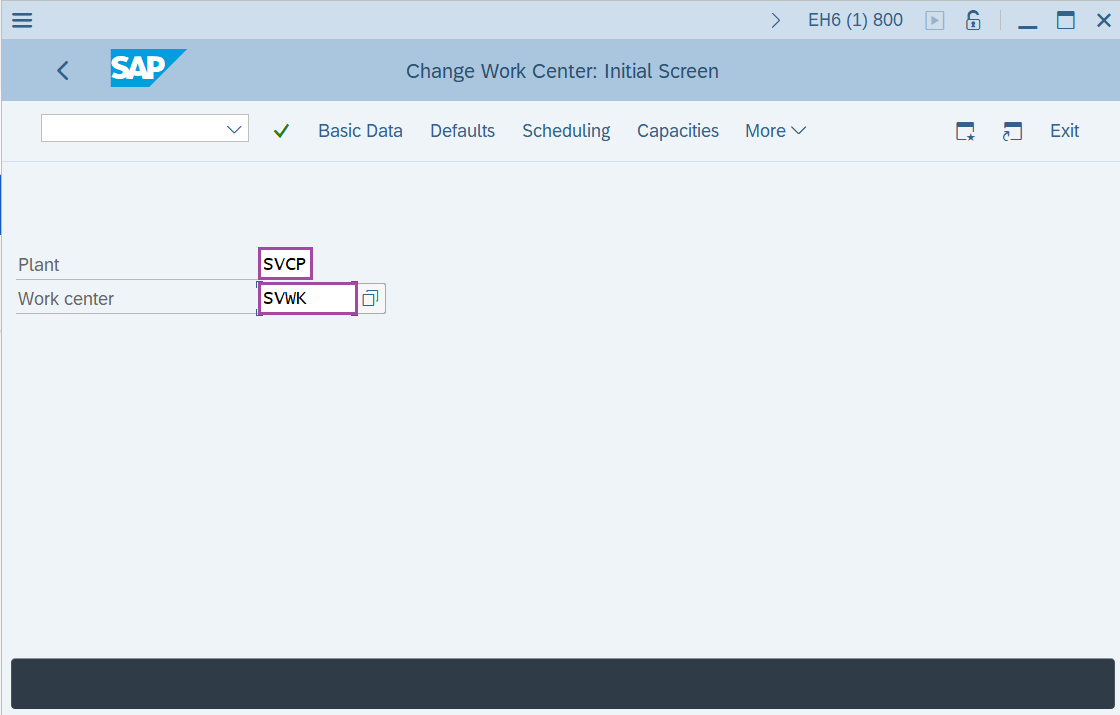
Step-2: - Change Work Center: initial screen window appears. Enter the details of “Plant code”,“Work center name” in data fields.
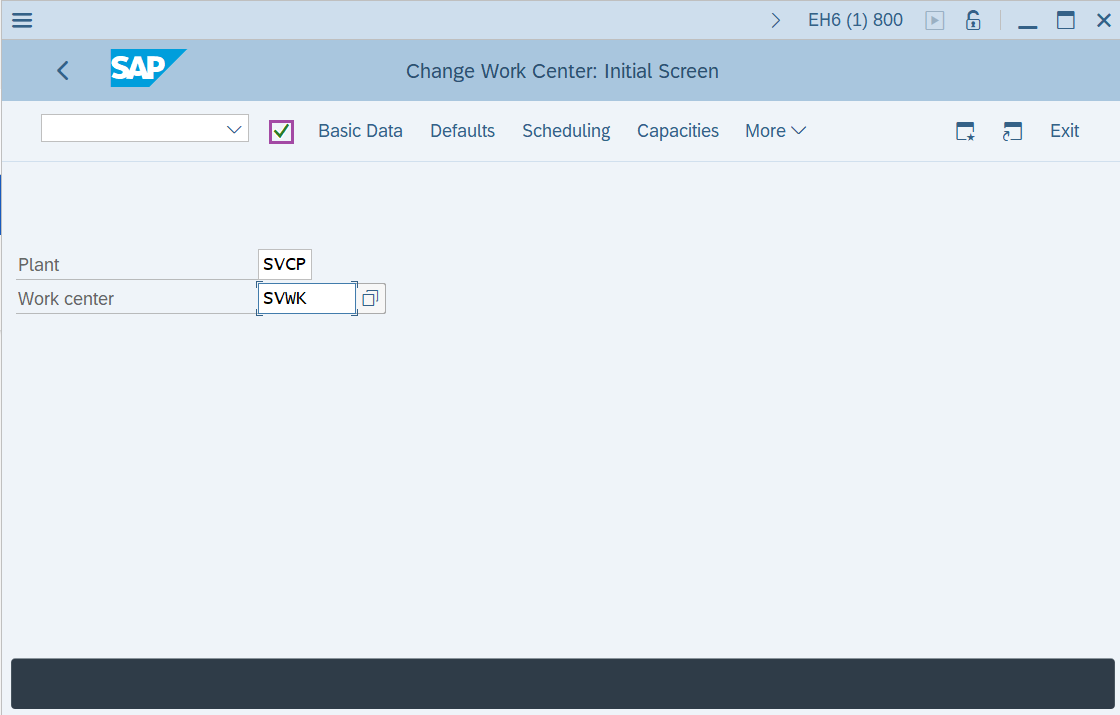
Step-3: - After the details are entered, click on Enter.
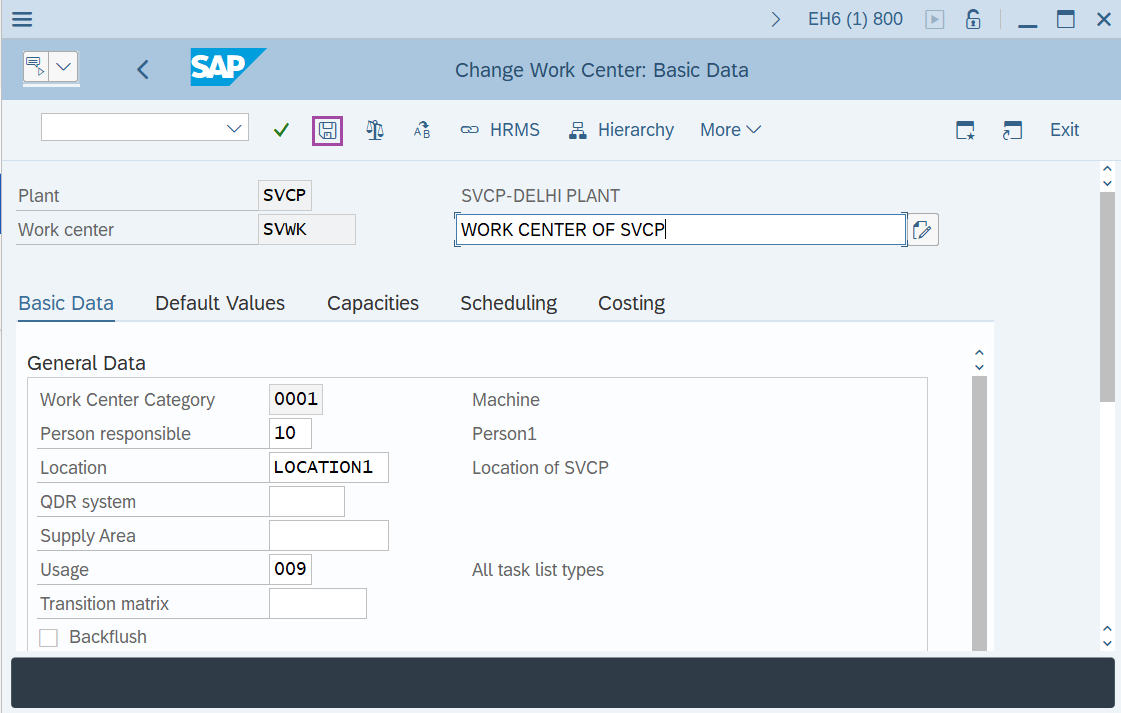
Step-4: - A window appears as Change Work center: Basic Data, resulting details of work center.
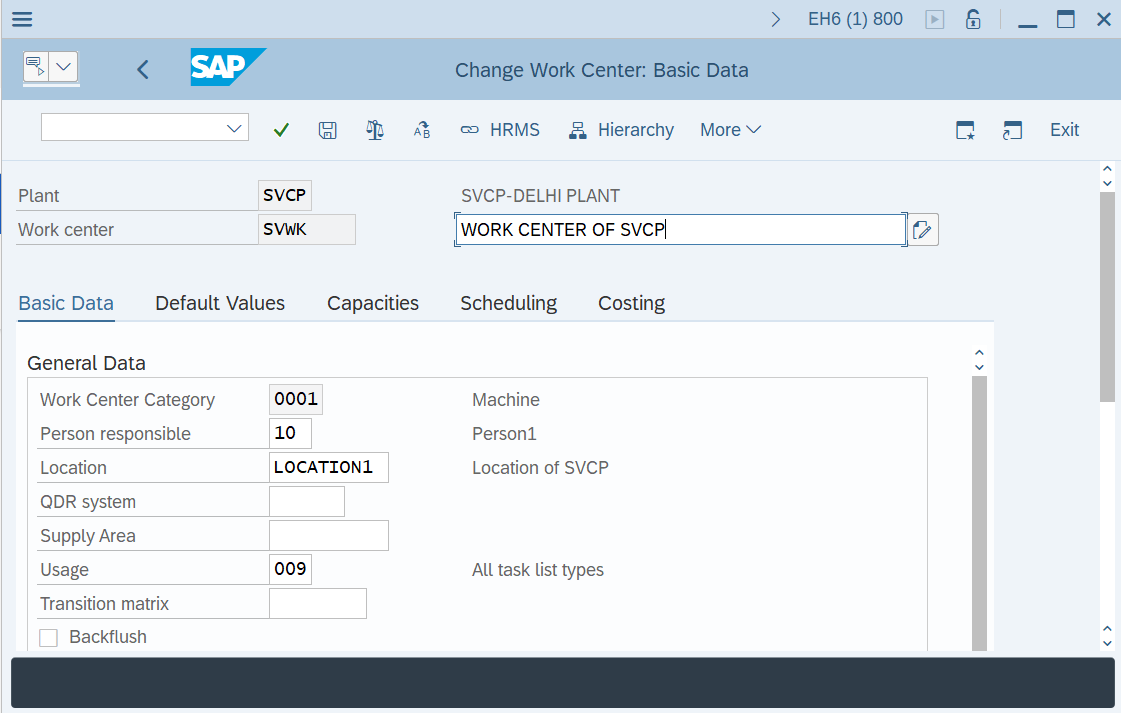
Step-5: - Once completing the all modifications, click Save button to save the configured data.
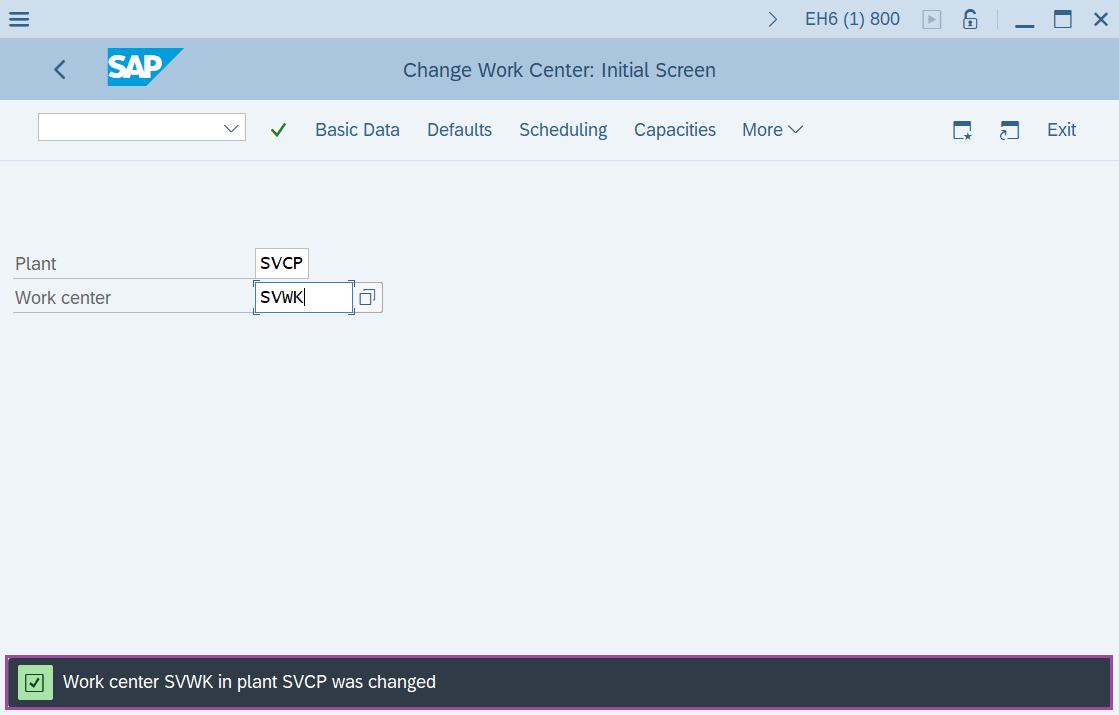
Step-6: - Status bar displays the below message once the data changed successfully.
Technical details –
- Transaction code: CR02
- Menu path: SAP Menu → Logistics → Production → Master Data → Work Centers → Work Center → Change.