
SAP PP Display Routing
“Display Routing” means viewing the operation steps, work centers, and production instructions for manufacturing a material without making any changes. Routing contains the list of operations, standard times, machine assignments, tools, and other production-relevant settings.
Displaying the routing allows planners, engineers, and production supervisors to see how a material is supposed to be produced.
Prerequisites -
- A routing must have been created before (typically using CA01).
- Routing is always linked to: a specific material, a specific plant.
- Must aware of correct Task List Type and Group/Group Counter.
Here’s a step-by-step to Display Routing –
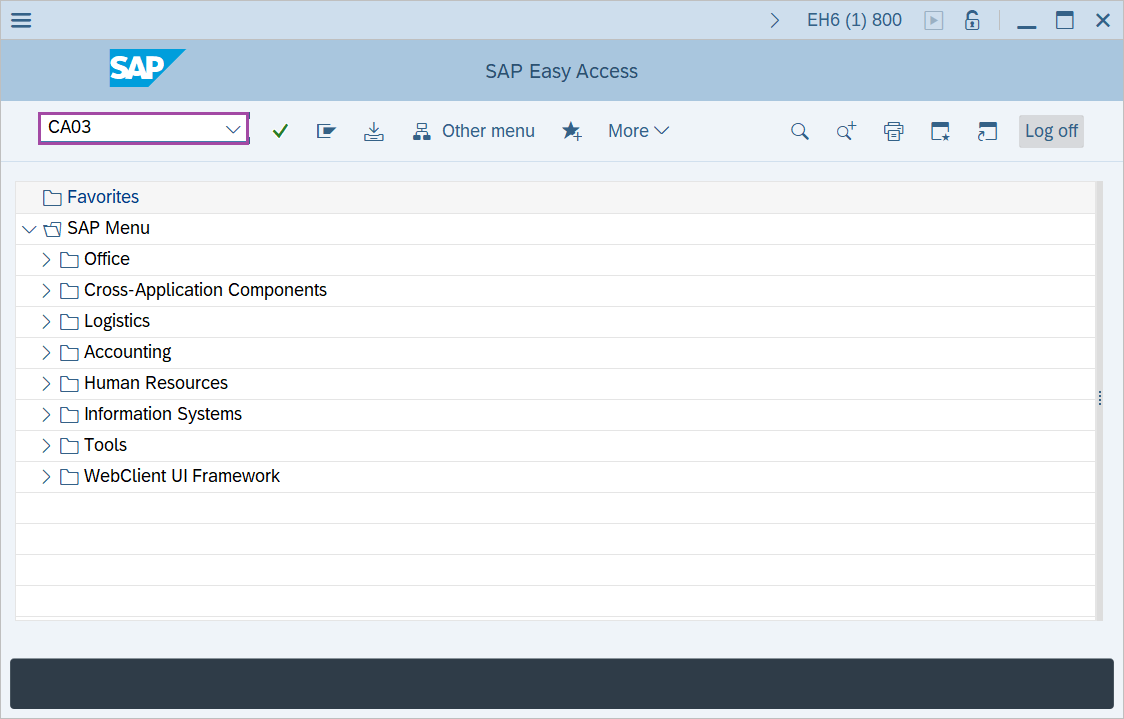
Step-1: - Enter the transaction code CA03 in SAP command field and press Enter to continue.
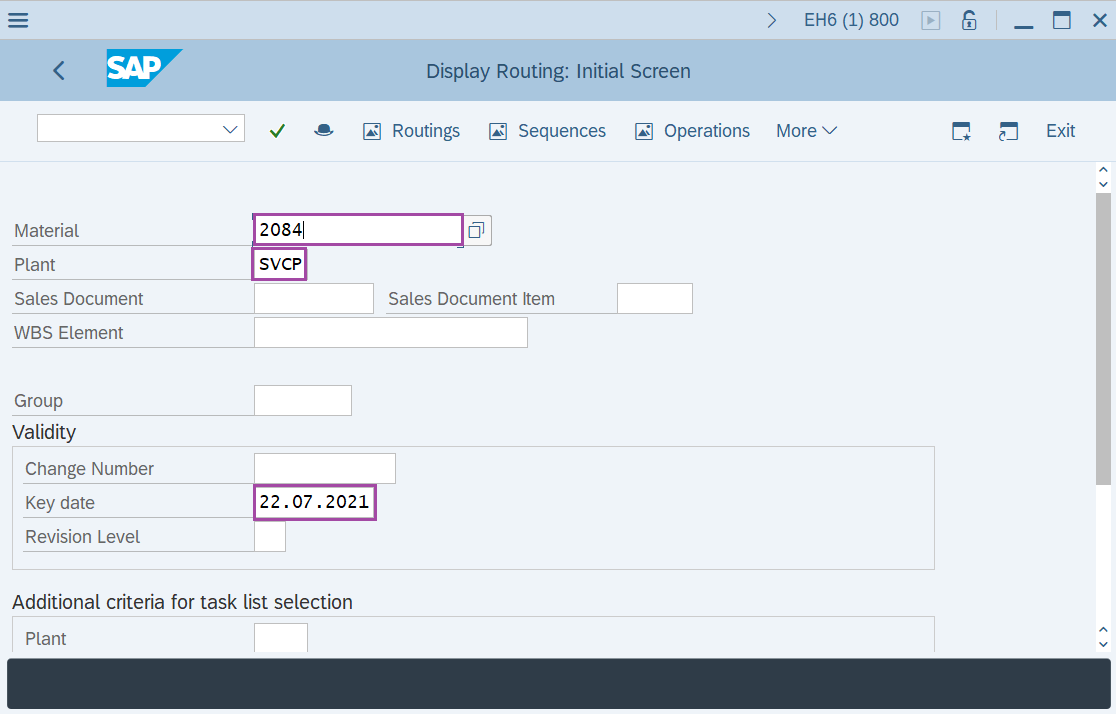
Step-2: - Display Routing: Initial Screen window appears. Enter the details in the fields Material, Plant and Validity Key date.
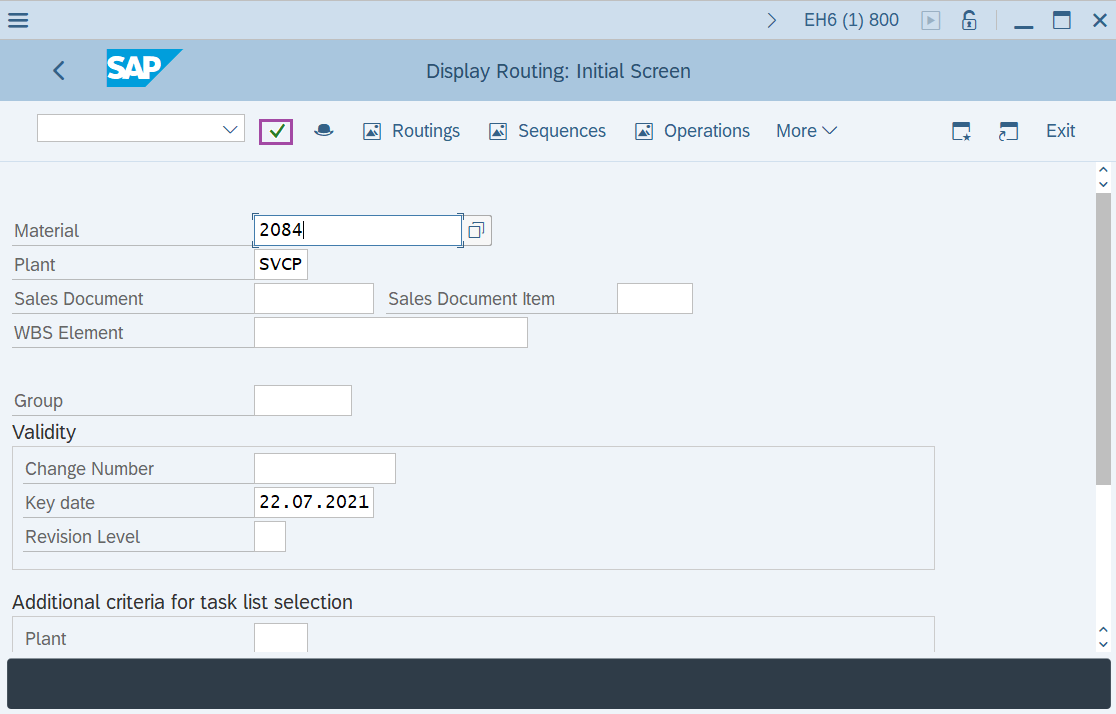
Step-3: - After entering the details, click on Enter button to continue.
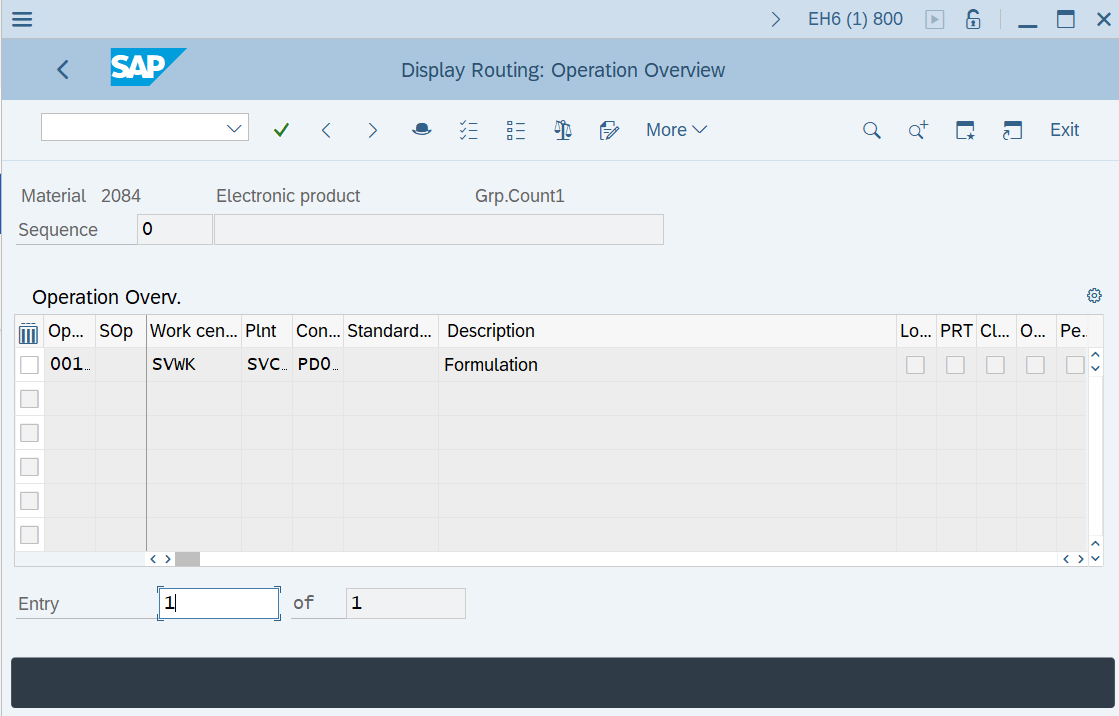
Step-4: - A window will display as Display Routing: Operation Overview with list of operations.
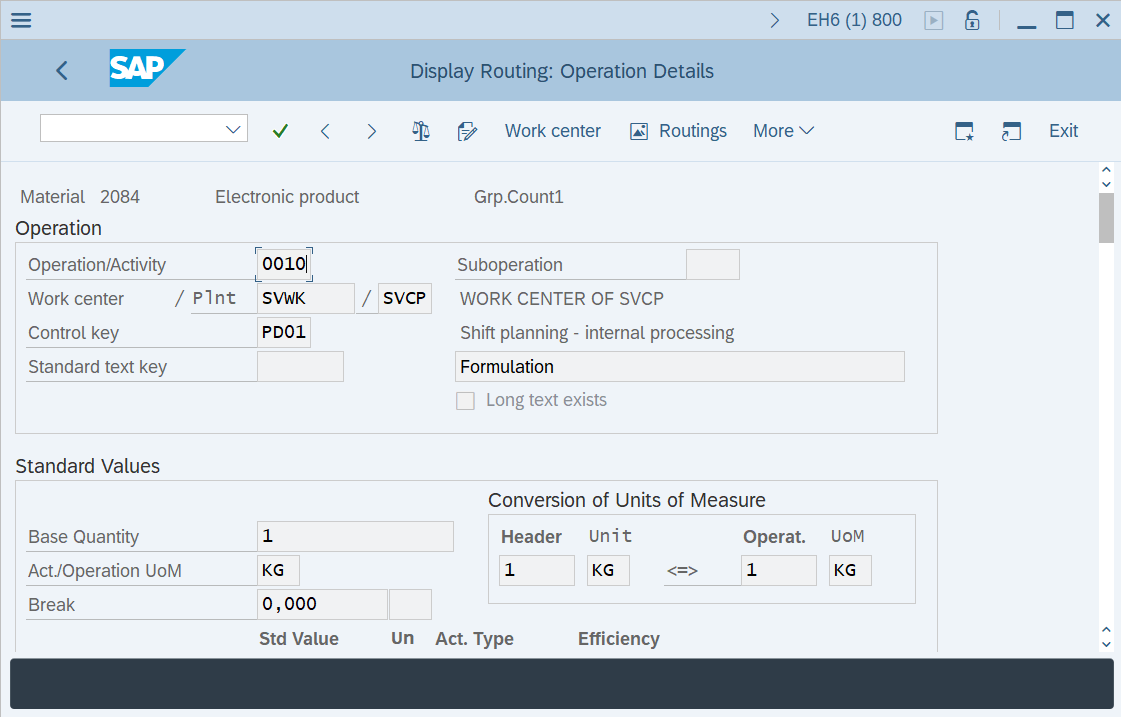
Double click on operation to get the details.
Step-5: - Display Routing: Operation Details window appears with details of operation selected.
Technical details –
- Transaction code: CA03
- Menu path: SAP menu → Logistics → Production → Master Data → Routings → Routings → Standard Routings → Display.