
SAP PP How to do Capacity Leveling
Capacity Leveling is the process of reviewing the workload on your work centers and rescheduling, redistributing or reassigning production operations/orders, so the workload fits within the actual capacity (i.e. available working hours, shift patterns, machine availability).
This ensures that you avoid bottlenecks, overloading, delays, and unrealistic production plans — giving you a more realistic, executable schedule.
Prerequisites -
Before you attempt leveling, you need:
- Valid work centers with correct capacity definitions (working hours, shifts, availability).
- Proper routing + operation times in your production orders — i.e. operations tied to work centers, with correct setup/machine/labor times.
- Production or planned orders in the system that cause capacity requirements.
- The ordering of operations should allow rescheduling.
Here’s a step-by-step to do Capacity Leveling –
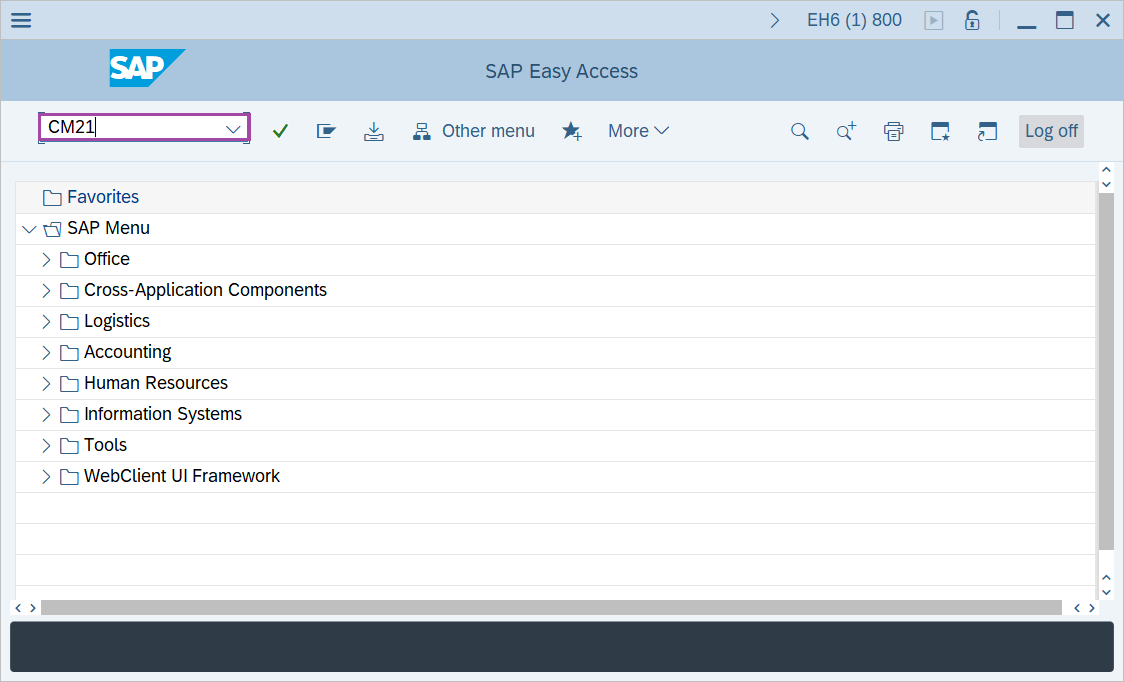
Step-1: - Enter the transaction code CM21 in SAP command field and press Enter to continue.
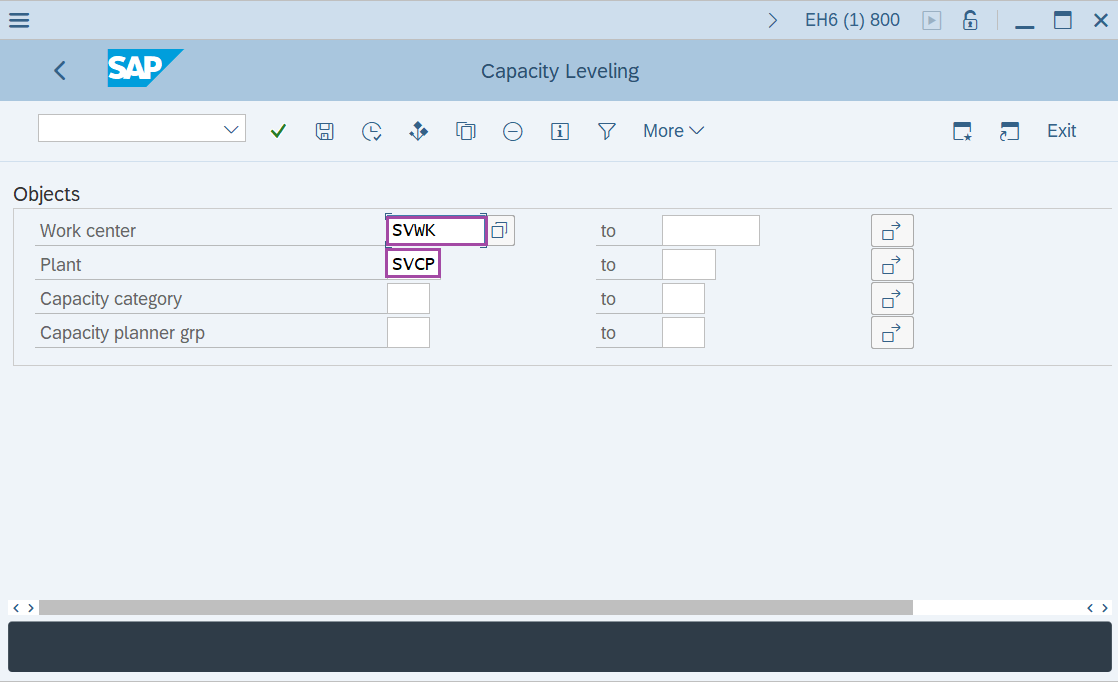
Step-2: - Capacity Levelling window appears. Enter the plant code and press Enter.
Step-3: - Planning Table: SAPSFCG001 Finite Scheduling forw./all functs.activ window appears with details of orders pool at the bottom and Work Center pool at the upper half of the screen in the planning table.
Check the several orders in the orders pool and the list of Work Centers in Work Centers pool.
Step-4: - Select an order from orders pool then click on dispatch button to assign the order to Work Center.
Step-5: - Now check the dispatched order in the work center pool.
Technical details –
- Transaction code: CM21
- Menu path: SAP menu → Logistics → Production → Capacity Planning → Leveling → Work Center View → Planning Table(Graphical).