
SAP PP Define MRP Controller
An MRP Controller is basically the person (or group) responsible for material planning and availability for a set of materials in SAP. In other words: when you run MRP (Material Requirements Planning), each material is “owned” by an MRP Controller — that controller monitors stock, supply, demand and ensures correct procurement or production for that material.
In SAP, MRP Controller is not just a name; it’s a master-data object — defined centrally, then assigned to materials. Because many materials exist in plants, using MRP Controllers helps distribute the workload: different planners/controllers can be responsible for different material groups.
Here’s a step-by-step to Define MRP Controller –
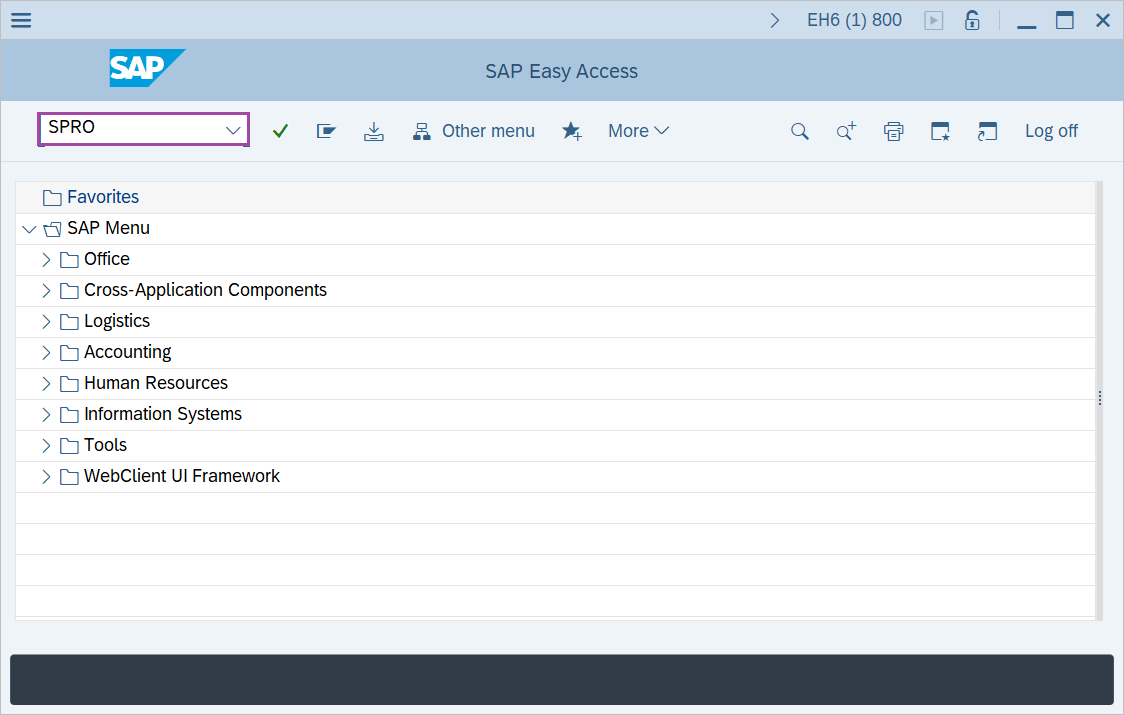
Step-1: - Enter transaction code SPRO in the SAP command field and press Enter to continue.
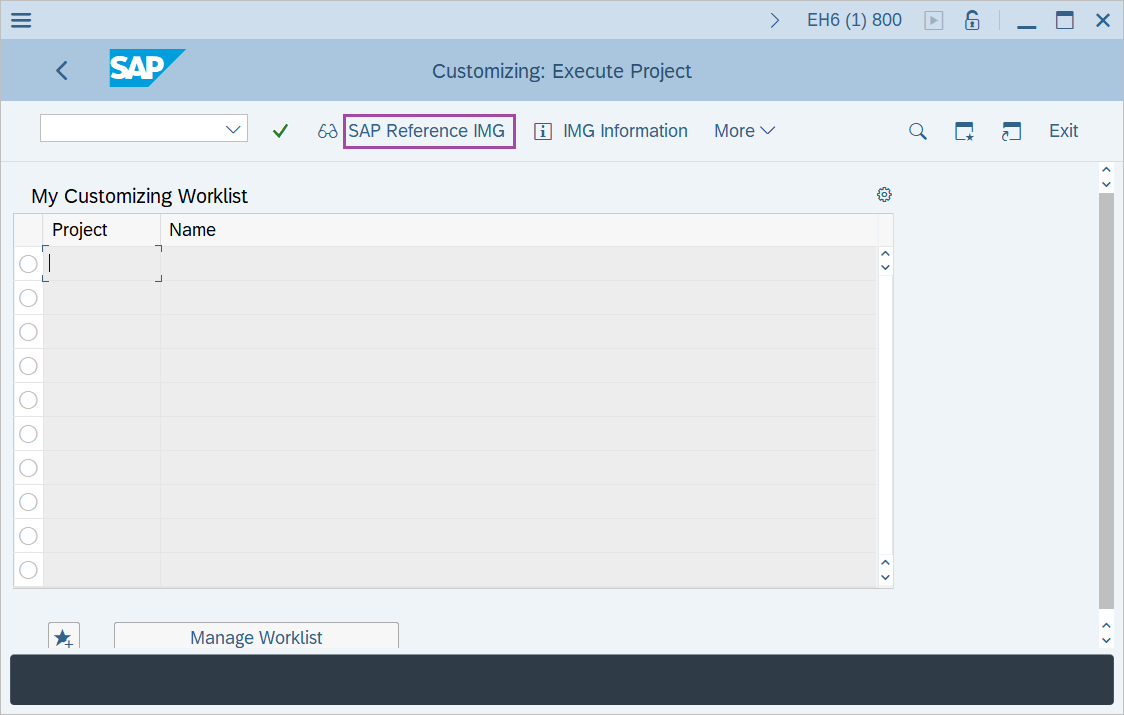
Step-2: - "Customizing: Execute project" screen appears. Click on "SAP Reference IMG" button to continue.
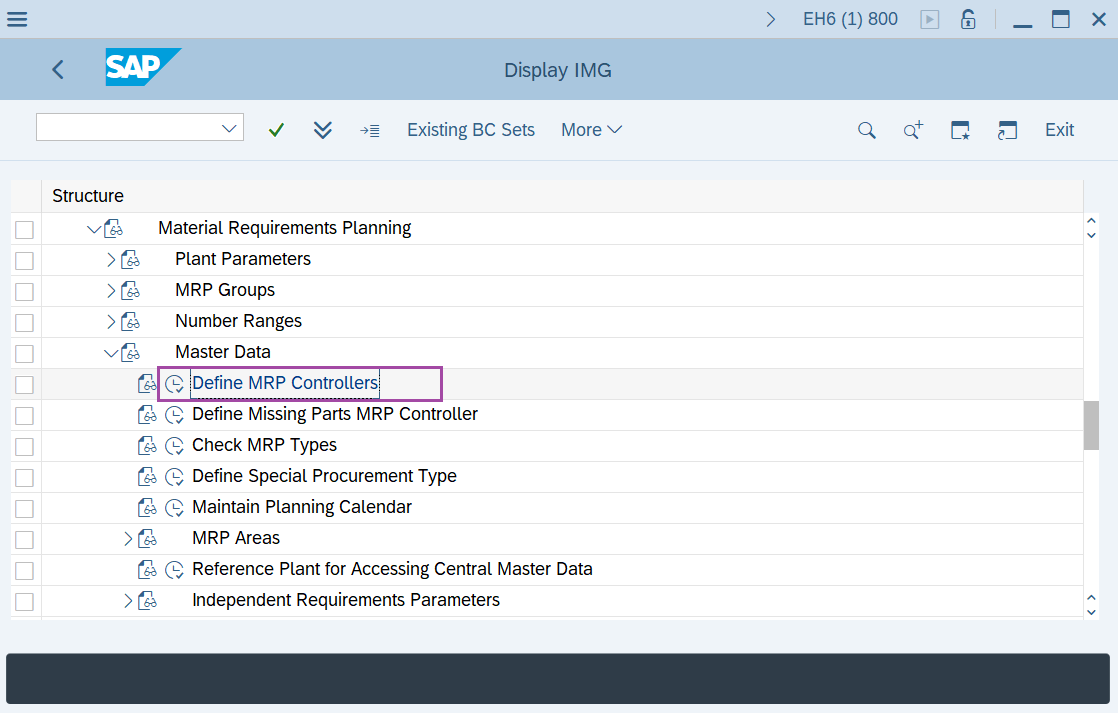
Step-3: - "Display IMG" screen appears. Navigate to " Production → Material Requirement Planning → Master Data → Define MRP Controllers".
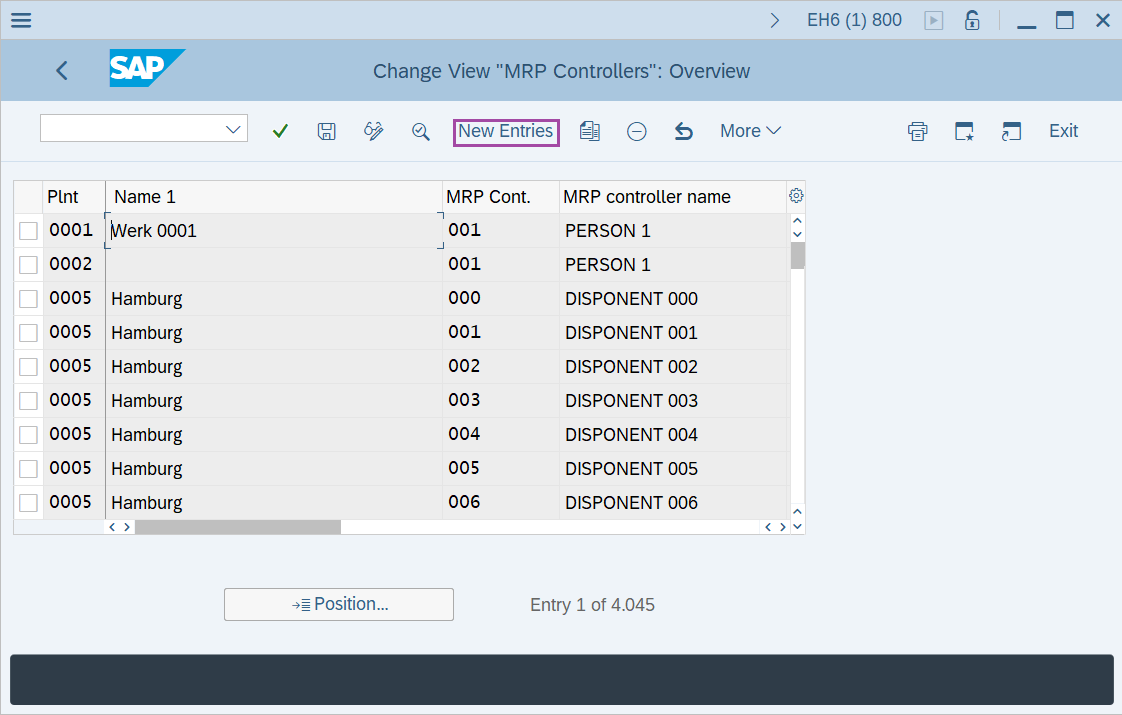
Step-4: - Change View "MRP Controllers": Overview Screen appears. Click on New Entries.
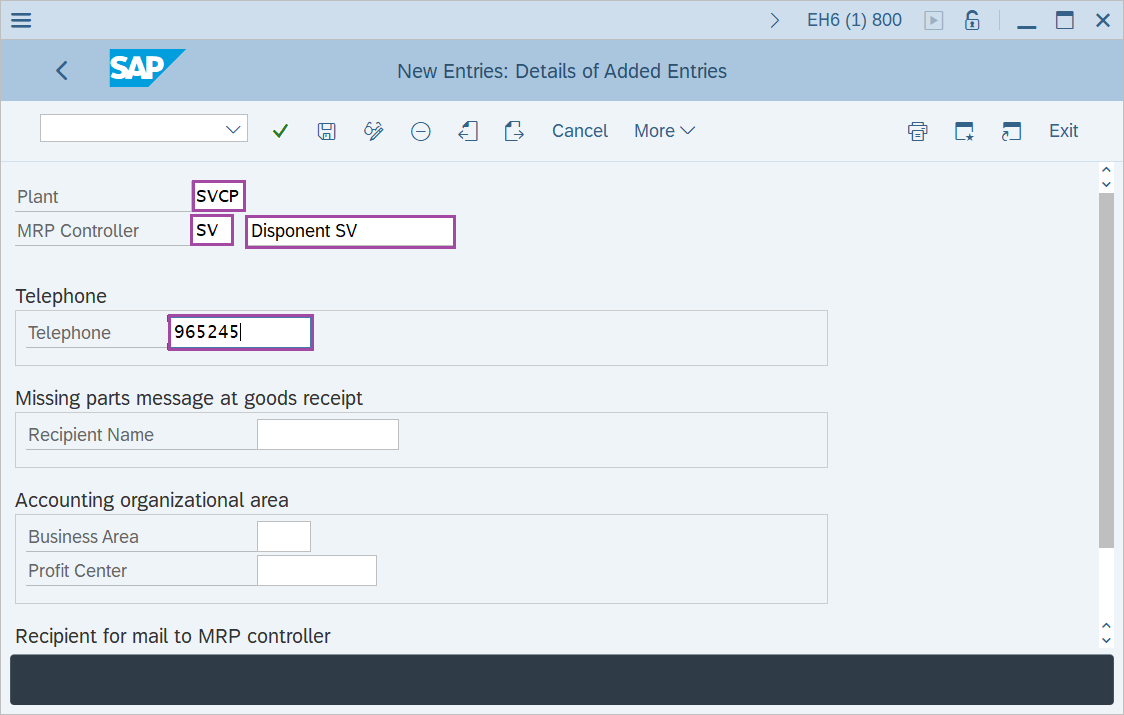
Step-5: - New Entries: Overview of Added Entries window appears, enter Plant key, MRP Controller and Telephone number.
- Plant – Enter the plant key.
- MRP Controller - Enter MRP key and its description.
- Telephone - Enter the telephone number for purchasing group.
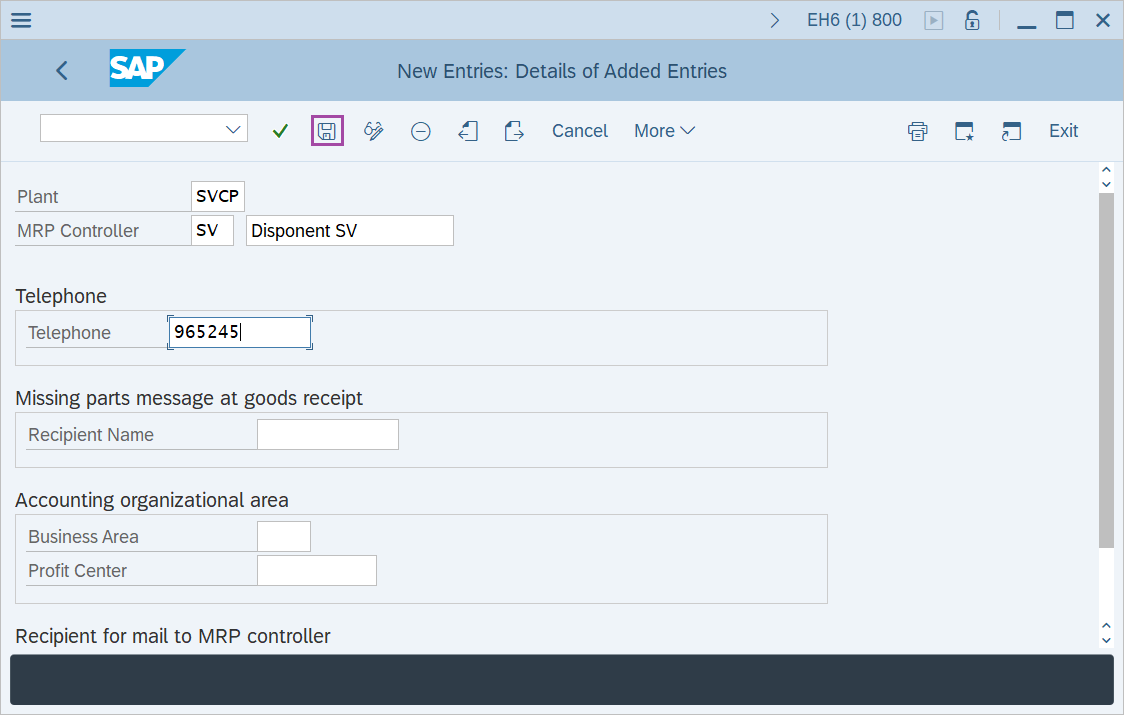
Step-6: - After entering the details, click on Save button to save the details.
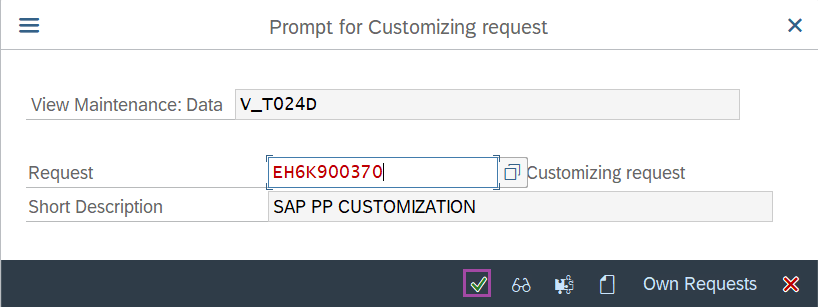
Step-7: - Select the “customizing request” and click on right mark to continue.
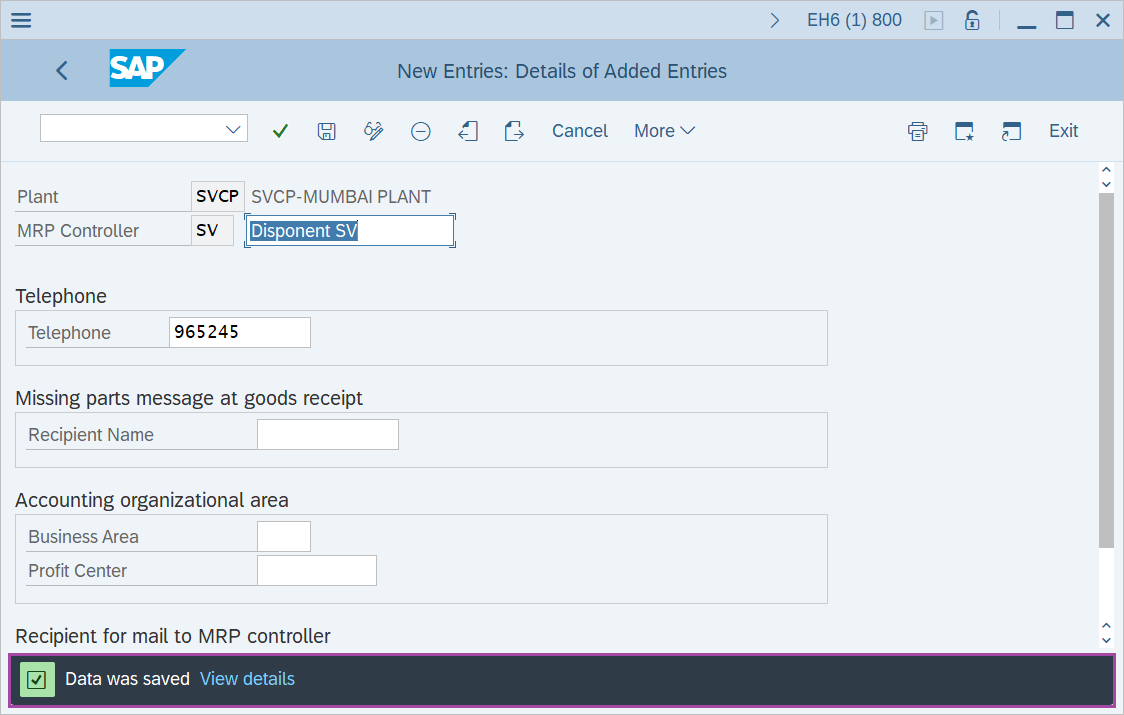
Step-8: - Status bar displays the below message once the values saved successfully.
Technical details: -
- Transaction: N/A
- Menu Path: SPRO → SAP Reference IMG → Production → Material Requirement Planning → Master Data → Define MRP Controllers.